[DB600] General Instruction Manual MODE 5
- 90 -
5-7-4
Input correction
Sets the sensor correction and digital filter.
Sensor correction
Adds a correction value to measured value (PV) and uses the result for the instrument display or control.
This function provides a fine adjustment for the case a variation of measured value is observed between
the instrument and other instruments.
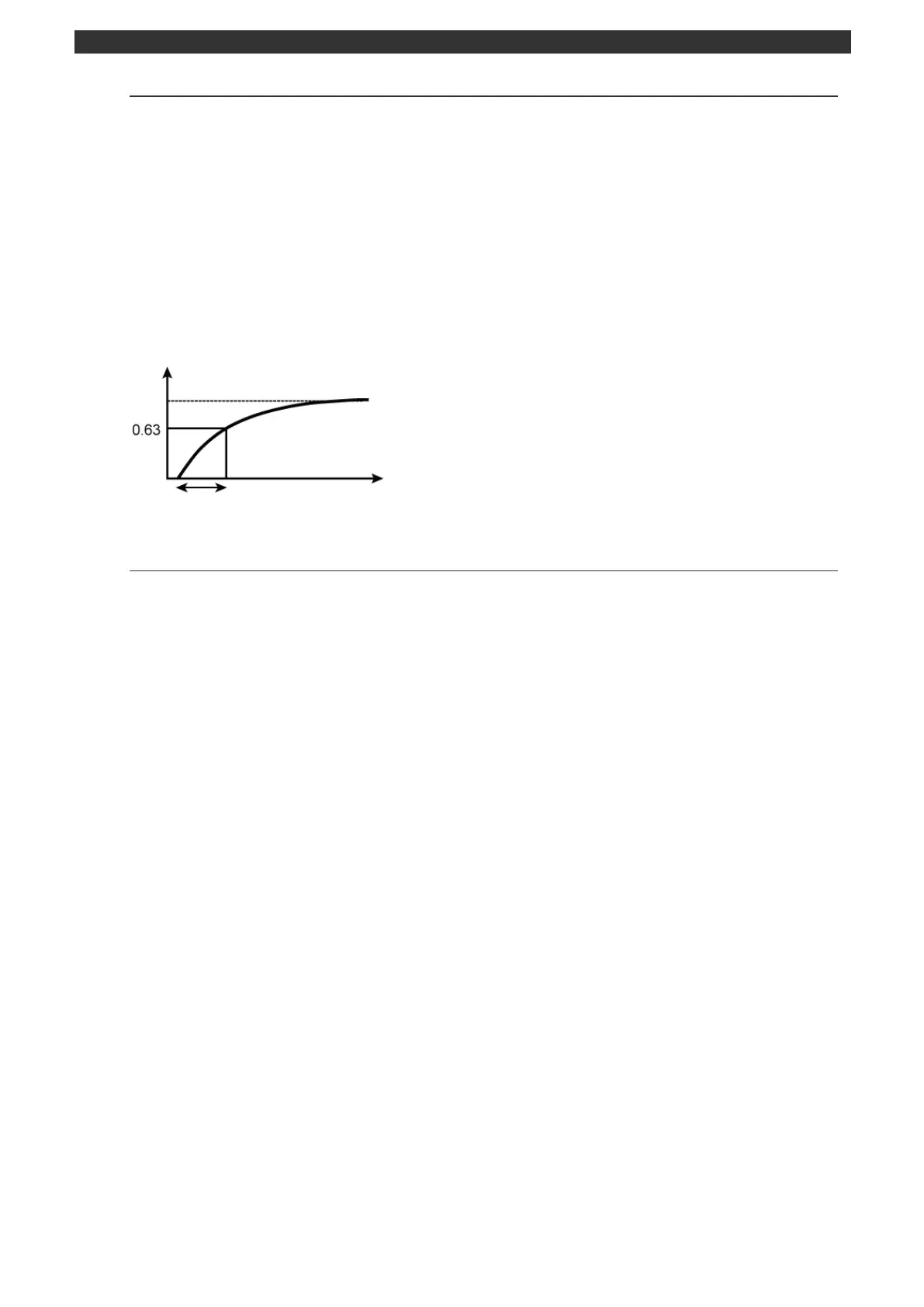
Digital filter
Reduces variation in measured value (PV) caused by noise, etc. to make it smooth. A first-order lag
operation is performed on measured value to set the time (time constant) to be approximately 63%. The
larger the time constant, the more effective the noise removal performance; however, input response
becomes slow if the time constant is too large.
5-7-5
SV limiter
SV limiter is used to limit the SV operation range (lower/upper limit). It is functions in program operation
and constant value operation. SV limiter does not function in remote operation.
Setting/changing of SV in MODE0, MODE2 or MODE3 should be done within the setting range of SV
limiter.
Time constant (0.1 to 99.9sec, 0.0 = OFF)



 To Next Page