[DB600] General Instruction Manual
- 61 -
5 Setting operations
5-1 Basics of setting
5-1-1
Setting screen display
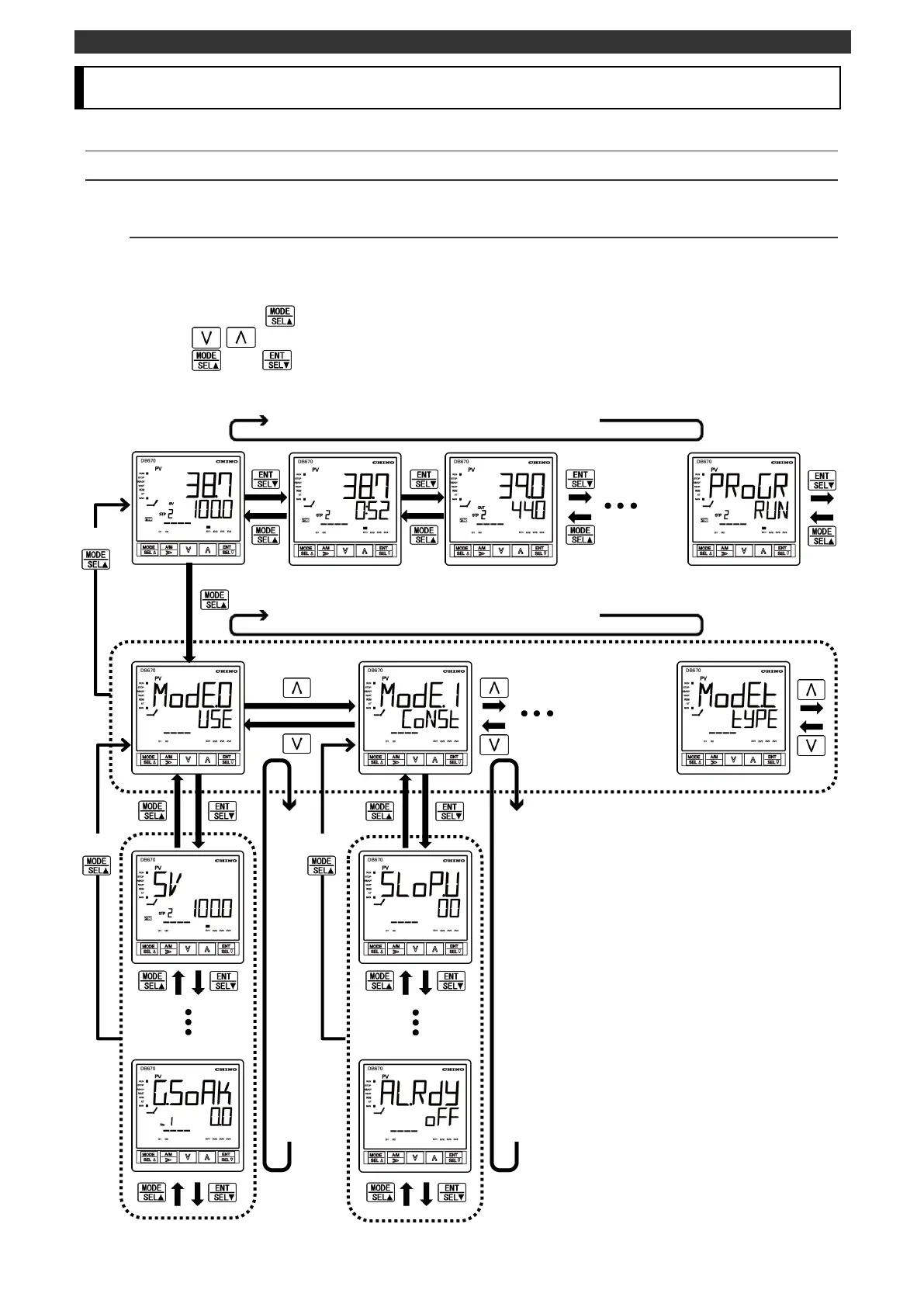
The setting screens are grouped by MODE. See "9-3 Parameter directory list" to find the location of
desired setting screen. The following figure shows the screen transition of the operation screen, MODE
screen and setting screen.
Press and hold the key to switch between the operation screen and the MODE screen.
Use the / key to select the MODE screen.
Use the and keys to select the setting screen from the MODE initial screen.
The operation screen changes in a circular pattern.
The operation screen makes transition in a circular pattern.
The MODE screen changes in a circular pattern.
Press
and hold
Press
and hold
The setting screen changes in a circular pattern.
The setting screen changes in a circular pattern.
Press
and hold
Press
and hold
Press
and hold
Press
and hold



 To Next Page