[DB600] General Instruction Manual MODE d
- 107 -
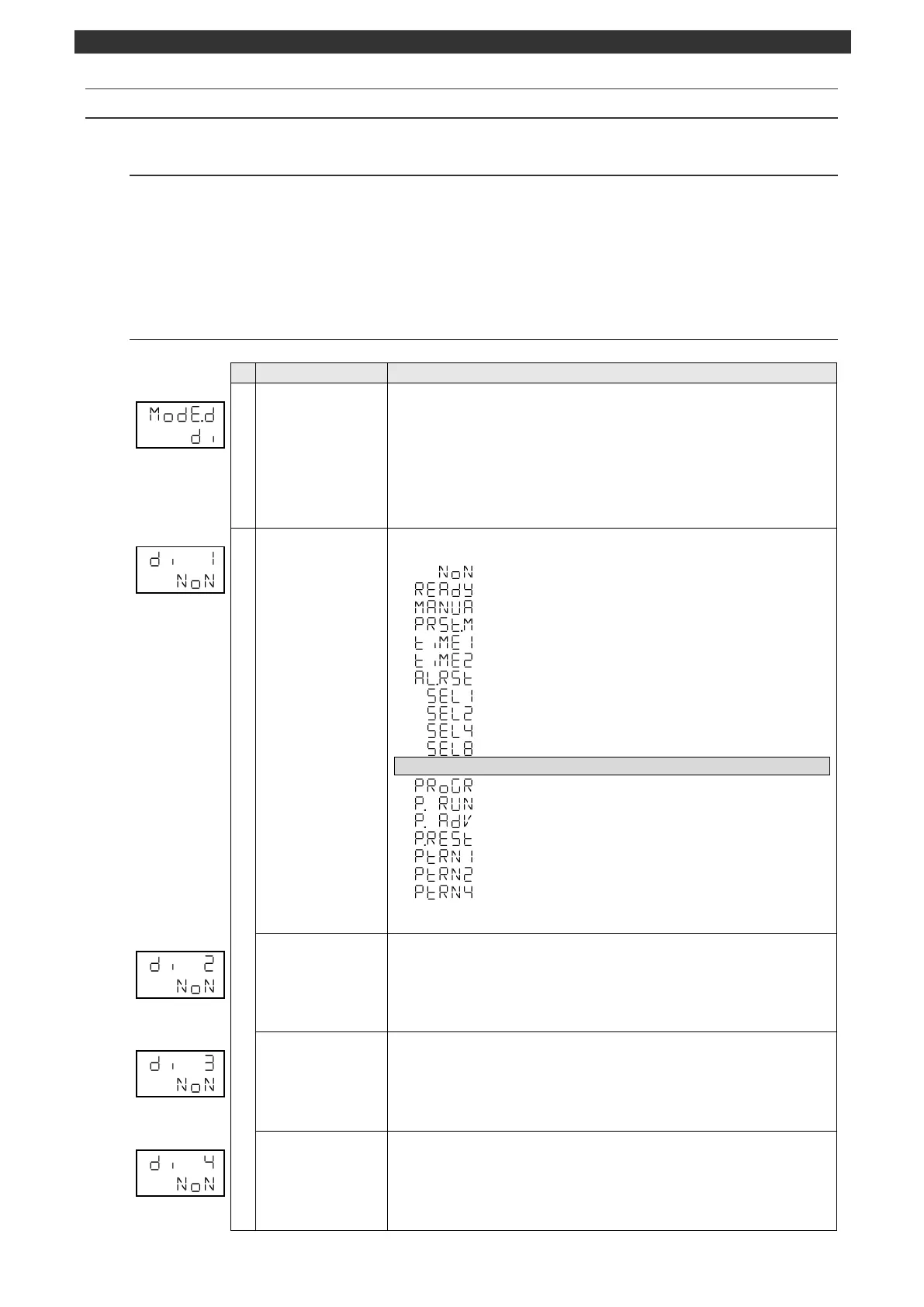
5-13 MODEd [External input parameter]
5-13-1
Setting overview
MODEd provides the settings related to the external signal input. The display is available only for the
specification with external signal input.
External input is enabled by setting a function available for assignment to the external no voltage contact
input number.
See the section 6-11 for details.
5-13-2
Setting item screen and function
MODEd initial screen
(External input
parameter)
MODEd (external input parameter) initial screen
Pressing the [
] key makes a switch to the MODEc, MODEb, MODE7 or MODE6
screen.
Pressing the [
] key makes a switch to the MODEt screen.
No parameter is set by the [ENT] key.
[Switch to operation initial screen]
Press and hold the [MODE] key to display the screen set on the MODEt operation
initial screen.
Sets the external input 1.
Function OFF. No external signal input assigned.
[Constant value operation] RUN/READY switch
AUTO/MANUAL output switch
Execution No. selection 1 for constant value operation (Bit0)
Execution No. selection 2 for constant value operation (Bit1)
Execution No. selection 4 for constant value operation (Bit2)
Execution No. selection 8 for constant value operation (Bit3)
Program operation specifications
Program/constant value operation switch
Program operation RUN/STOP
Program operation ADVANCE
Use the [
], [
] and [ENT] keys to set the external input 1.
Sets the external input 2.
Use the [
], [
] and [ENT] keys to set the external input 2.
Sets the external input 3.
Use the [
], [
] and [ENT] keys to set the external input 3.
Sets the external input 4.
Use the [
], [
] and [ENT] keys to set the external input 4.



 To Next Page