[DB600] General Instruction Manual MODE 7
- 99 -
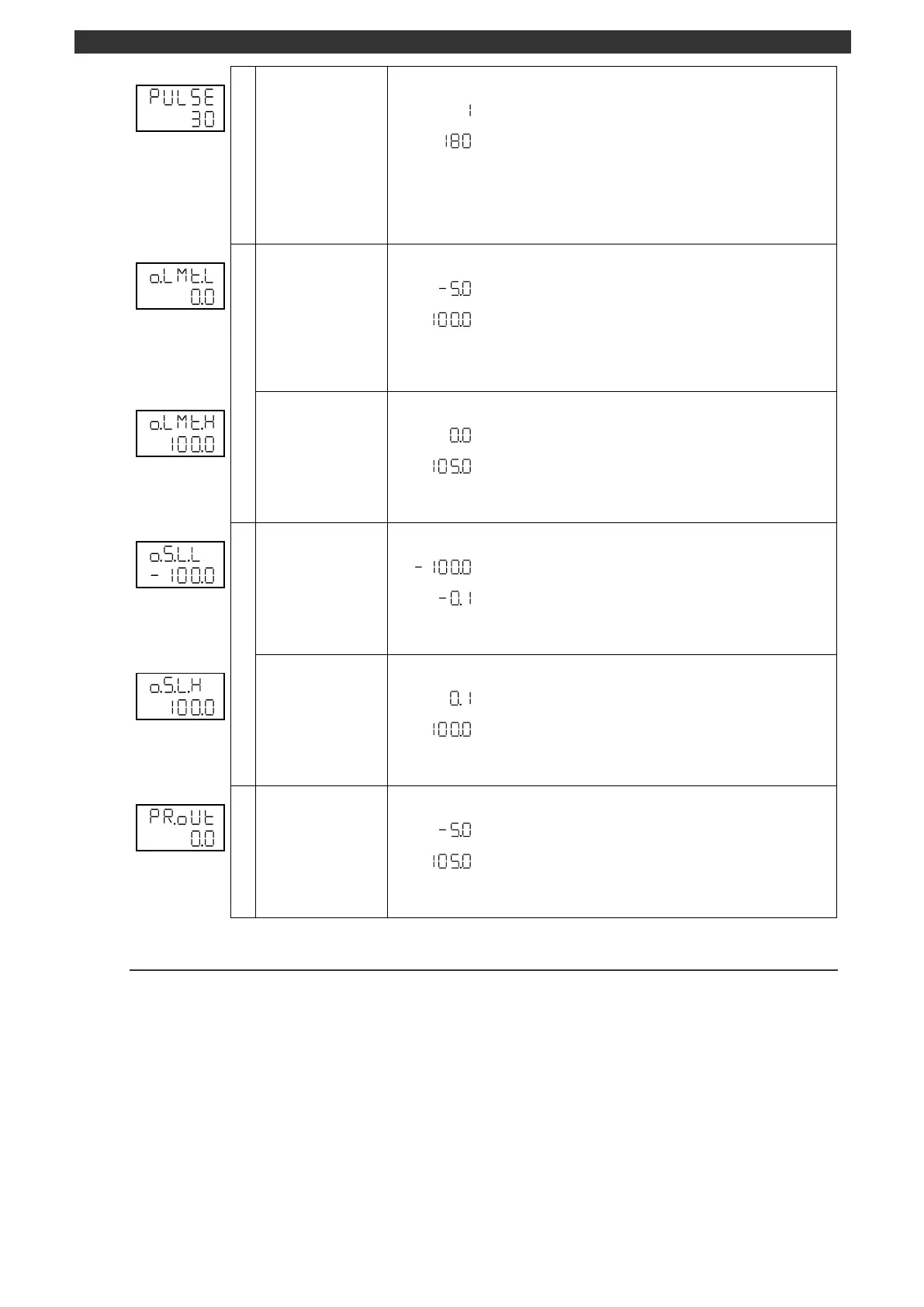
Sets the pulse cycle for the output 2.
The display appears when the output 2 uses ON-OFF pulse/SSR drive pulse output
type.
Use the [
], [
] and [ENT] keys to set the pulse cycle.
Use the [>] key to move the cursor to the right digit.
Output limiter for output 2
Output 2
output limiter lower limit
Sets the lower limit of output limiter for the output 2.
Use the [
], [
] and [ENT] keys to set the lower limit of output limiter for the output 2.
Use the [>] key to move the cursor to the right digit.
Output 2
output limiter upper limit
Sets the upper limit of output limiter for the output 2.
Use the [
], [
] and [ENT] keys to set the upper limit of output limiter for the output 2.
Use the [>] key to move the cursor to the right digit.
Output 2 variation limiter
Output 2
variation limiter for fall
Sets the output 2 variation limiter for fall.
Use the [
], [
] and [ENT] keys to set the output 2 variation limiter for fall.
Use the [>] key to move the cursor to the right digit.
Output 2
variation limiter for rise
Sets the output 2 variation limiter for rise.
Use the [
], [
] and [ENT] keys to set the output 2 variation limiter for rise.
Use the [>] key to move the cursor to the right digit.
Sets the output 2 preset manual.
Use the [
], [
] and [ENT] keys to set the output 2 preset manual.
Use the [>] key to move the cursor to the right digit.
5-9-3
Output 2 control system
The output 2 control system of this instrument is intended for the heating/cooling control, and two types of
control calculation: PID and split are available. Understand each of the control calculation method and
select the appropriate one. See the section 6-8 for details.
The required items for PID control calculation setting are "Output 2 PID", "Output 2 PID dead band",
"Output 2 gap", "Output 2 control action" and "Output 2 output preset".
The required items for split control calculation setting are "split Direct" and "split Reverse".



 To Next Page