[DB600] General instruction manual
- 126 -
6-10 Remote signal input
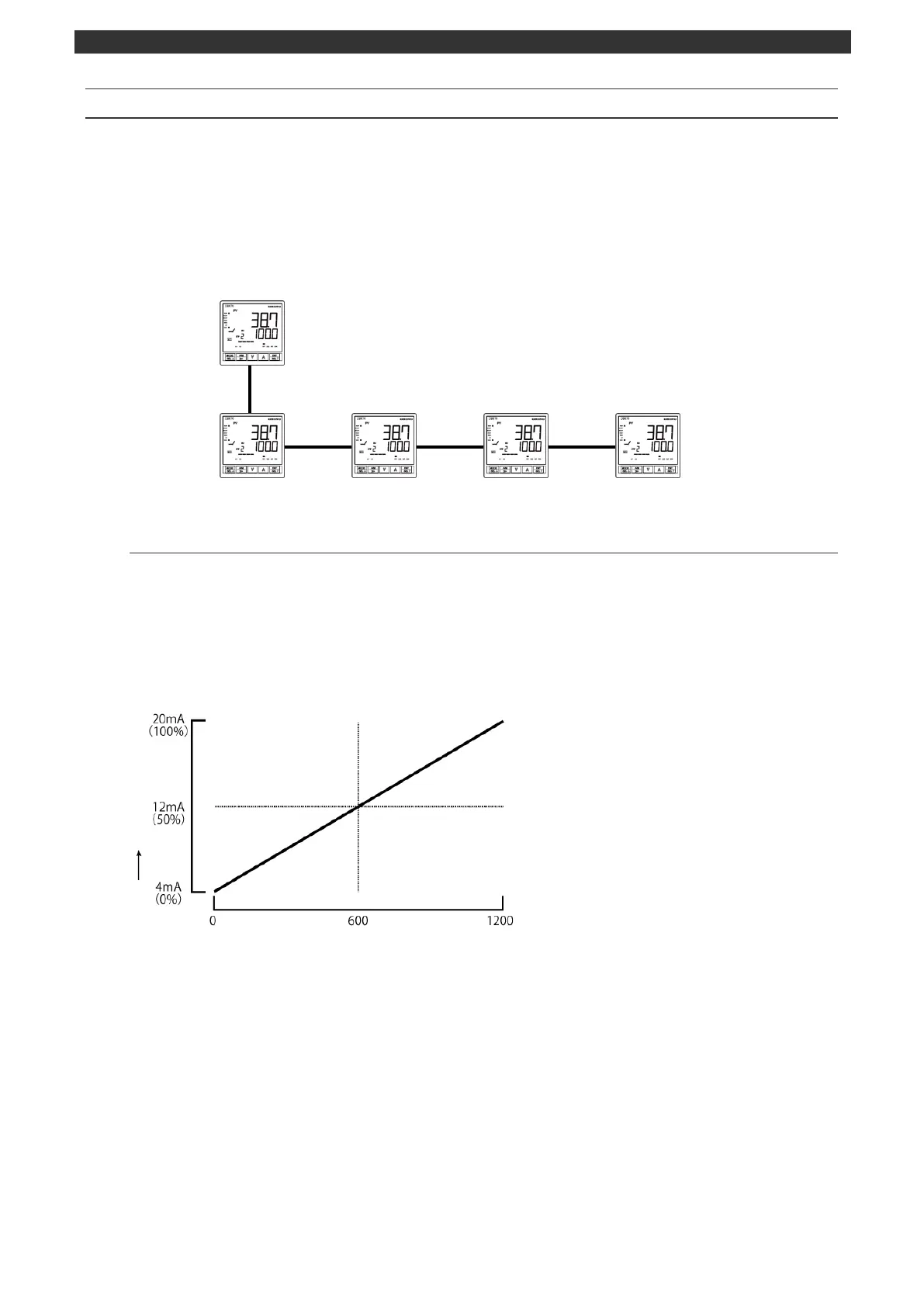
This function allows you to set SV using external analog signal.
For example, you can use the instrument as a simple program controller by setting "Transmission type
(MODEb)" of the instrument (specification with program function) to "SV transmission signal output" and
connecting it to another controller (specification with remote signal input). The analog signal specification
is specified by the model.
Main device (specification with program function)
Sub device (specification with remote signal input)
6-10-1
Remote signal input characteristics
The following shows an example of setting the remote scale.
- Setting condition -
Remote signal input ···································4 to 20mA
Remote scale zero/span (MODEc) ···········0 to 1200°C
Remote/local switch (MODEc) ··················Remote



 To Next Page