[DB600] General Instruction Manual MODE 6
- 91 -
5-8 MODE6 [Control parameter]
5-8-1
Setting overview
MODE6 is provided the output related settings. A condition or limit can be added to the output.
5-8-2
Setting screen and function
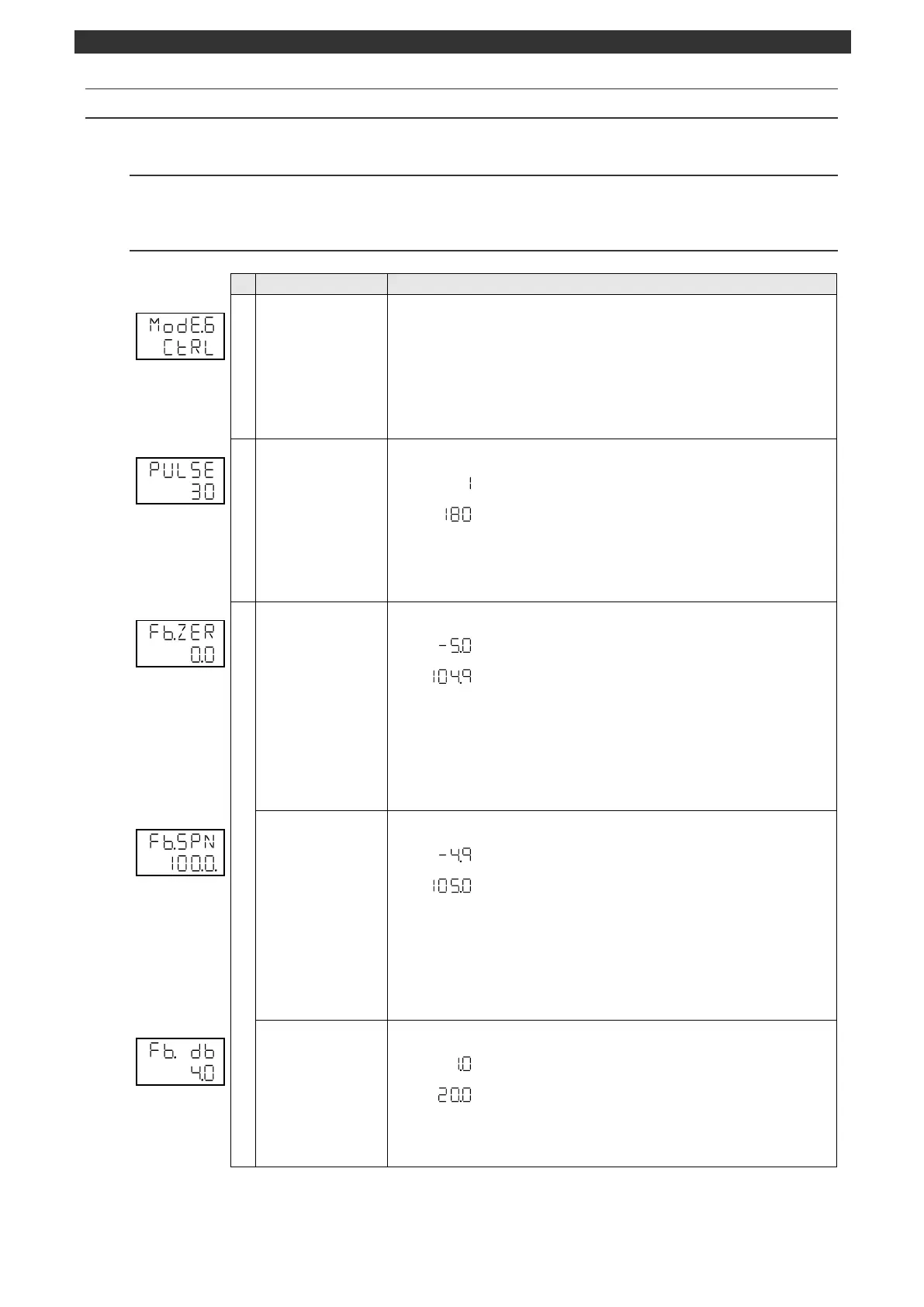
MODE6 initial screen
(Control parameter)
MODE6 (control parameter) initial screen
Pressing the [
] key makes a switch to the MODE5 screen.
Pressing the [
] key makes a switch to the MODE7, MODEa, MODEb, MODEc,
MODEd or MODEt screen.
No parameter is set by the [ENT] key.
[Switch to operation initial screen]
Press and hold the [MODE] key to display the screen set on the MODEt operation
initial screen.
The display appears when the output 1 uses ON-OFF pulse/SSR drive pulse output
type.
Use the [
], [
] and [ENT] keys to set the pulse cycle.
Use the [>] key to move the cursor to the right digit.
ON-OFF servo/feedback input
This display is available for the ON-OFF servo output type.
Use the [
], [
] and [ENT] keys to set the FB zero.
Use the [>] key to move the cursor to the right digit.
Values smaller than the span value can be set for the zero value.
* Fine adjust the setting range of FB zero/span using this parameter after performing
FB tuning (operation screen).
This display is available for the ON-OFF servo output type.
Use the [
], [
] and [ENT] keys to set the FB span.
Use the [>] key to move the cursor to the right digit.
Values smaller than the span value can be set for the zero value.
* Fine adjust the setting range of FB zero/span using this parameter after
performing FB tuning (operation screen).
Sets the feedback dead band.
This display is available for the ON-OFF servo output type.
Use the [
], [
] and [ENT] keys to set the FB dead band.
Use the [>] key to move the cursor to the right digit.



 To Next Page