[DB600] General Instruction Manual
- 64 -
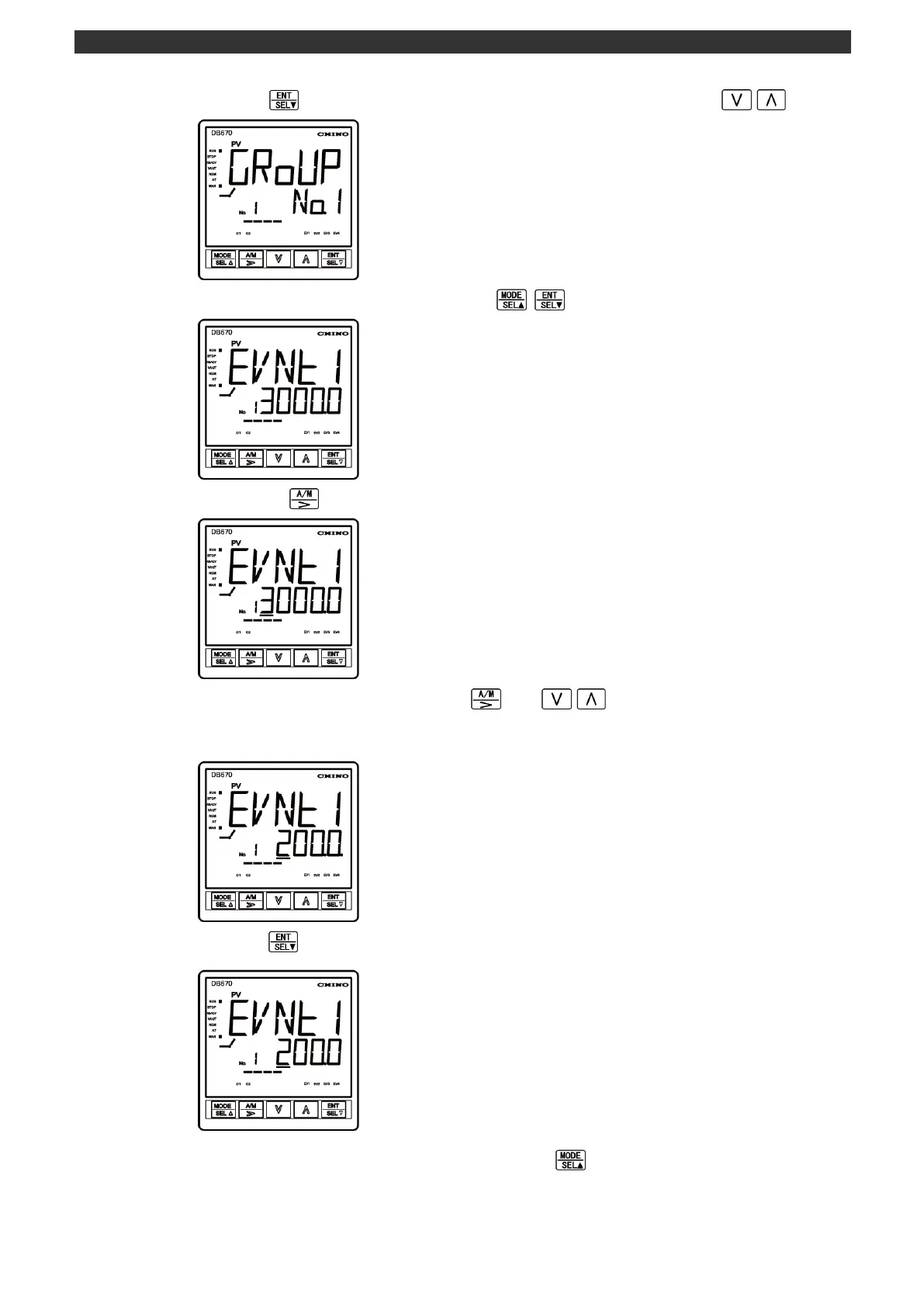
(3) Press the key to display the group No. 1 (select the group No. using the / key).
(4) Display the event 1 setting screen using the key.
(5) Pressing the key brings a cursor under the fifth digit of setting value.
(6) Set or change the event value using the
and
/ keys (increase or decrease the
value by the up/down key and move the digit by the right key). The dot at the first digit of setting
value blinks during the setting/changing process.
(7) Press the key to register the setting value (the dot at the first digit of setting value turns off).
(8) To return to the operation screen, press and hold the key twice.



 To Next Page