[DB600] General Instruction Manual MODE 3
- 82 -
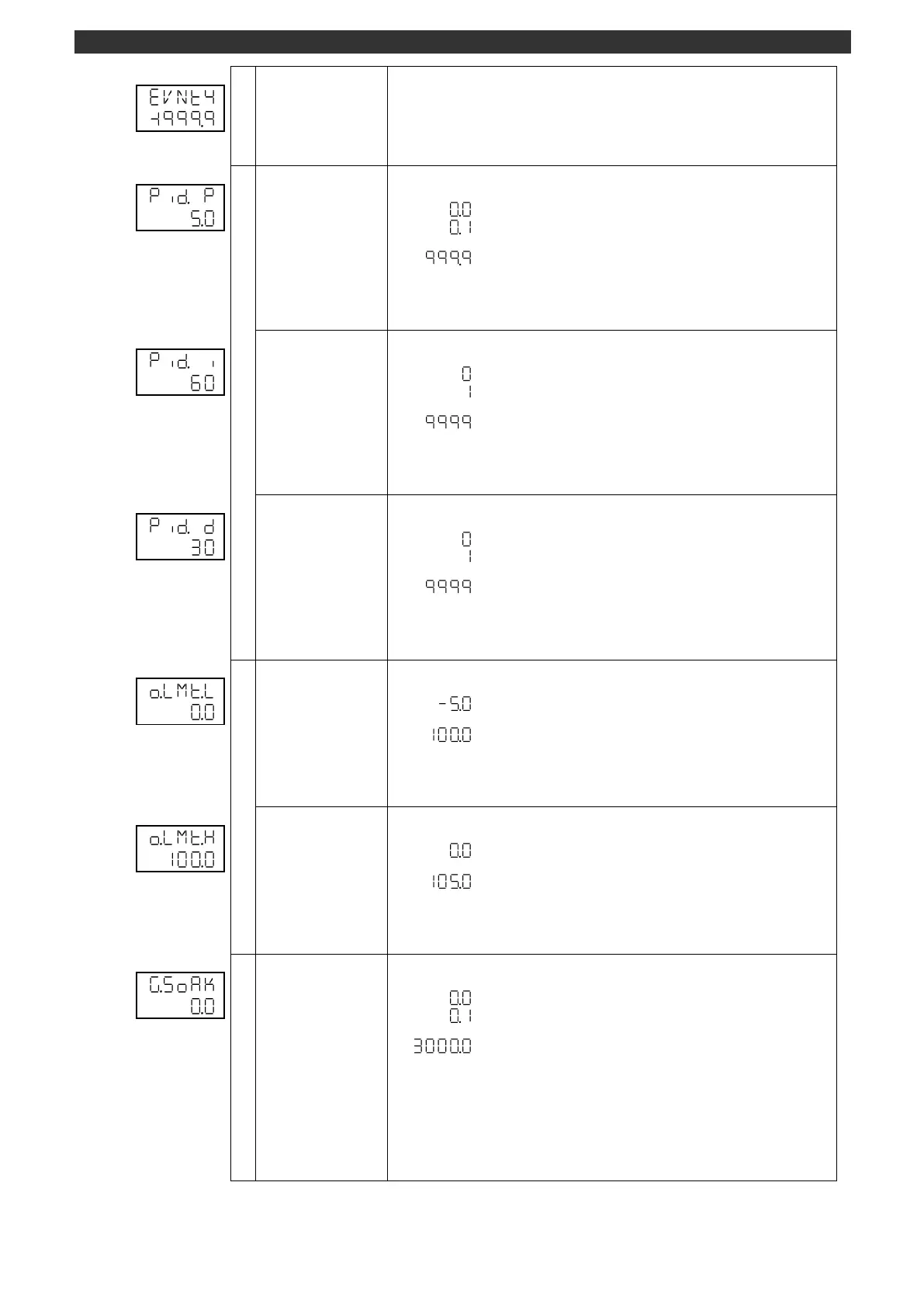
Sets the P constant for 8 types.
P constant (PID control)
0.1 to 999.9 [%]
Use the [
], [
] and [ENT] keys to set the P constant for 8 types.
Use the [>] key to move the cursor to the right digit.
Set the numbers for 8 types at "Group No. (MODE3)".
Set the I constant for 8 types.
I constant (PID control)
1 to 9999 [sec]
Use the [
], [
] and [ENT] keys to set the I constant for 8 types.
Use the [>] key to move the cursor to the right digit.
Set the numbers for 8 types at "Group No. (MODE3)".
Sets the D constant for 8 types.
D constant (PID control)
1 to 9999 [sec]
Use the [
], [
] and [ENT] keys to set the D constant for 8 types.
Use the [>] key to move the cursor to the right digit.
Sets the numbers for 8 types at "Group No. (MODE3)".
Output limiter lower limit
(8 types)
Sets the lower limit of output limiter for 8 types.
Use the [
], [
] and [ENT] keys to set the output limiter lower limit for 8 types.
Use the [>] key to move the cursor to the right digit.
Set the numbers for 8 types at "Group No. (MODE3)".
Output limiter upper
limit (8 types)
Sets the upper limit of output limiter for 8 types.
Use the [
], [
] and [ENT] keys to set the output limiter upper limit for 8 types.
Use the [>] key to move the cursor to the right digit.
Set the numbers for 8 types at "Group No. (MODE3)".
Sets the guaranty soak for 8 types.
This display is available for the specification with program function.
The display appears when program operation is selected for "Program/constant
value operation switch (MODE2)".
Use the [
], [
] and [ENT] keys to set the guaranty soak for 8 types.
Use the [>] key to move the cursor to the right digit.
The decimal point position follows the SV decimal point position.
Set the numbers for 8 types at "Group No. (MODE3)".



 To Next Page