Overview of Screens Chore-Tronics® 2 Control
54
MT1843B
(Setup-Control Screen) Other Tab
To access the Setup-Control "Curtain Tab", press the Tab Key below "Curtain".
MT1842-051 10/04
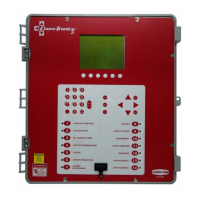
Figure 68. Setup-Control Screen: Other Tab
1. Sunrise time (min)- The amount of time (in min-
utes) that the control will bring the light dimmer
from the minimum light percentage to the maxi-
mum light percentage when the light clock reaches
an ON AT time.
2. Sunset time (min)- The amount of time (in min-
utes) that the control will bring the light dimmer
from the maximum light percentage to the mini-
mum light percentage when the light clock reaches
an OFF AT time.
3. Feed Clock uses- The Feed Clock can be set up to
have an OFF AT format (curve available) or a
Runtime format (no curve available). The Runtime
format allows a maximum of 24 events and runt-
imes can be less than 1 minute.
4. Disable Feed Clock at alarm- If the Maximum Feed
Runtime alarm is used, the relays assigned to the
Feed Clock can be turn off if an alarm is given if
this is set to YES.
5. Disable with light clock Off time- If the Low Water
Flow alarm is used, the alarm can be disabled at
every light clock OFF AT time.
6. Disable alarm from -:-- to -:-- - This line is only
visible if #5 is answered no. If the light clock is not
being used, a specific time of day can be entered to
disable the Low Water Flow alarm.
7. Total feed travel time- If the Revolution feeder
windows actuator is being operated by the control,
then the total amount of time the actuator needs to
move the windows from full open to full closed is
entered here.
1
2
3
4
5
6
7


 To Next Page