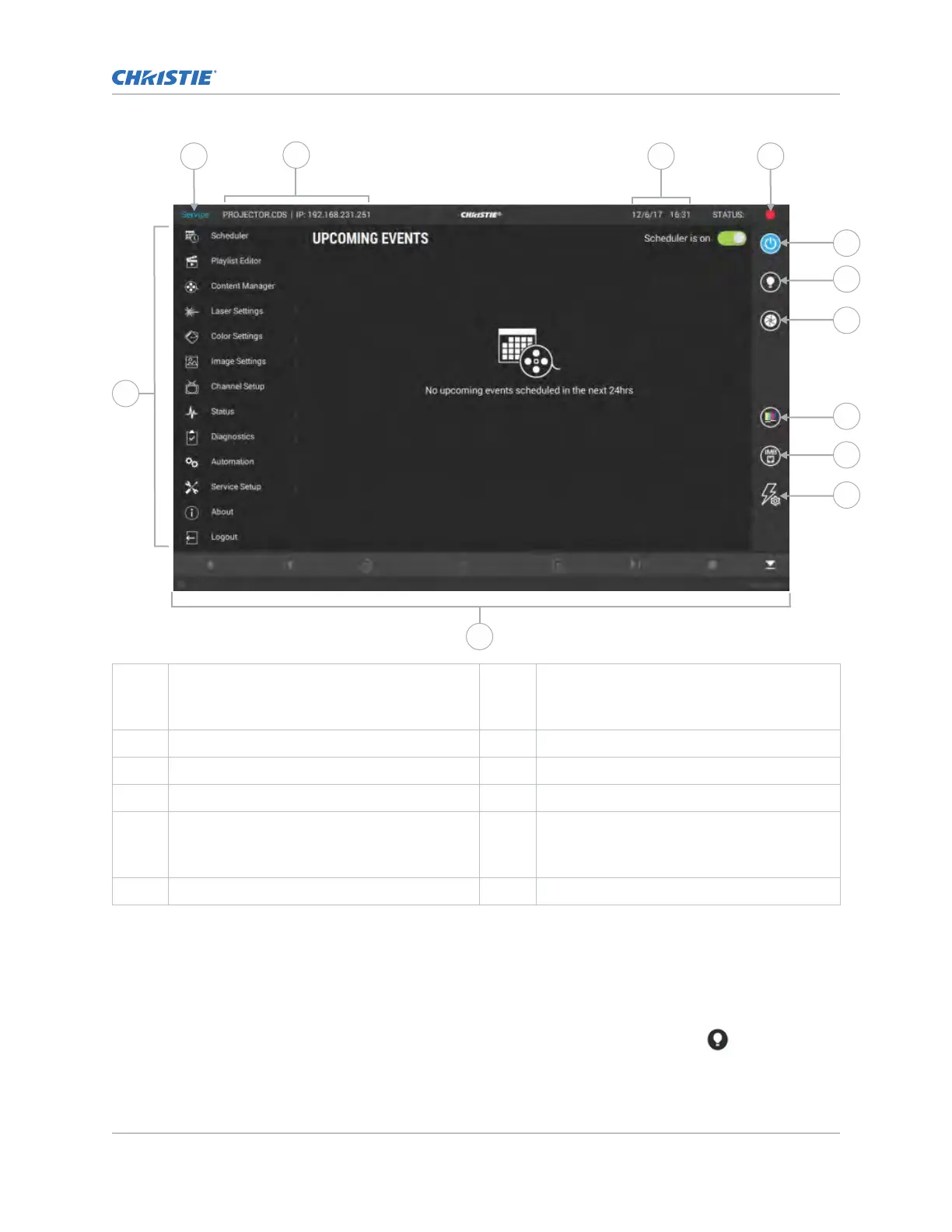
A Left navigation menu.
Access permissions determine the
a
vailable options.
G Turns the light on or off.
B Current access permissions. H Opens and closes the shutter.
C Projector name and IP address. I Turns test patterns on or off.
D Current date and time. J Displays channels.
E System status.
To display all alarms, select the colored
icon.
K Displays macros.
F Turns the projector on or off.
Turning on or off the light source
T
urn on the light source to display content or view test patterns. Turn off the light to extend the life of
the light source.
• To turn on or off the light source, in the right toolbar, select and hold Light.
If turning on the light source when the projector power is off, power is turned on automatically.
Operating the projector
CineLife+ User Guide 20
020-103073-10 R
ev. 1 (02-2023)
Copyright
©
2023 Christie Digital Systems USA, Inc. All rights reserved.
If printed, please recycle this document after use.












 To Next Page