Installation
3. Installation
3.1 Ambient Environment
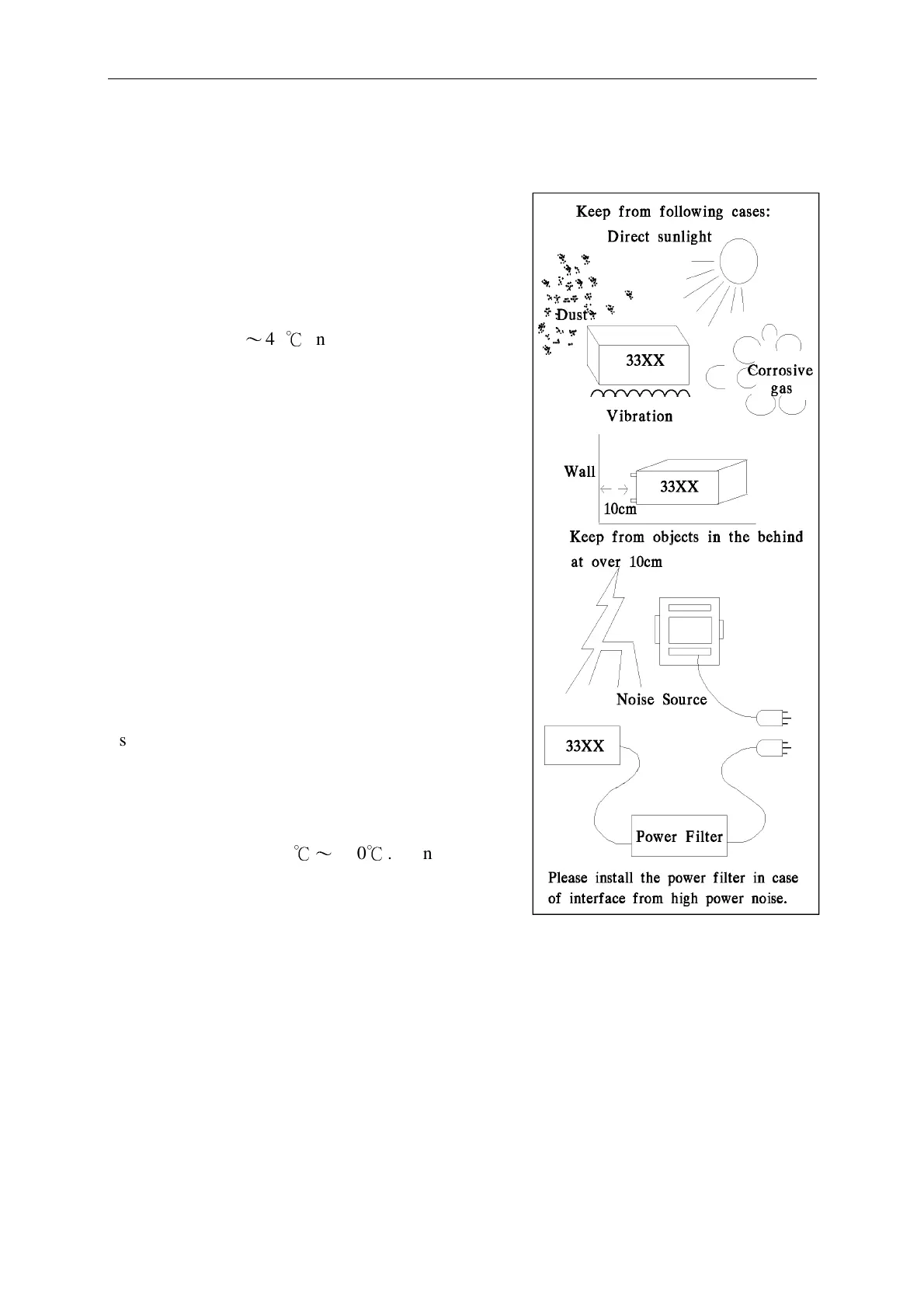
(1).Don’t use the meter in a dusty or vibrating
location. Don’t expose it under sunlight,
or corrosive gas. Be sure that the ambient
temperature is 0
〜
40
℃
and that the relative
humidity is below 85%.
(2).The meter is equipped in the back panel with
a fan-out cooling fan to keep from internal
temperature increase. Make sure of good
ventilation. The meter should be located at over
10cm distance from any object or wall in the
behind. Don’t block the left and right ventilation
holes to keep the meter in good precision.
(3).The meter has been carefully designed to
reduce the noise from the AC power source.
However, it should be used in anise environment
as low as possible. If the noise is inevitable,
please install some power filter.
(4).The meter should be stored within the
temperature range -25
℃〜
+70
℃
. In case it is
not to be in use for a long time, please store it
in the original or similar package, and keep it
from direct sunlight and humidity, to ensure a
good condition for later use.
3.2 Power-Line Connection
Before plug in power cord, make sure power is off state, and the voltage in rear
panel is meet required voltage. The power supply frequency please use the 50 Hz
or 60Hz.



 To Next Page