Automatic Transformer Test System 3300/3302 User’s Manual
4.4 Operation Instruction
4.4.1 Open Test
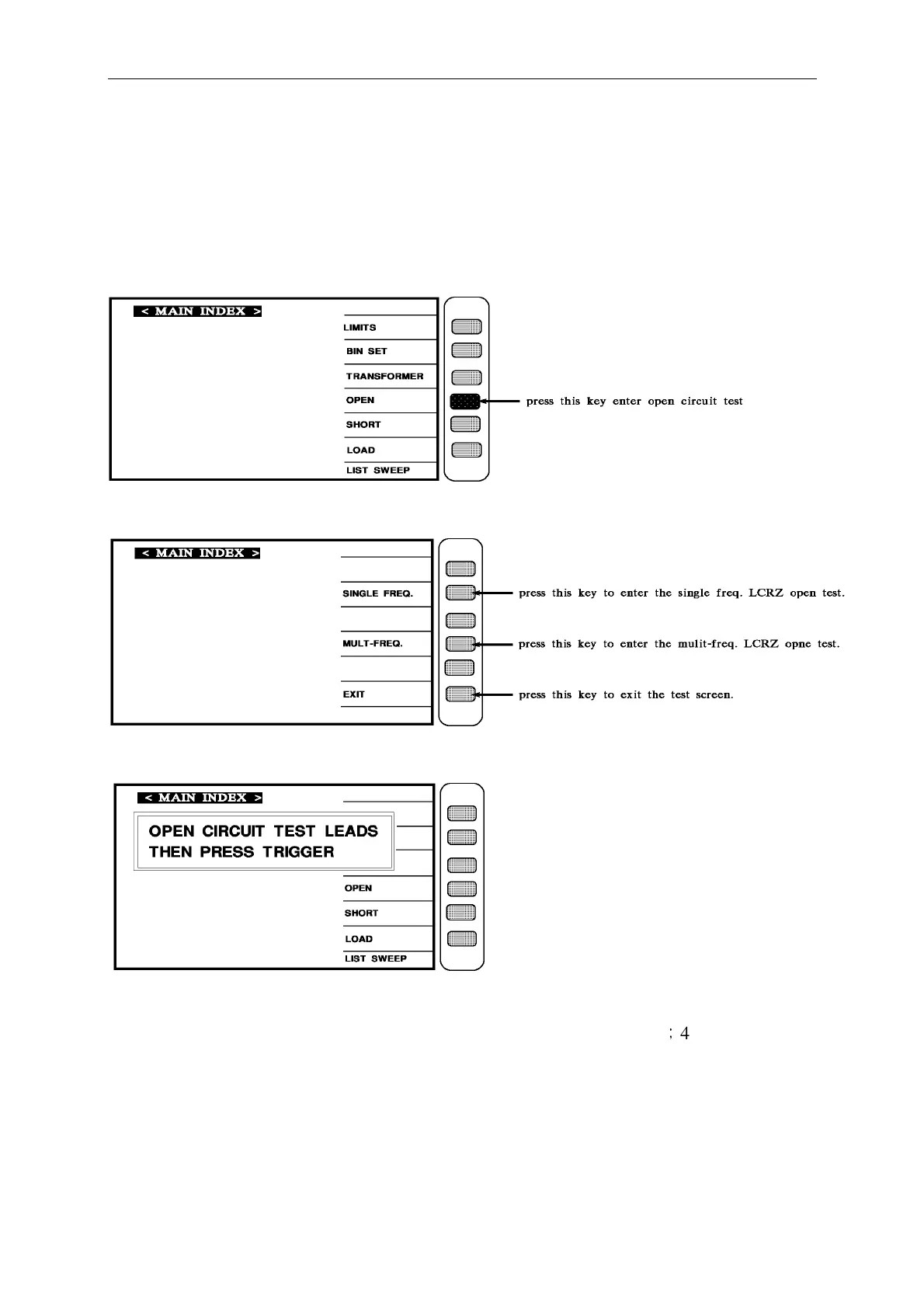
After turn the instrument on and show every event is ok, press [Main Index] to enter main
index, then press the key shows "OPEN" on the screen, as below:
When press [OPEN], the screen shows as below:
After select the open test then screen shows as below:
As above is to tell user, it is testing of open test, please prepare test cable and press [Trig] then
start to test, use the one of the accessory that be carried with instrument
;
4 lines cable, and
connect the test cable, and connect the test cable as open as below:



 To Next Page