Automatic Transformer Test System 3300/3302 User’s Manual
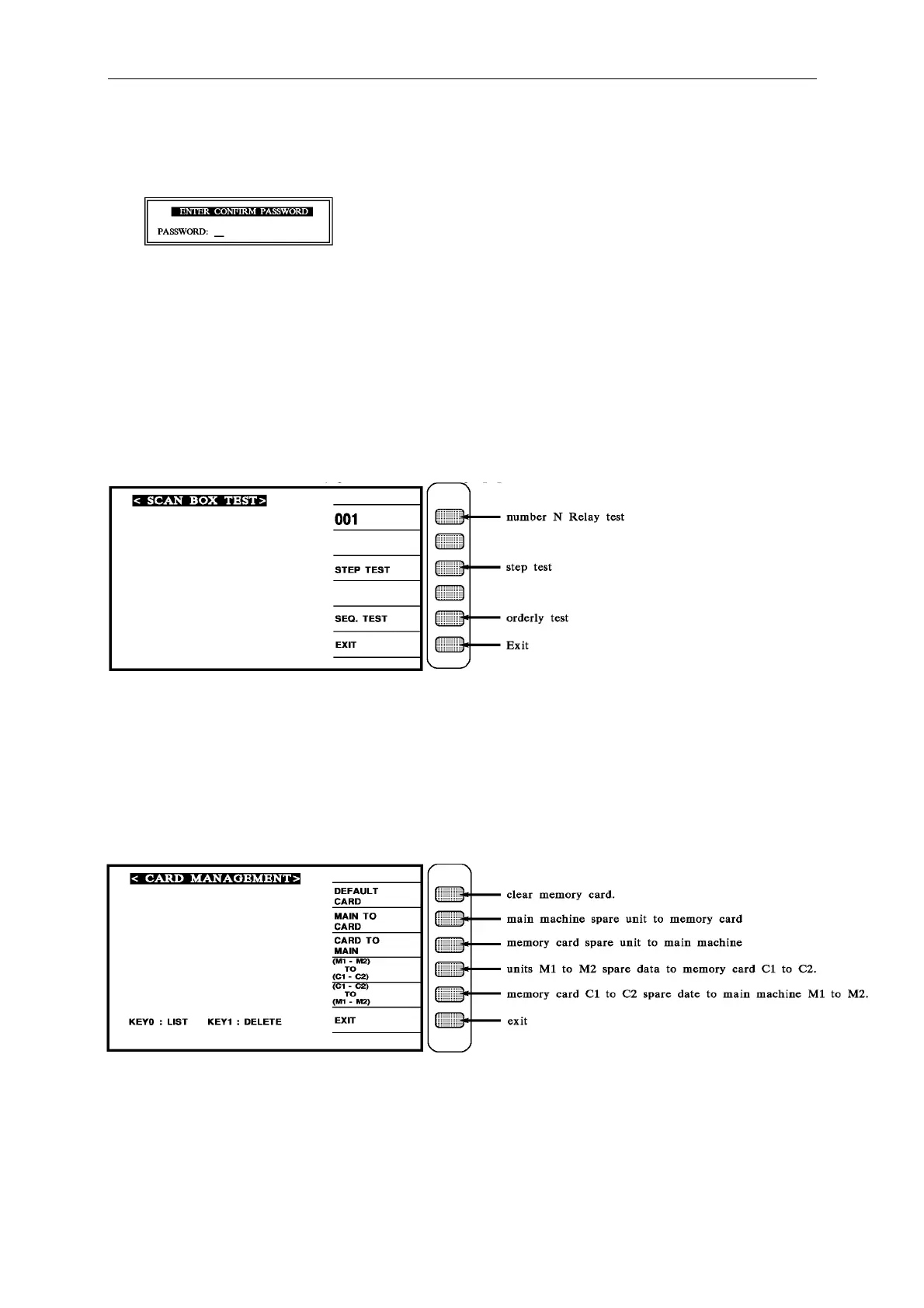
When the display shows the following screen, please key in new supervisor password (max.
10 digital). Then press [Enter].
The display will show the screen for confirming new set password. Please key in the new
supervisor password and press [Enter] to finish the setting.
Press the [EXIT] key can escape from this screen.
4.3.7 Scan Test Box (Box Test)
At SYSTEM SETUP status, press number key [2] to enter <BOX TEST> display, as show:
4.3.8 Memory Card Management Function
At SYSTEM SETUP status, press number key [3] to enter <CARD MANAGEMENT>
display, as show:



 To Next Page