Automatic Transformer Test System 3300/3302 User’s Manual
4.4.4 Test Fixture (Scan Box) Operation
1. The display shows Chroma’s name, phone no., fax no., model no. and programming
version (around 2 seconds) after the main power of the unit is switch ON.
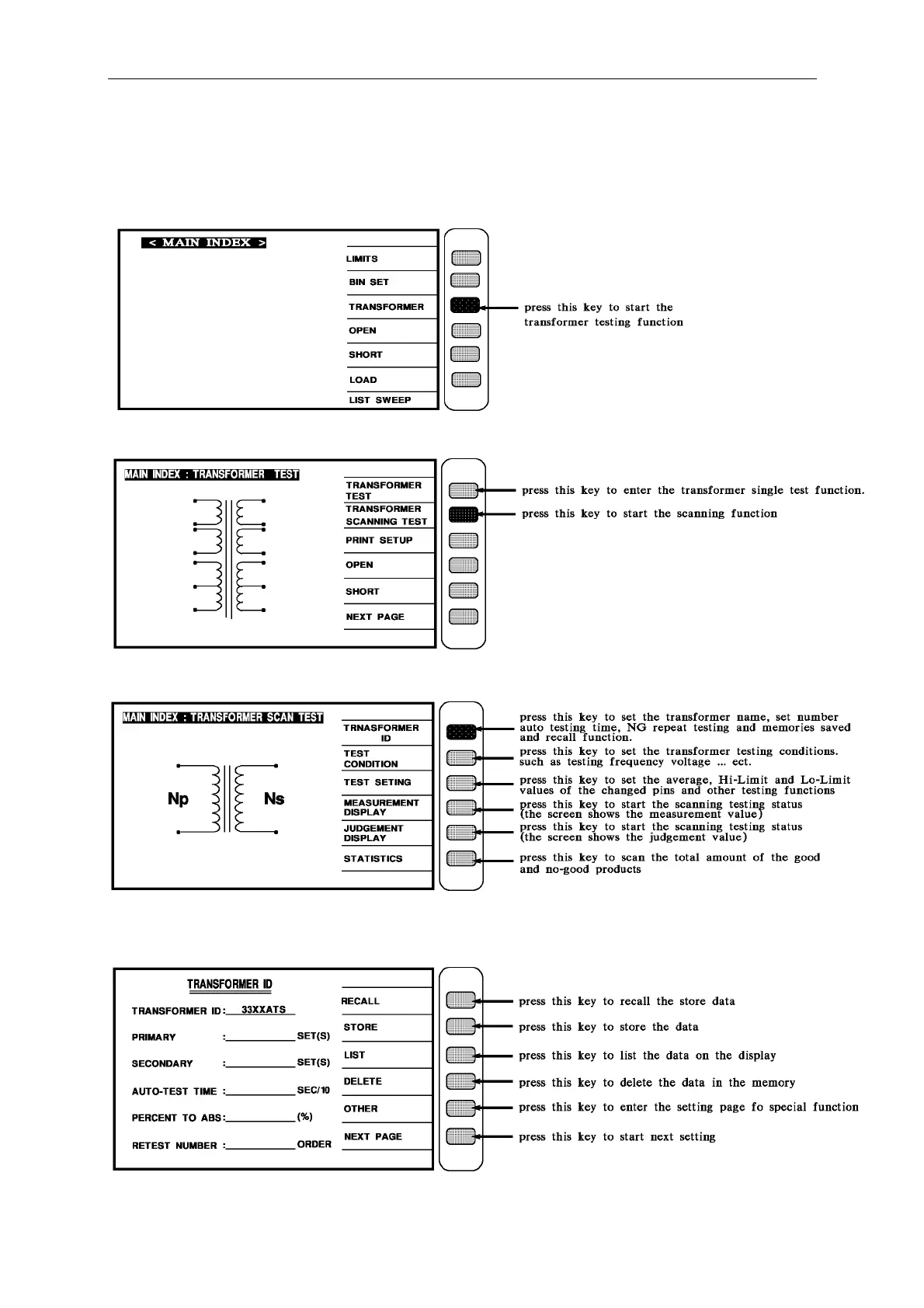
2. The testing function menu is as follows:
3. The scanning function menu is as following:
4. Meanwhile the unit is on guidable operation, to start the first main menu by pressing
[Enter]



 To Next Page