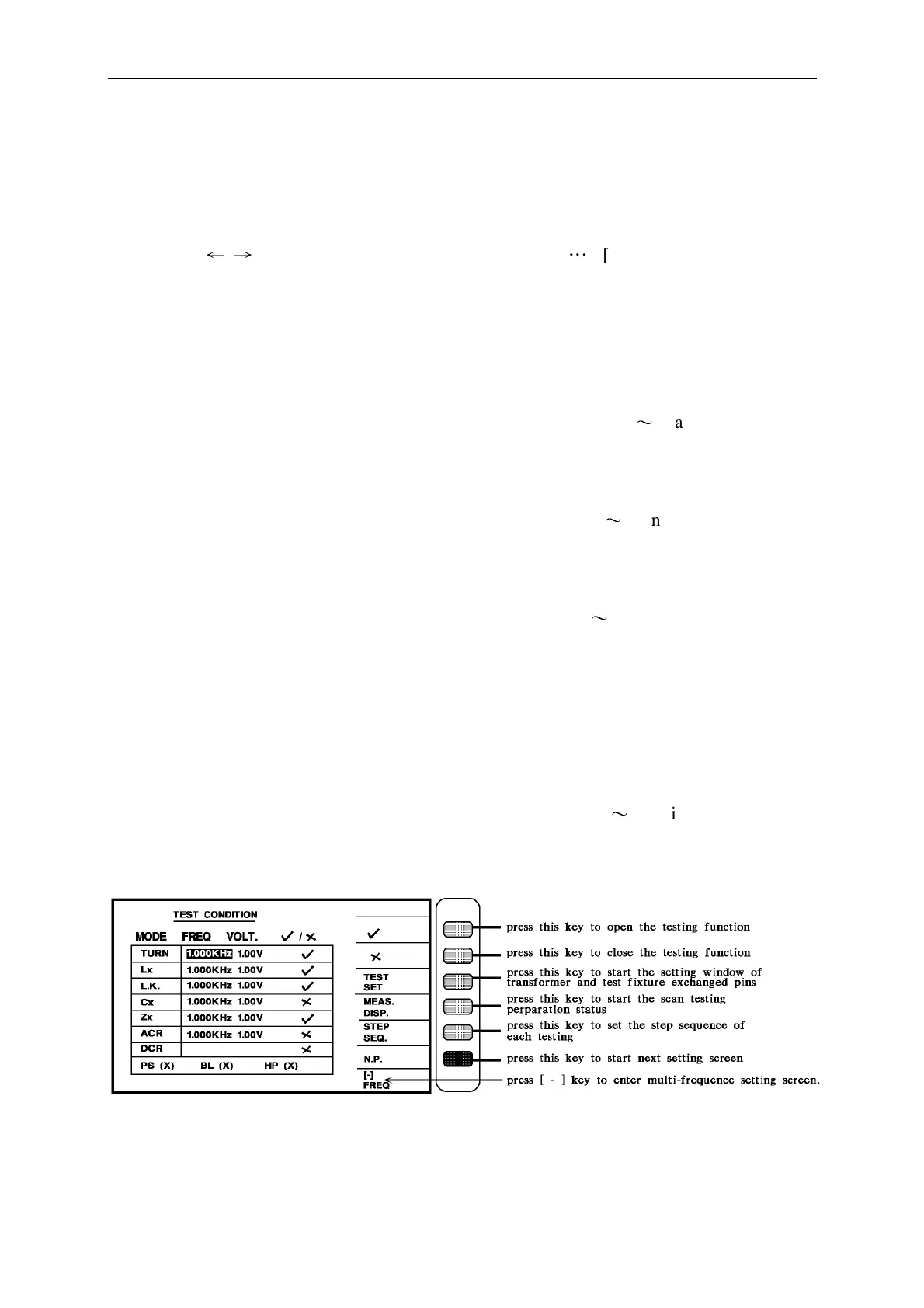
Panel Description
The above operations are described as following:
TRANSFORMER ID: __________…..
Key in the DUT number. (the no. is the same as the saved no.). To key in the English letter
by pressing [
←
→
] and [Start]. Then key in the numeric [0
…
9][-][.] and press [Enter] to
confirm it and exit to the next test setting page automatically.
Note: Use "Start" key to select English letter after transformer ID is OK. Then press
"Enter"
PRIMARY : __________…..
Key in the transformer tested set each time. To key in the numeric (1
〜
4) and press [Enter]
to confirm it and exit to the next test setting page automatically.
SECONDARY : __________…..
Key in the transformer tested set twice. To key in the numeric (1
〜
9) and press [Enter] to
confirm it and exit to the next test setting page automatically.
AUTO-TEST TIME : __________…..
Key in the testing time for automatic. To key in the numeric (0
〜
99, 0 is OFF) and press
[Enter] to confirm it and exit to the next test setting page automatically.
PERCENT TO ABS : __________…..
Key in the percentage of entirety deviation range. To key in the deviation percentage and
press [Enter] to confirm it and exit to the next test setting page automatically.
RETEST NUMBER : __________…..
Key in the no-good repeat testing times. To key in the numeric (1
〜
10, 0 is OFF. >11 means
continually testing) and press [Enter] to confirm it and exit to testing item setting
automatically.



 To Next Page