Automatic Transformer Test System 3300/3302 User’s Manual
The above parameters are described as following:
TURN : Turn ratio & phase detector of transformer
Lx : Inductance testing of transformer
Lk : Leakage inductance testing of transformer
Cx : Pin stray capacity current testing of transformer
Zx : The transformer’s AC absolute resistance test
ACR : AC resistance testing of transformer
DCR : DC resistance testing of transformer
PS : Pin short testing of transformer
BL : Any two sets testing balance of transformer
HV : The transformer’s high voltage test
The following screen is for measuring parameters setting. It is still a guidable operation
what just following the method of the display to key in the testing parameter and finish it by
pressing [Enter] to jump to next testing item. As above, by pressing [Enter] of the last item
on each screen, the unit will jump to the next setting screen automatically. If the user desire
to change the setting on each back-light, the values may change by pressing the key
which under the Cursor.
The input is to according the cursor pointing the correct data, the description is as below:
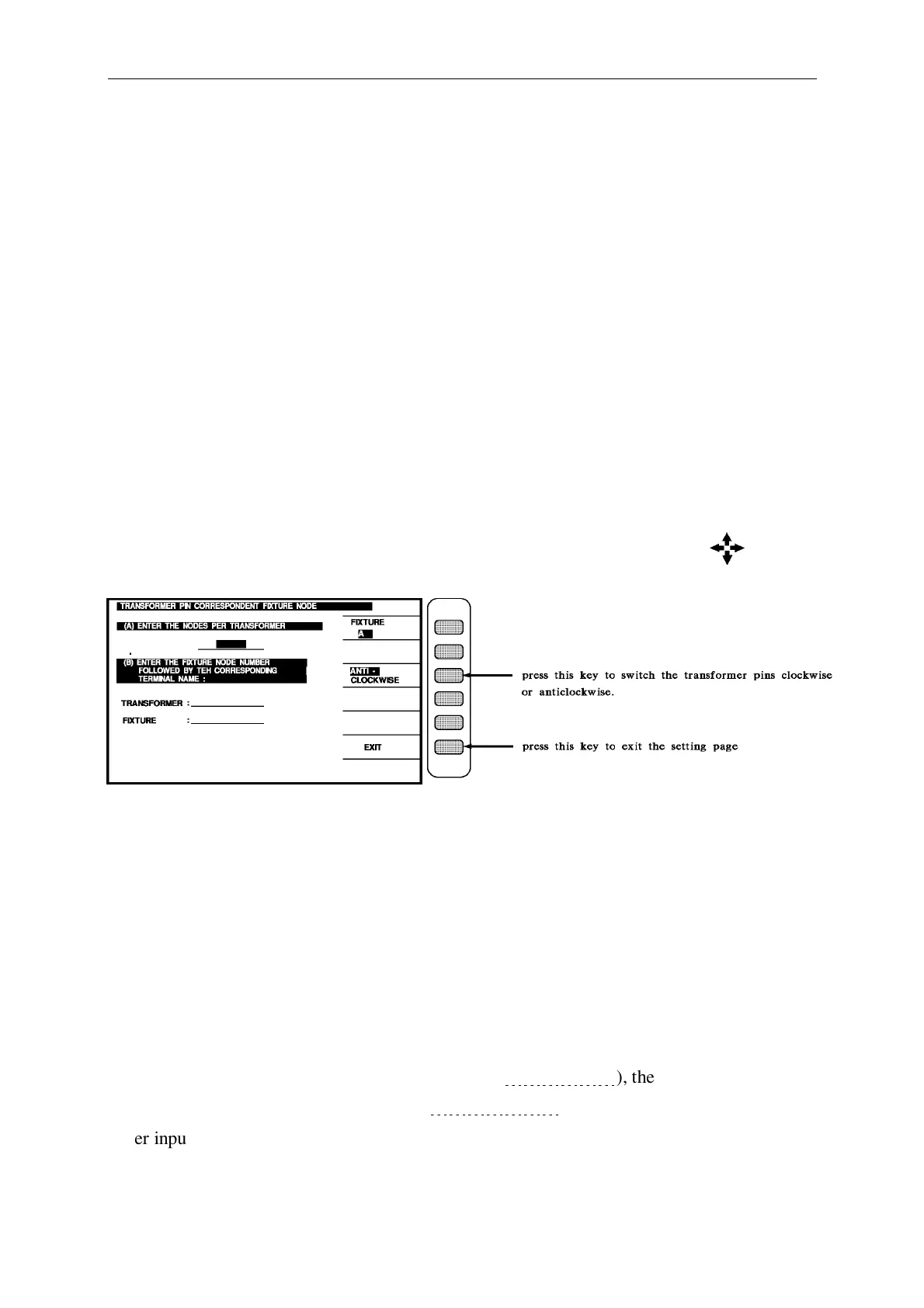
(A) ENTER THE NODES PER TRANSFORMER
Please input the pin number of the transformer, including the pin that not in using.
(B) ENTER THE FIXTURE NODE NUMBER, FOLLOWED BY THE
CORRESPONDING
TERMINAL NAME :
TRANSFORMER : __________________
FIXTURE : __________________
Please input the any pins under (TRANSFORMER:
﹍﹍﹍﹍﹍﹍
), then input the first pin
that locates in the test fixture (FIXTURE:
﹍﹍﹍﹍﹍﹍﹍
).
After input the each data, then press [EXIT] key to exit the setting page and finish the
automatic pins conversion.



 To Next Page