Automatic Transformer Test System 3300/3302 User’s Manual
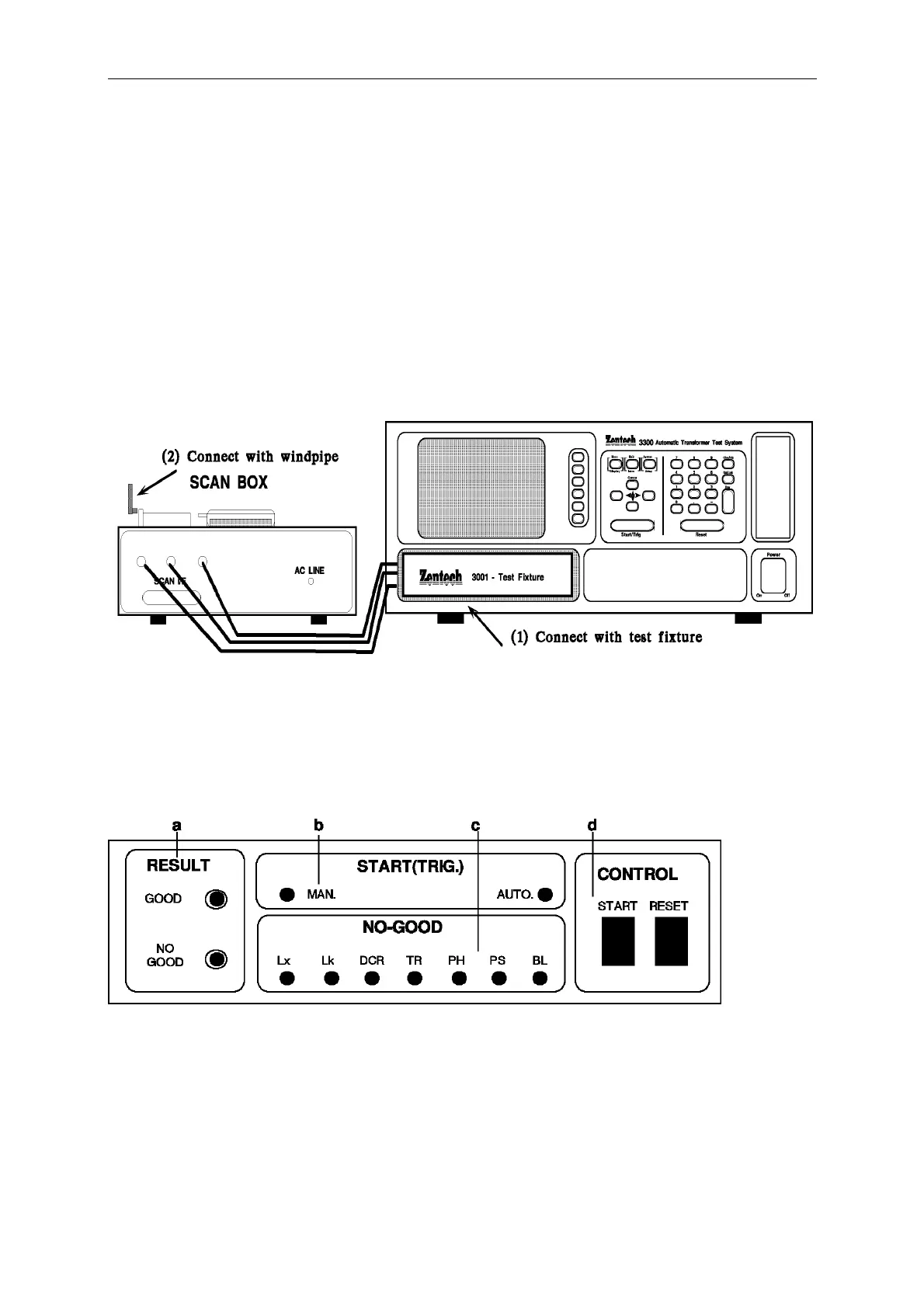
a. connect the power cord of 3001A to the AC output of 33XX rear panel as figure 5-1 (1)
the arrow head pointed, do not connect to other terminal.
b. connect the 36 pin twin head cable of the accessory to the 33XX rear panel (scan I/F)
socket, another side connect to 3001A rear panel (scan I/F) socket as figure 5-1 the arrow
head pointed.
c. connect the test fixture 3001A to the front panel of Model 33XX and lock tight, as below:
d. if use the piston to push the test fixture, please connect the air tube.
5.1.3 Scan Box Front Panel Description
A. 3001 Scan Box
a. RESULT : The led of the test result
GOOD : Indicative light of the good, when every test item result are good, the
LED lights mean is that unknown is good.
NO GOOD : Indicative light of the no good, when one of the test items is no good,
the light will light and indicate that unknown is no good.



 To Next Page