Print (Option) Operational Procedure
Key in
→
[SETTING]
Display
→
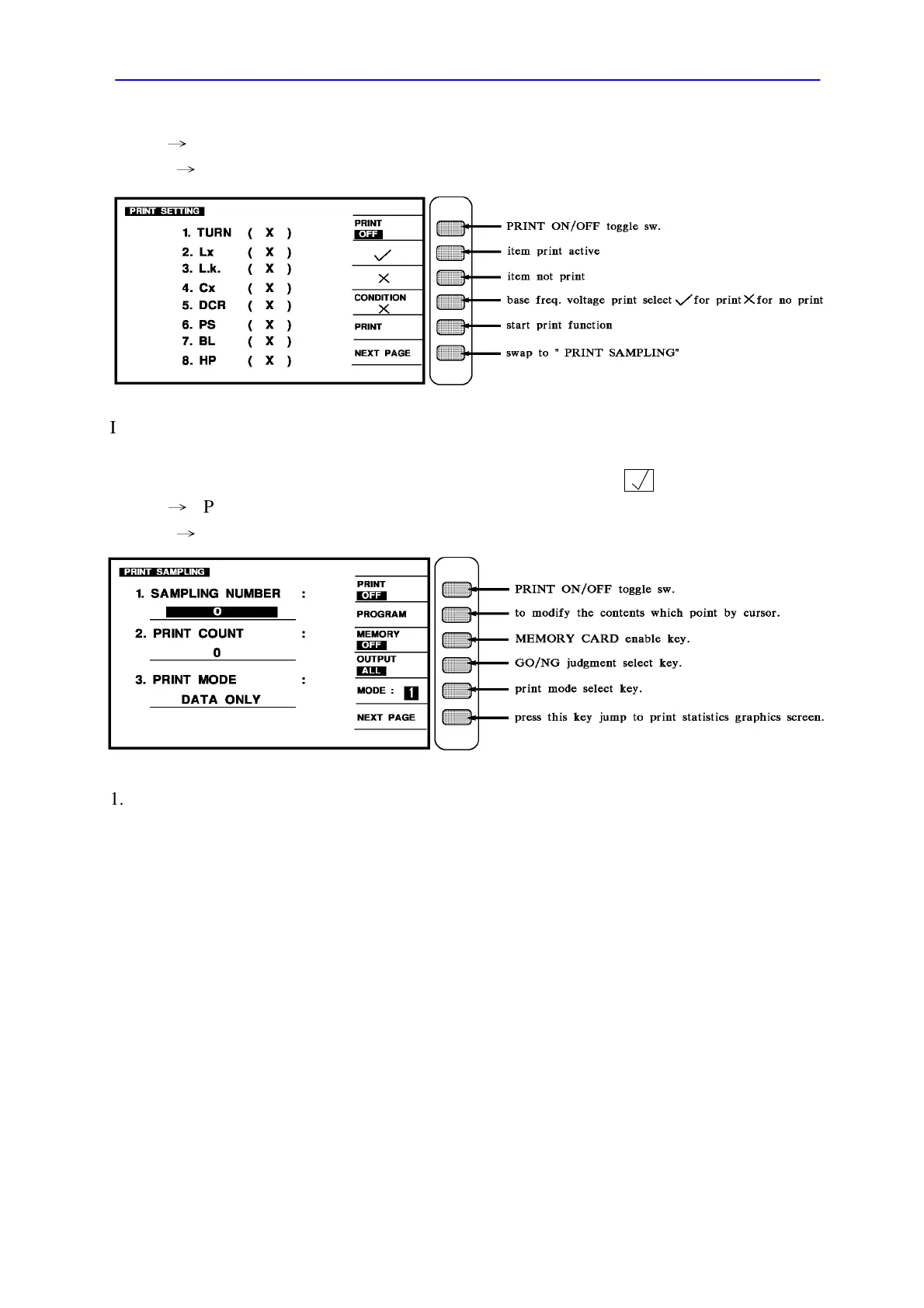
Items that want to be printer out, can be chosen under TEST CONDITION. Under PRINT
SETTING, it can be chosen whether the items want to be printed or not.
Applied the cursor key to select the items which selected then using to enable it.
Key in
→
[PRINT SAMPLING] key
Display
→
1. SAMPLING NUMBER : The sampling quantity while in statistics process.
2. PRINT COUNT : The printing count.
3. PRINT MODE
(1) DATA ONLY
(2) DATA & STA
(3) STATISTICS



 To Next Page