GE+ ACDC Installation and operation manual v11
118 / 121
o Default Values. The user can define default values that will remember the
equipment as long as it is switched on and lower than the Factory Values.
o Factory Values. The equipment has its own factory values depending on the
rated power. This button will make these parameters appear in the visible
windows.
o Burn EEPROM. To save the sent values to the equipment and make it remember
them even it is switched off, the EEPROM can be burnt. This step requires a
password.
o Ask Password. A popup message will appear asking the password. This allows to
burn eeprom.
II. Alarms DC
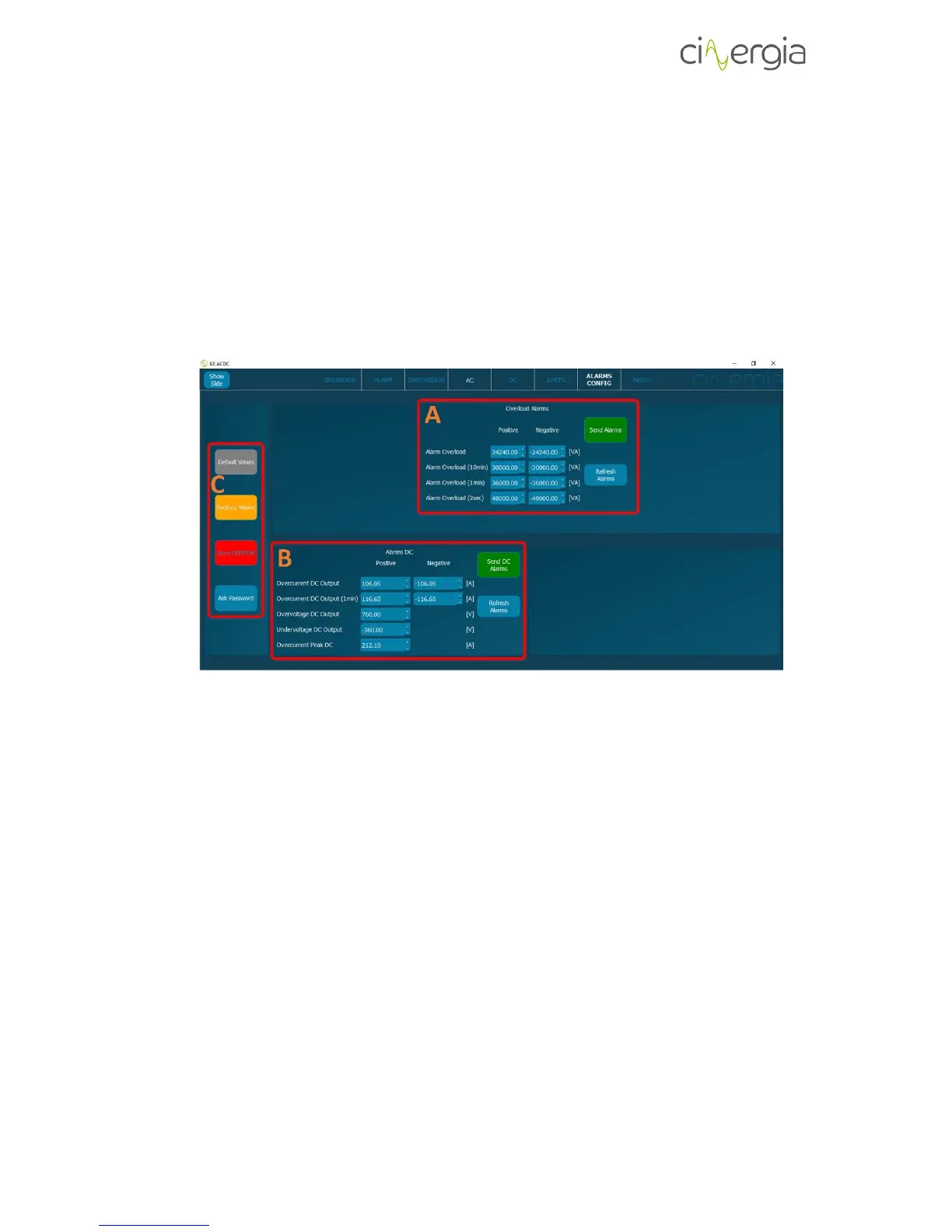
- A: Set the overload alarms and once the values are ready press Send Alarms button. If
the user presses Refresh Alarms, the parameters that the converter has in that moment
will appear in the window.
- B: Set the DC alarms and once the values are ready press Send DC Alarms button. If the
user presses Refresh Alarms, the parameters that the converter has in that moment will
appear in the window.
- C: These buttons allow the user to operate with the values of the limits.
o Default Values. The user can define default values that will remember the
equipment as long as it is switched on and lower than the Factory Values.
o All Visible. This button unfreezes all the windows so that the user can set the
Default Values. Remember that the limits are not introduced to the equipment
until Send Limits buttons on each window (A, B and C) are pressed.
o Factory Values. The equipment has its own factory values depending on the
rated power. This button will make these parameters appear in the visible
windows.
Burn EEPROM. To save the sent values to the equipment and make it remember them even it is
switched off, the EEPROM can be burnt. This step requires a password.



 To Next Page