GE+ ACDC Installation and operation manual v11
69 / 121
6.3.1. Supervision
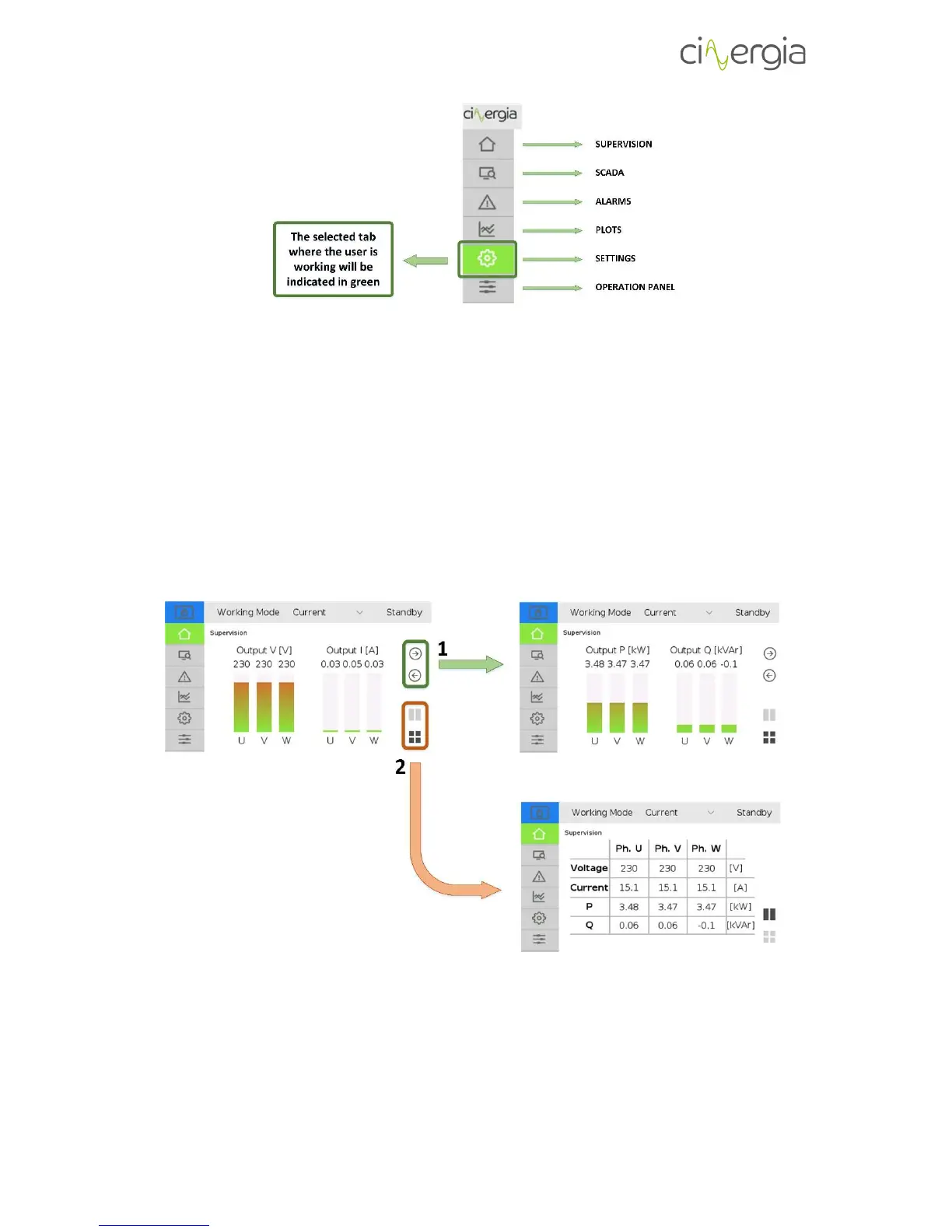
Information tab. It shows the main variables of the inverter: voltage, current and power. You
can choose between bars or table visualization.
1. Bar visualization. Change screens using left and right arrows to see voltage and current
or power. The bars will be filled depending on the scale fund of the equipment.
2. Table visualization. Using these two buttons, the user can change between bars or table
visualization. The table allows to have a general overview of all the parameters of the
equipment in only one screen.



 To Next Page