GE+ ACDC Installation and operation manual v11
68 / 121
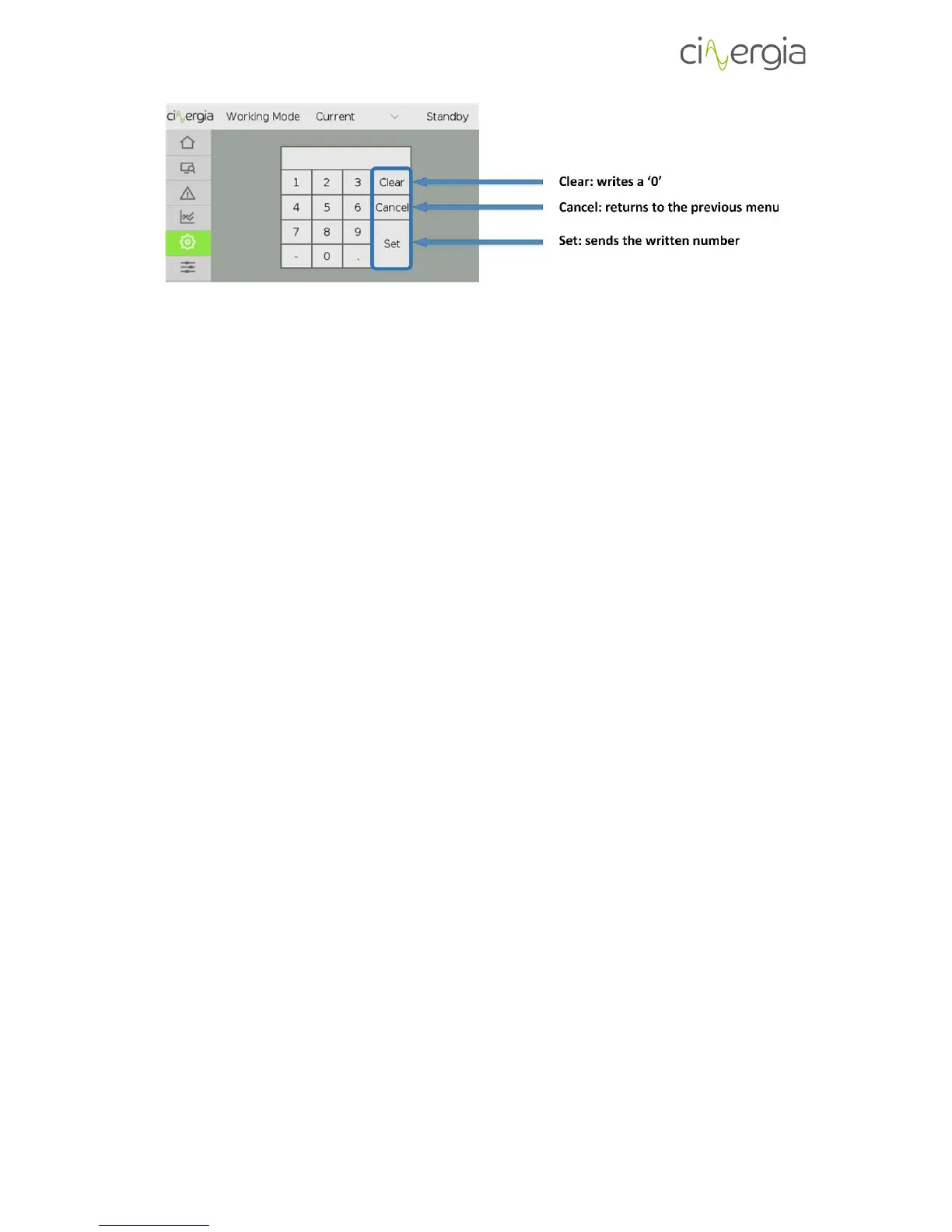
The use of the keyboard is very simple: introduce the number normally. It can be written in
positive, negative and with decimals depending on which is the introducing parameter. For
example, if the user is changing the IP address, the number cannot be negative or with decimals,
but if the introduced number is a current setpoint, the number can be positive, negative and
with decimals.
It does not matter if the negative key is pressed at the beginning or at the end of writing the
number.
However, there are 3 important keys to describe:
a. Clear. Writes a ‘0’ if the user needs to reintroduce the number because of any mistake.
b. Cancel. Return to the previous menu without sending any number to the equipment.
For example, if the user requires to send a limit, by touching this key the screen will go
to the limits menu without sending any limit.
c. Set. It sends the number to the equipment and returns to the previous menu.
6.3. LCD tabs distribution
As it is mentioned before, the touchscreen is distributed in tabs located in the left of the LCD.
There are six main menus: Supervision, SCADA, Alarms, Plots, Settings and the Operation Panel.
A description of each one can be found in the following points.



 To Next Page