GE+ ACDC Installation and operation manual v11
72 / 121
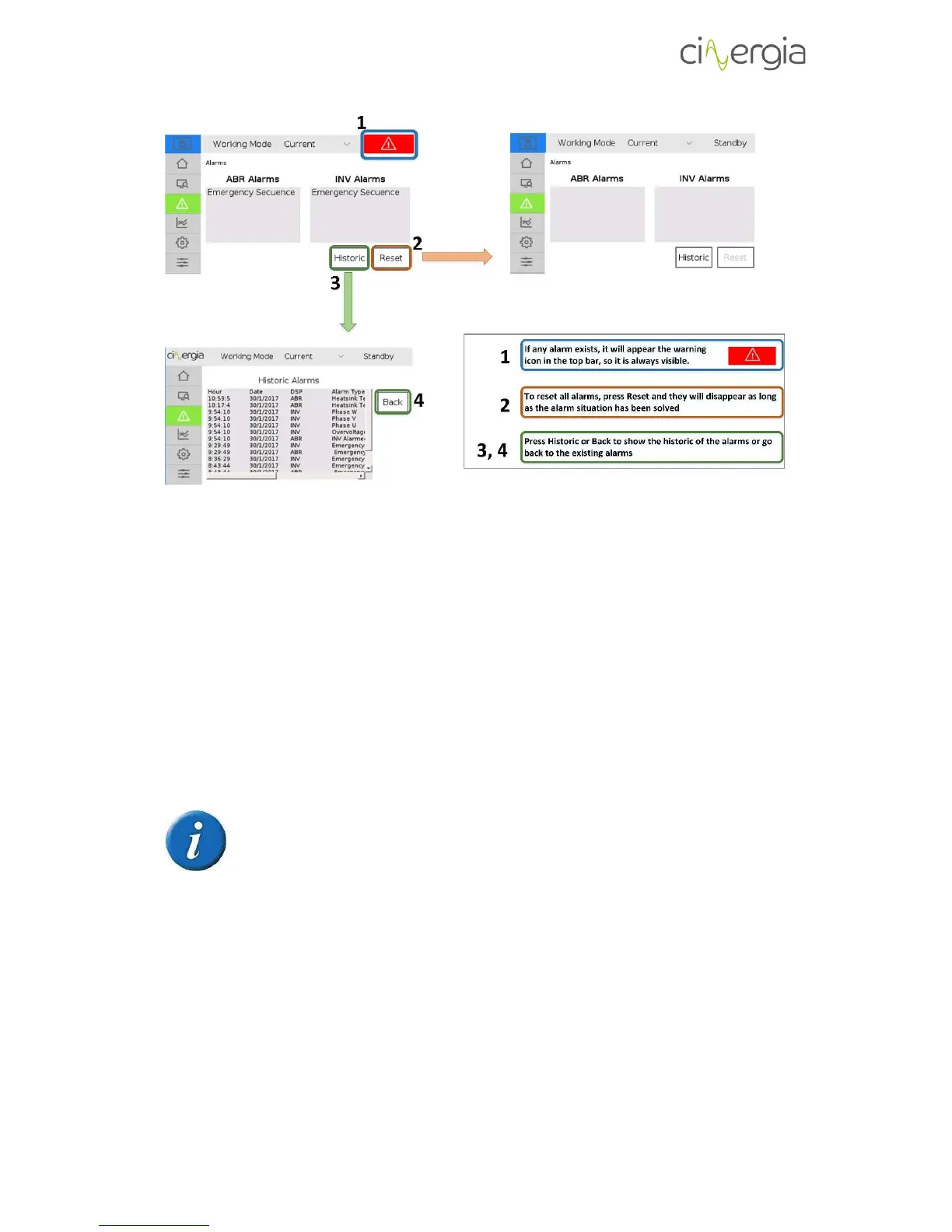
1. If any alarm occurs, the red symbol of emergency will appear on the right-top of the LCD
touchscreen.
2. To reset the alarms and continue working with the equipment, press the Reset button.
The alarm state will disappear as long as the alarm situation has been solved and the
screen of alarms will be cleaned.
3. It is also possible to see the historic of alarms, which will show all the alarms from the
first time that the equipment is turned on. Press the Historic button to visualize all the
alarms.
4. Press Back to return to the alarms main menu again.
The equipment cannot work meanwhile it is in the alarm state.
6.3.4. Plots
The LCD touchscreen can generate plots of the voltages, currents and powers of each phase.
Follow the steps described below to create them.



 To Next Page