14
RS30 Mobile Computer Reference Manual
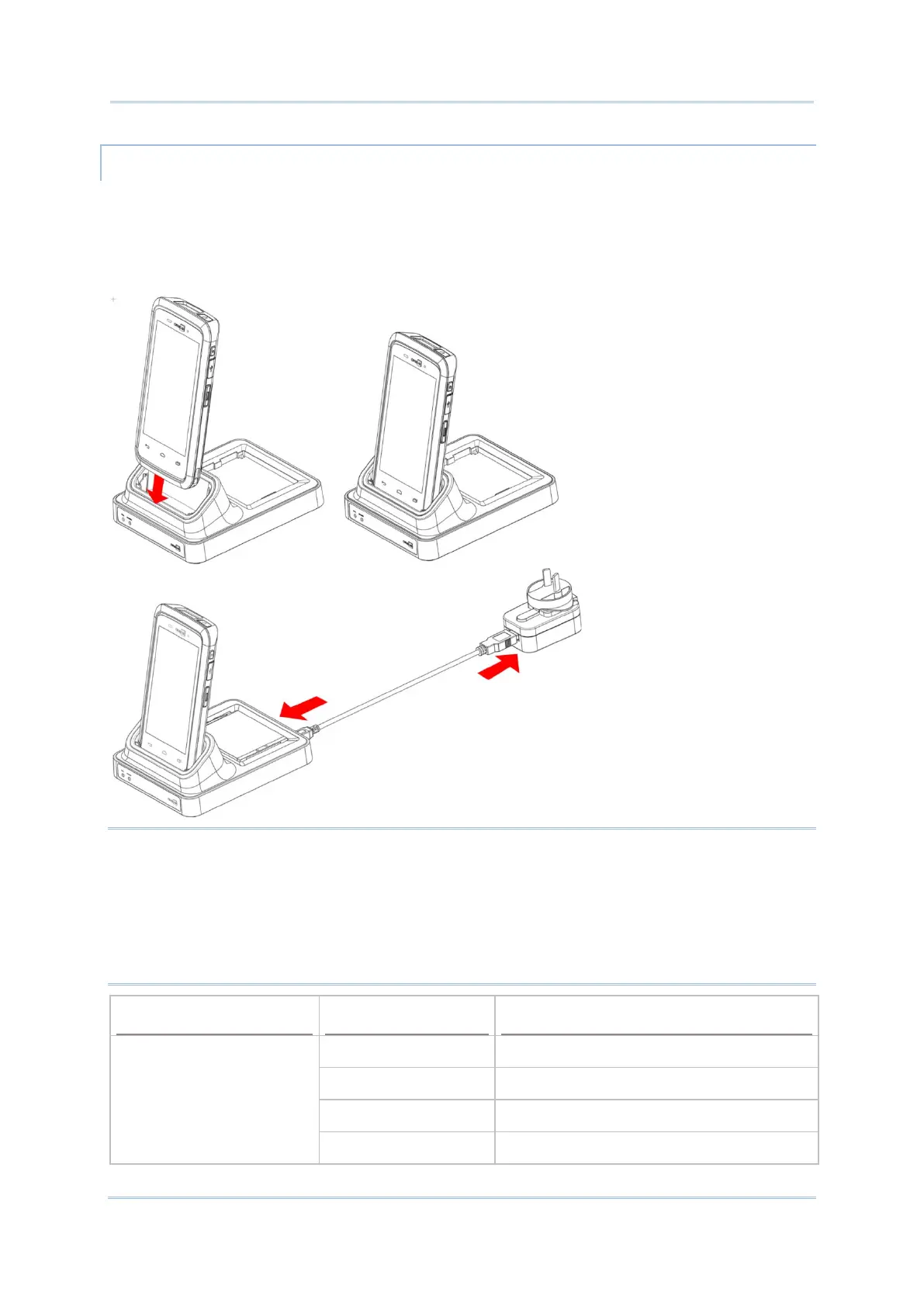
1) Insert the mobile computer onto the Charging Cradle. Press the mobile computer down
till you hear a ‘click’ to make sure it is secured in the charging station.
If the Hardshell is installed on the mobile computer, remove the cap on the Cradle’s
charging station, and insert the mobile computer.
2) Connect the adapter to the Cradle, and plug the other end into an electrical outlet.
Note:
(1) The LED indicator on RS30 Charging Cradle shows the status of battery charging only;
the status of terminal charging is shown on the device itself.
(2) Not Charging could be the result of battery damage, battery’s failure to touch the
connector, or AC plug coming off.
(3) Charging error could be due to high battery temperature.
RS30 Cradle LED Indicator
Charging Red, solid Charging the battery
Red, blink Charging error
Green, solid Charging complete
No light Not charging



 To Next Page