63
Chapter 3 Basic Operation
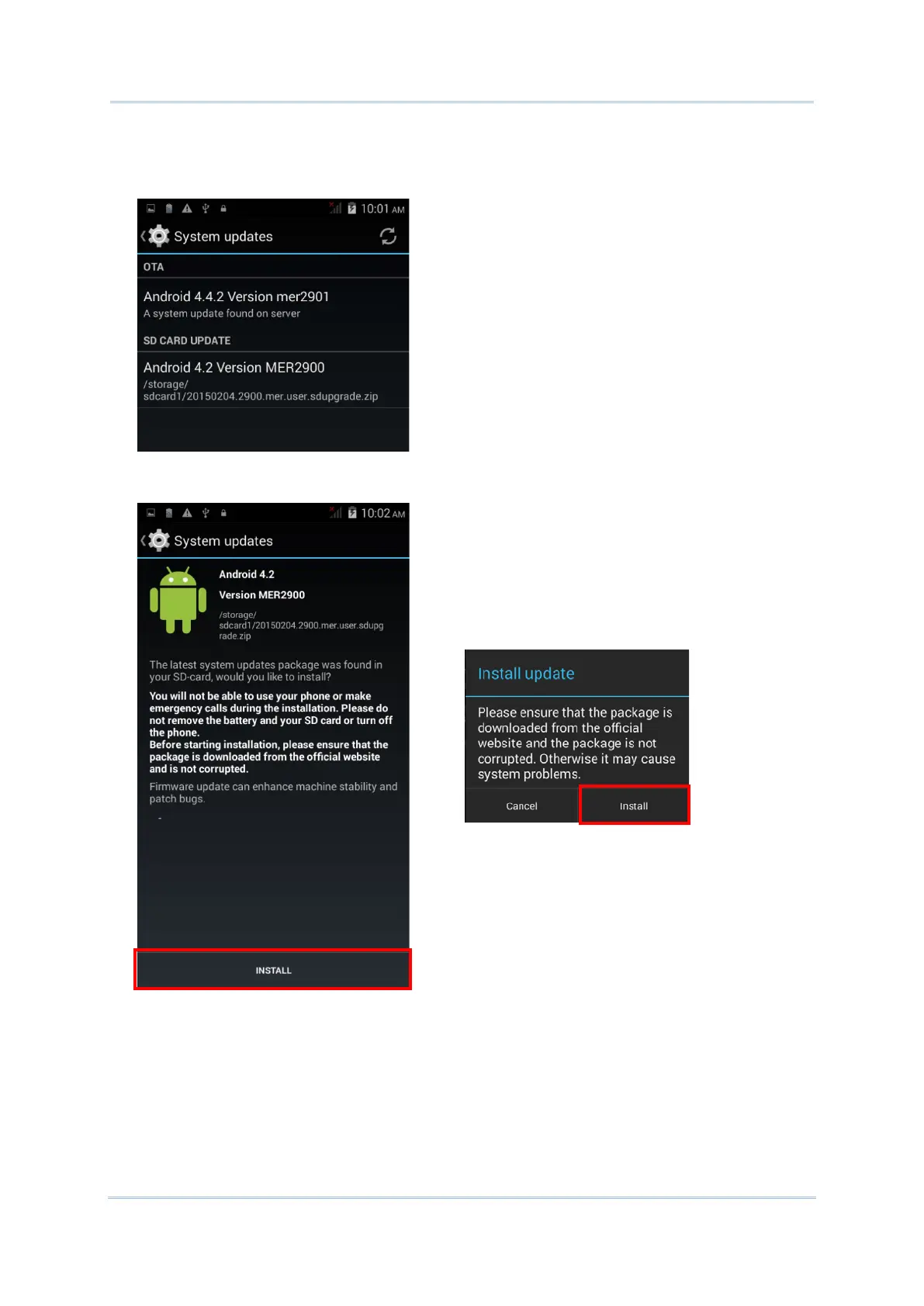
If there is a later version of the system update file available on the server, it will be listed
on the screen along with the update file found on the SD card. Tap the update file you
would like to use and proceed.
5) Tap INSTALL to open an “Install update” confirmation window. Tap Install in the
confirmation window to begin the installation.



 To Next Page