ROBOT CONFIGURATION CUSTOMIZATION
39
Comau Robotics Product Instruction
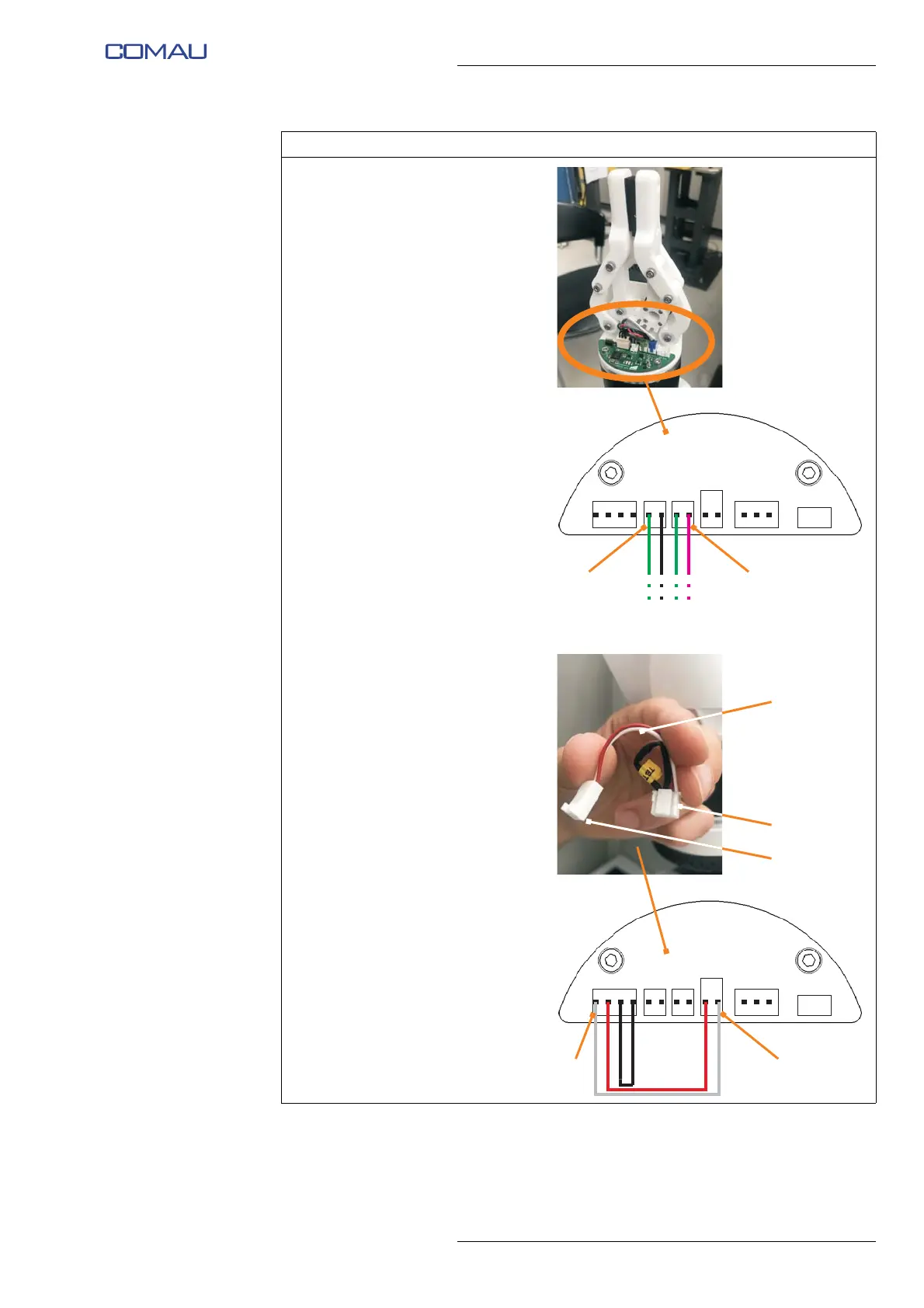
p. Connect the 2 connectors (M)
(CAN SUPP) and (N) (CAN
SIGN) of the CAN network
connection cable and power
supply cable (included with
e.DO Gripper), coming from the
last Robot joint, to the
corresponding connectors
present on the e.DO Gripper
electronic board (PCB), as
shown in the figure.
Representative figure
q. Connect the 2 connectors (P) (2
PIN) and (Q) (4 PIN) of the
power supply cable and
terminating resistor (R)
respectively to the connectors
(S) and (T) of the e.DO Gripper
electronic board (PCB), as
shown in the figure.
Operating procedure (Continued)
A
C
BUS OUTBUS OUT
SUPPLY
T
P
Q
R
S





 To Next Page