Comau Robotics Product Instruction
40
ROBOT CONFIGURATION CUSTOMIZATION
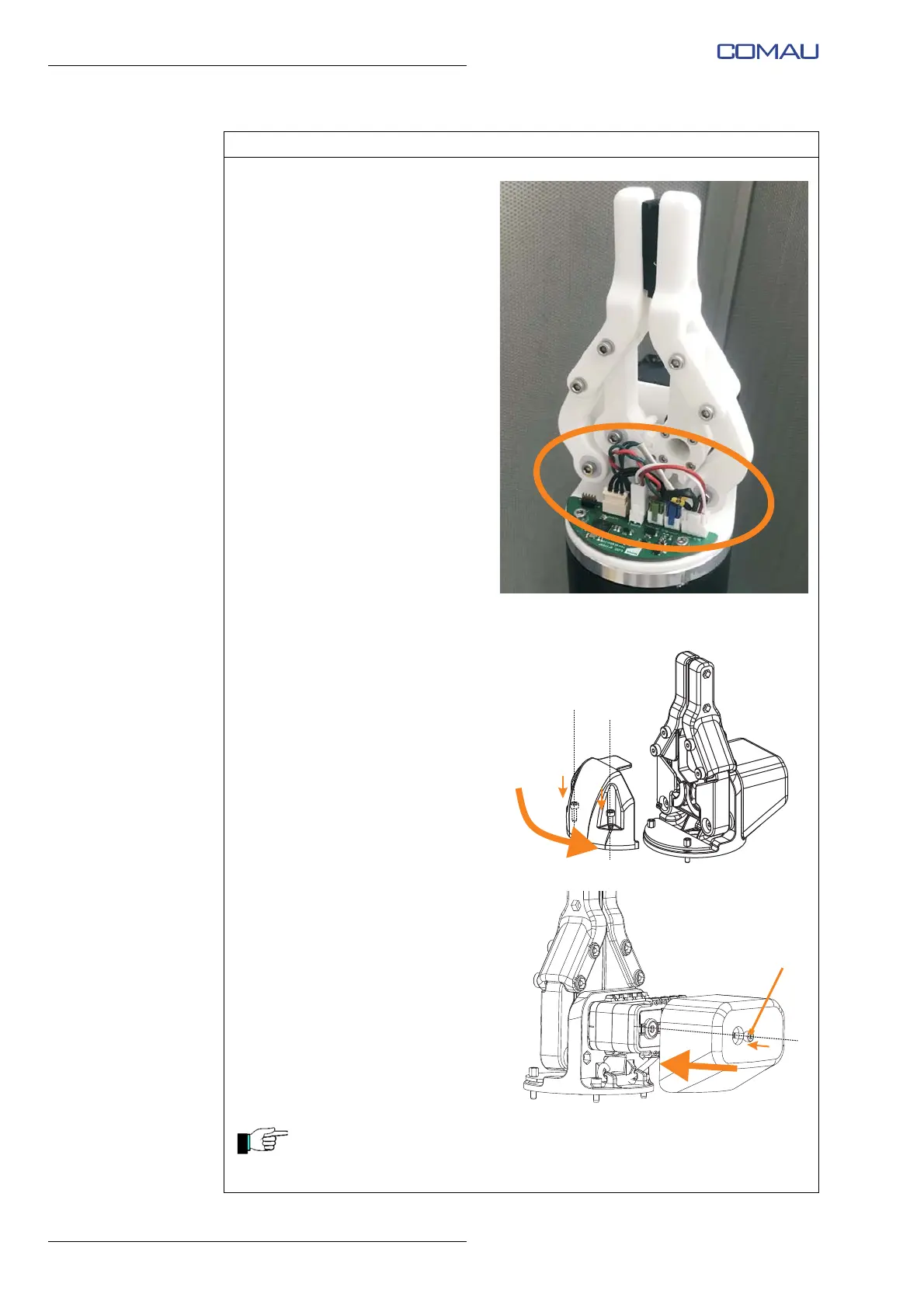
r. Check the correct connection of
all connectors on the e.DO
Gripper electronic board (PCB),
as shown in the figure.
Representative figure
s. Reposition the plastic protective
cover of the e.DO Gripper
electronic board (PCB) fixing it
with the 2 socket hex head
screws M3x10.
t. Reposition the plastic protective
cover of the e.DO Gripper rear
area, fixing it with the socket
hex head screw (J) M3x8.
During the repositioning of the plastic protective cover, pay particular
attention not to pinch the cables. Also verify that all cables are properly
covered by the plastic protective cover.
Operating procedure (Continued)





 To Next Page