ROBOT CONFIGURATION CUSTOMIZATION
53
Comau Robotics Product Instruction
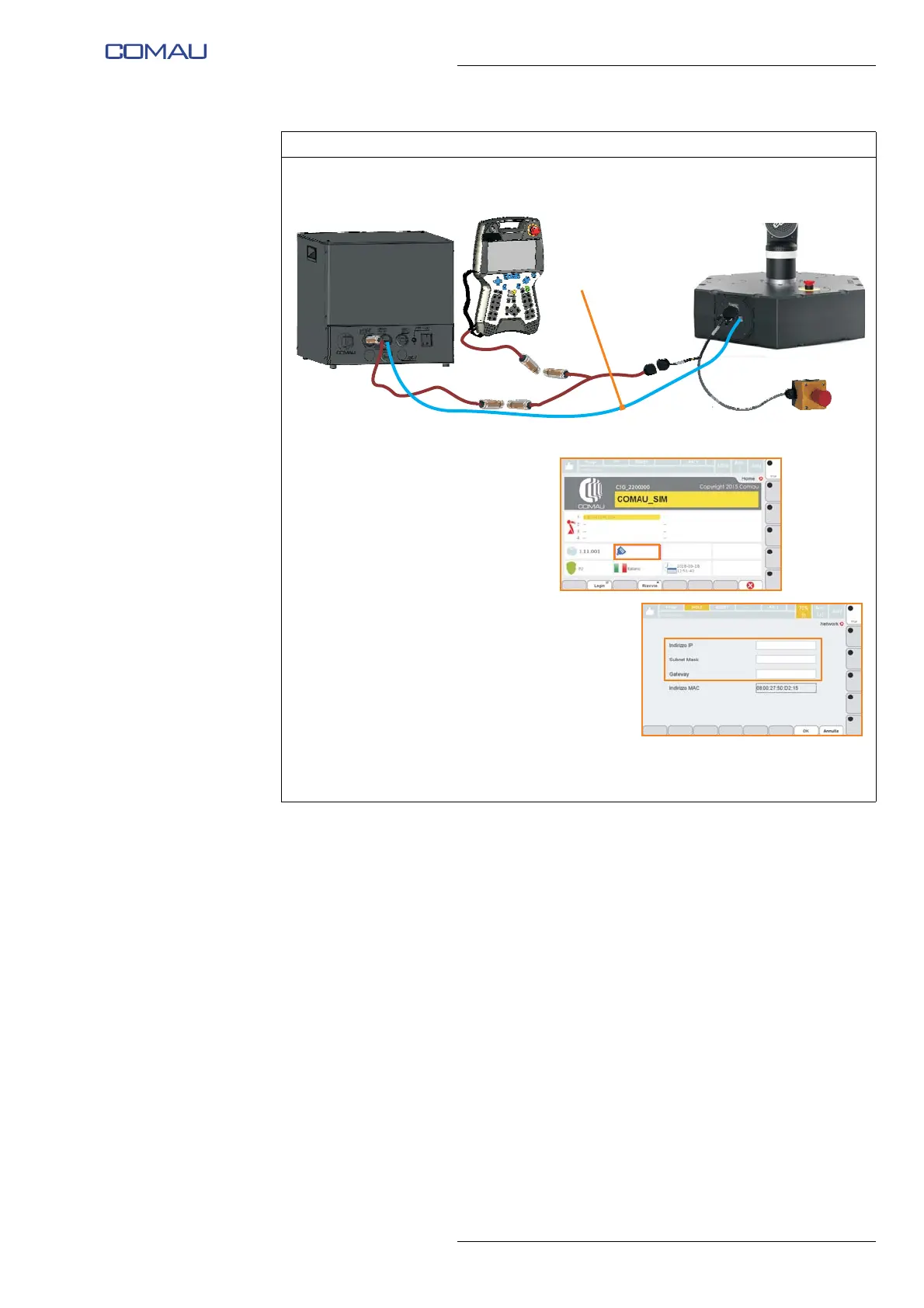
s. Connect the network cable (F) between e.DO (RJ45 connector on Robot base)
and Desk Simulator (RJ45 connector identified with the abbreviation ETH).
t. On “Home Page” of the Teach
Pendant, press on the RJ45
connector icon with the IP
address next to it.
u. On the following page, check
that the following parameters
are set:
– IP address = 10.42.0.40
– Subnet Mask = 255.255.255.0
– Gateway = 10.42.0.40
that correspond to the default
parameters assigned by
Comau.
v. If necessary, manually change
the parameters by entering the
above.
Operating procedure (Continued)
10.42.0.40
255.255.255.0
10.42.0.40
10.42.0.40





 To Next Page