EasyManua.ls Logo

Commodore 128D - Page 366

Commodore 128D
427 pages
Print Icon
To Next Page IconTo Next Page
To Previous Page IconTo Previous Page
Loading...
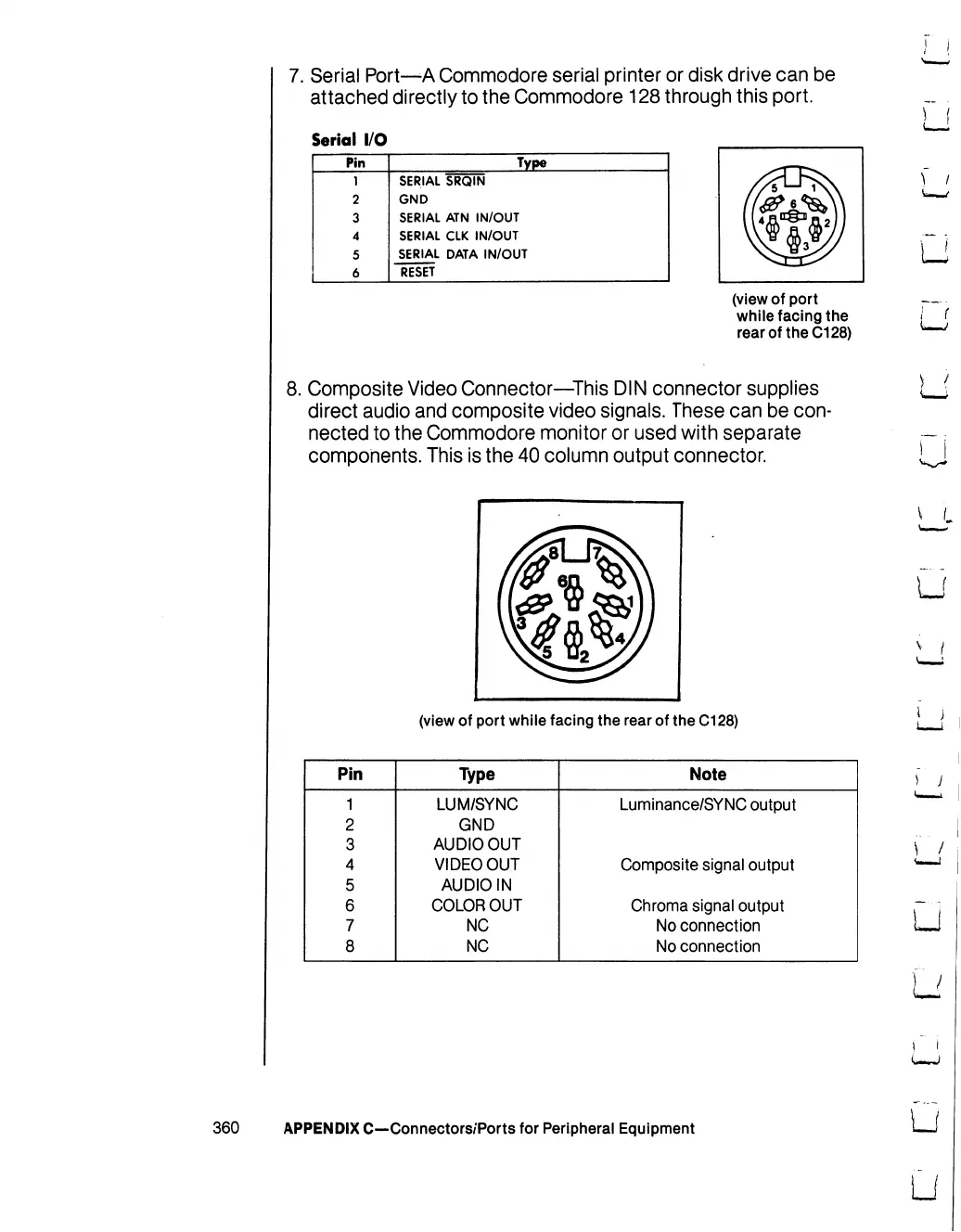
7.
Serial
Port—A
Commodore
serial
printer
or
disk
drive
can
be
attached
directly
to
the
Commodore
128
through
this
port.
Serial
I/O
Pin
1
2
3
4
5
6
SERIAL
GND
SERIAL
SERIAL
SERIAL
RESET
Type
SRQIN
ATN
IN/OUT
CLK
IN/OUT
DATA
IN/OUT
(view
of
port
while
facing
the
rear
of
the
C128)
8.
Composite
Video
Connector—This
DIN
connector
supplies
direct
audio
and
composite
video
signals.
These
can
be
con
nected
to
the
Commodore
monitor
or
used
with
separate
components.
This
is
the
40
column
output connector.
(view
of
port
while
facing
the
rear
of
the
C128)
u
LJ
i
i
Pin
1
2
3
4
5
6
7
8
Type
LUM/SYNC
GND
AUDIO
OUT
VIDEO
OUT
AUDIO
IN
COLOR
OUT
NC
NC
Note
Luminance/SYNC
output
Composite
signal
output
Chroma
signal
output
No
connection
No
connection
U
u
360
APPENDIX
C—Connectors/Ports
for
Peripheral
Equipment
LJ
U

Table of Contents

Other manuals for Commodore 128D

Related product manuals