EasyManua.ls Logo

Commodore 128D - Page 368

Commodore 128D
427 pages
Print Icon
To Next Page IconTo Next Page
To Previous Page IconTo Previous Page
Loading...
LJ
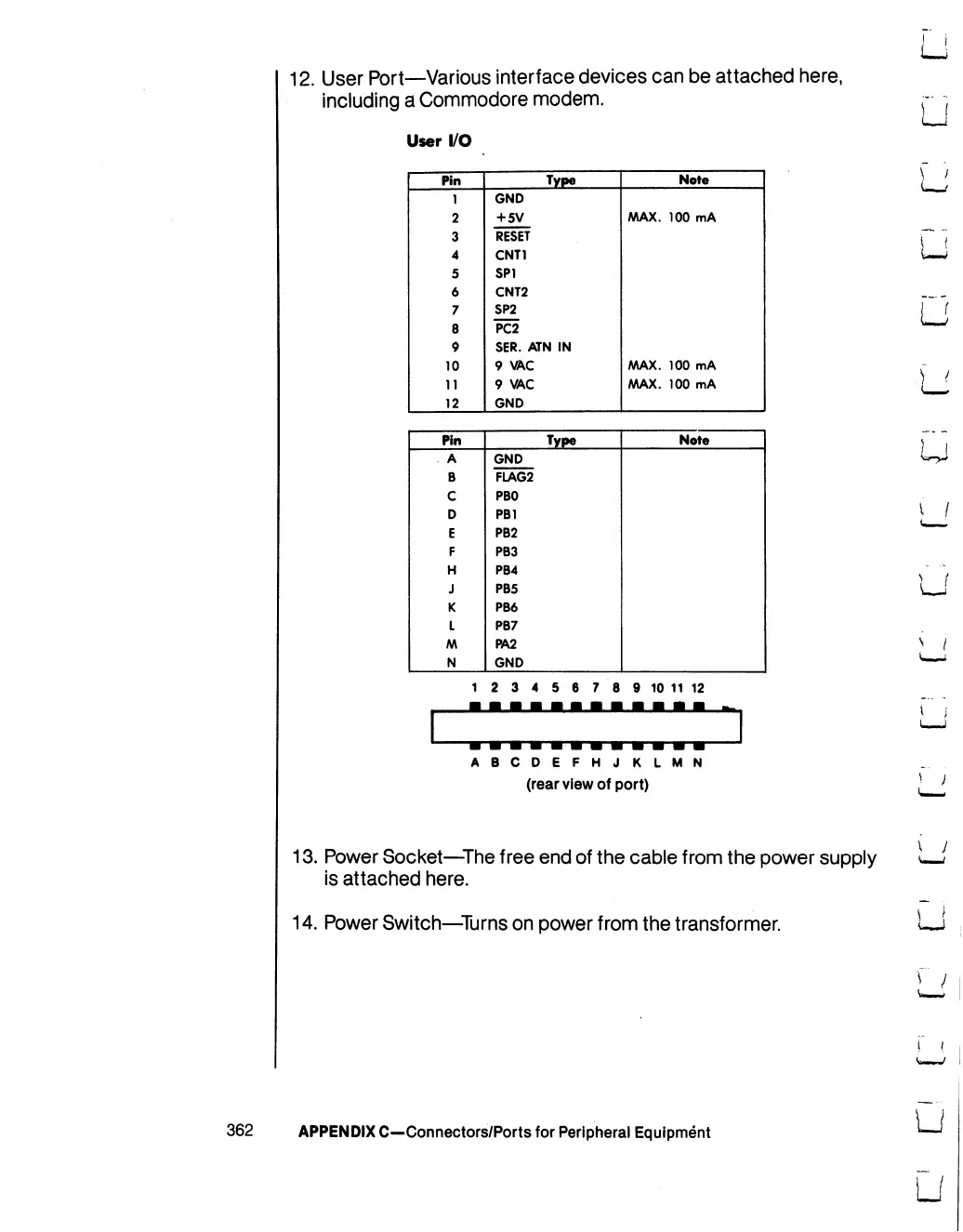
12.
User
Port—Various
interface
devices
can
be
attached
here,
including
a
Commodore
modem.
User
I/O
Pin
1
2
3
4
5
6
7
8
9
10
11
12
Type
GND
+
5V
RESET
CNT1
SP1
CNT2
SP2
PC2
SER.
ATN
IN
9
VAC
9
VAC
GND
Note
AAAX.
100
mA
AAAX.
100
mA
AAAX.
100
mA
Pin
A
B
C
D
E
F
H
J
K
L
AA
N
Type
GND
FLAG2
PBO
PB1
PB2
PB3
PB4
PB5
PB6
PB7
PA2
GND
Note
1
2
3
4
5
6
7
8
9
10
11
12
ABCDEFHJKLMN
(rear
view
of
port)
13.
Power
Socket—The
free
end
of
the
cable
from
the
power
supply
is
attached
here.
14.
Power
Switch—Turns
on
power
from
the
transformer.
U
r
/
i
i
362
APPENDIX
C—Connectors/Ports
for
Peripheral
Equipment
LJ
U

Table of Contents

Other manuals for Commodore 128D

Related product manuals