A%
X%
Al%
NM%
The '$' following the variable name indicates the variable will repre-
sent a text string. The following are examples
of string variables:
A$
X$
MI$
Floating point variables follow the same format, with the type indi-
cator:
Al
X
Y
MI
In assigning a name to a variable there are a few things to keep in
mind. First, a variable name can have one or two characters. The first
character must be an alphabetic character from A to Z; the second
character can be either alphabetic or numeric (in the range 0 to 9). A
third character can be included to indicate the type of variable (integer
or text string), % or
$.
You can use variable names having more than two alphabetic
characters, but only the first two are recognized by the computer. So
PA and PARTNO are the same and would refer to the same variable
box.
The last rule for variable names is simple: they can't contain any
BASIC keywords (reserved words) such as GOTO, RUN, etc. Refer back
to Appendix D for a complete list of BASIC reserved words.
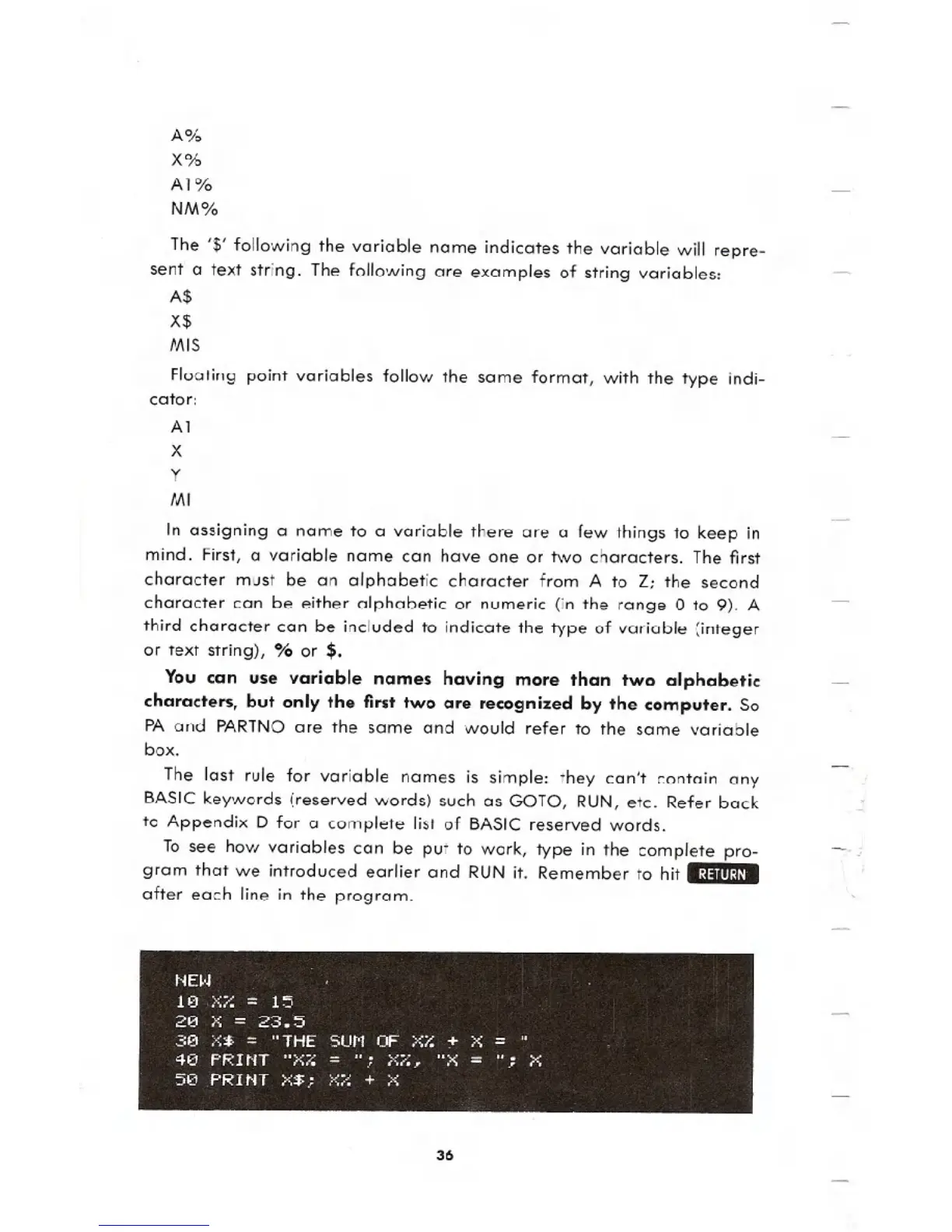
To see how variables can be put to work, type in the complete pro-
gram that we introduced earlier and RUN it. Remember to hit .:j:lIlI:U.
after each line in the program.
36





 To Next Page