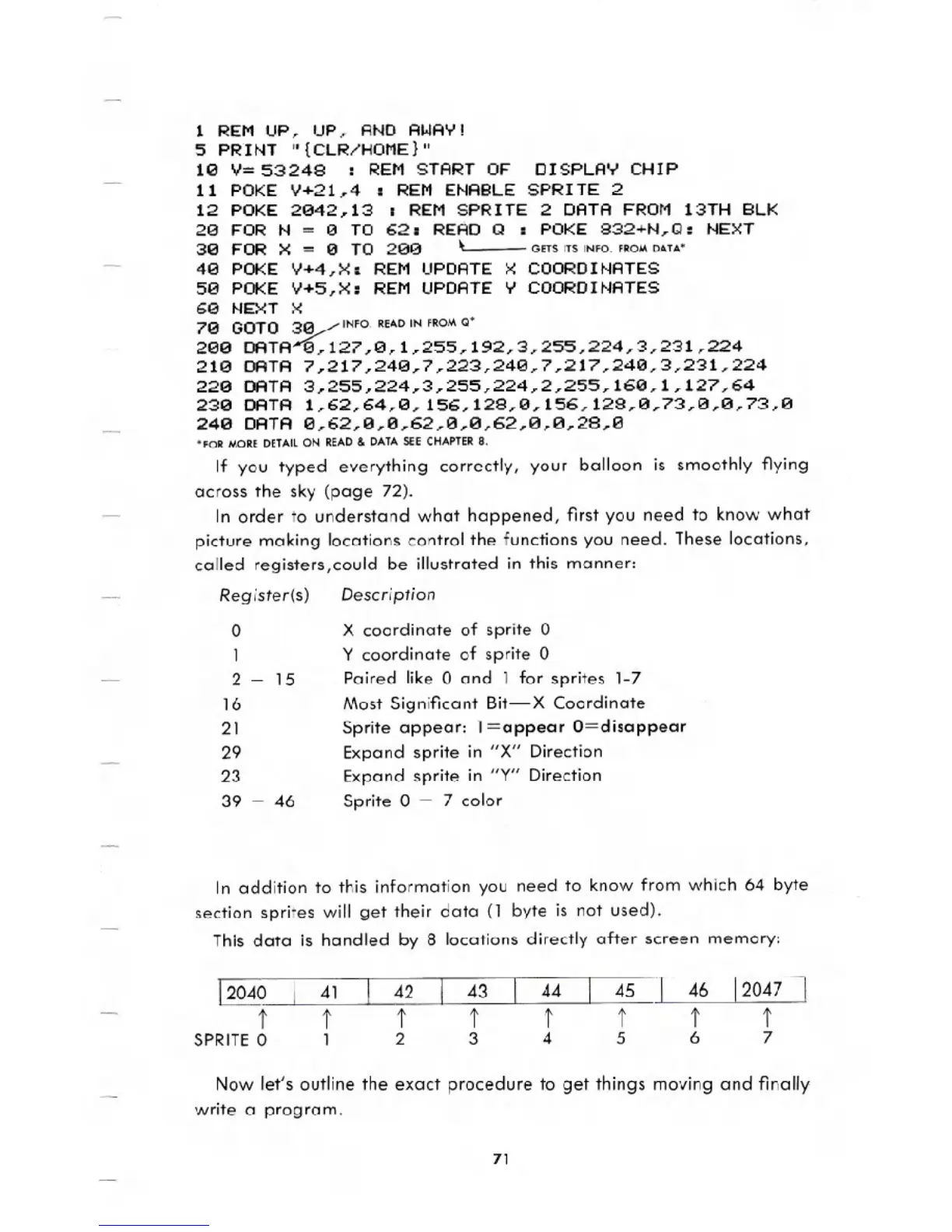
1 REM UP, UP, AND AWAY!
5 PRINT n{CLR/HOME}n
10 '1=53248 : REM START OF DISPLAY CHIP
11 POKE '1+21,4 : REM ENABLE SPRITE 2
12 POKE 2042,13 : REM SPRITE 2 DATA FROM 13TH BLK
20 FOR N
= 0 TO 62: READ Q : POKE 832+N,Q: NEXT
30 FOR X = 0 TO 200 ~ GETSITSINfO.fROMDATA"
40 POKE V+4,X: REM UPDATE X COORDINATES
50 POKE V+5,X: REM UPDATE Y COORDINATES
60 NEXT X
70 GOTO ~ INfO. READ IN fROM Q"
200 DATA 0,127,0,1,255,192,3,255,224,3,231,224
210 DATA 7,217,240,7,223,240,7,217,240,3,231,224
220 DATA 3,255,224,3,255,224,2,255,160,1,127,64
230 DATA 1,62,64,0,156,128,0,156,128,0,73,0,0,73,0
240 DATA 0,62,0,0,62,0,0,62,0,0,28,0
'fOR MORE DETAil ON READ & DATA SEE CHAPTER 8.
If you typed everything correctly, your balloon is smoothly flying
across the sky (page 72).
In order to understand what happened, first you need to know what
picture making locations control the functions you need. These locations,
called registers,could be illustrated in this manner:
Register(s) Description
o
1
2 - lS
16
21
29
23
39 - 46
X coordinate of sprite 0
Y coordinate of sprite 0
Paired like 0 and 1 for sprites 1-7
Most Significant Bit-X Coordinate
Sprite appear: 1=appear O=disappear
Expand sprite in "X" Direction
Expand sprite in "Y" Direction
Sprite 0 - 7 color
In addition to this information you need to know from which 64 byte
section sprites will get their data (1 byte is not used).
This data is handled by 8 locations directly after screen memory:
Now let's outline the exact procedure to get things moving and finally
write a program.
71





 To Next Page