CSAT-5060 C-Band Transceiver Revision 1
Ethernet-based Remote Product Management MN/CSAT5060.IOM
AA–7
AA.5 Web Server (HTTP) Interface
You can monitor and control the unit through its embedded Web Server Interface.
A user-supplied web browser is required to use the Web Server Interface. The Web Server
Interface is designed for, and works best with, Microsoft’s Internet Explorer Version 5.5 or
higher.
AA.5.1 Enabling the Web Server Interface
Do these steps to enable the Web Server Interface. A 10/100BaseT remote interface and a
Microsoft Windows operating system are required.
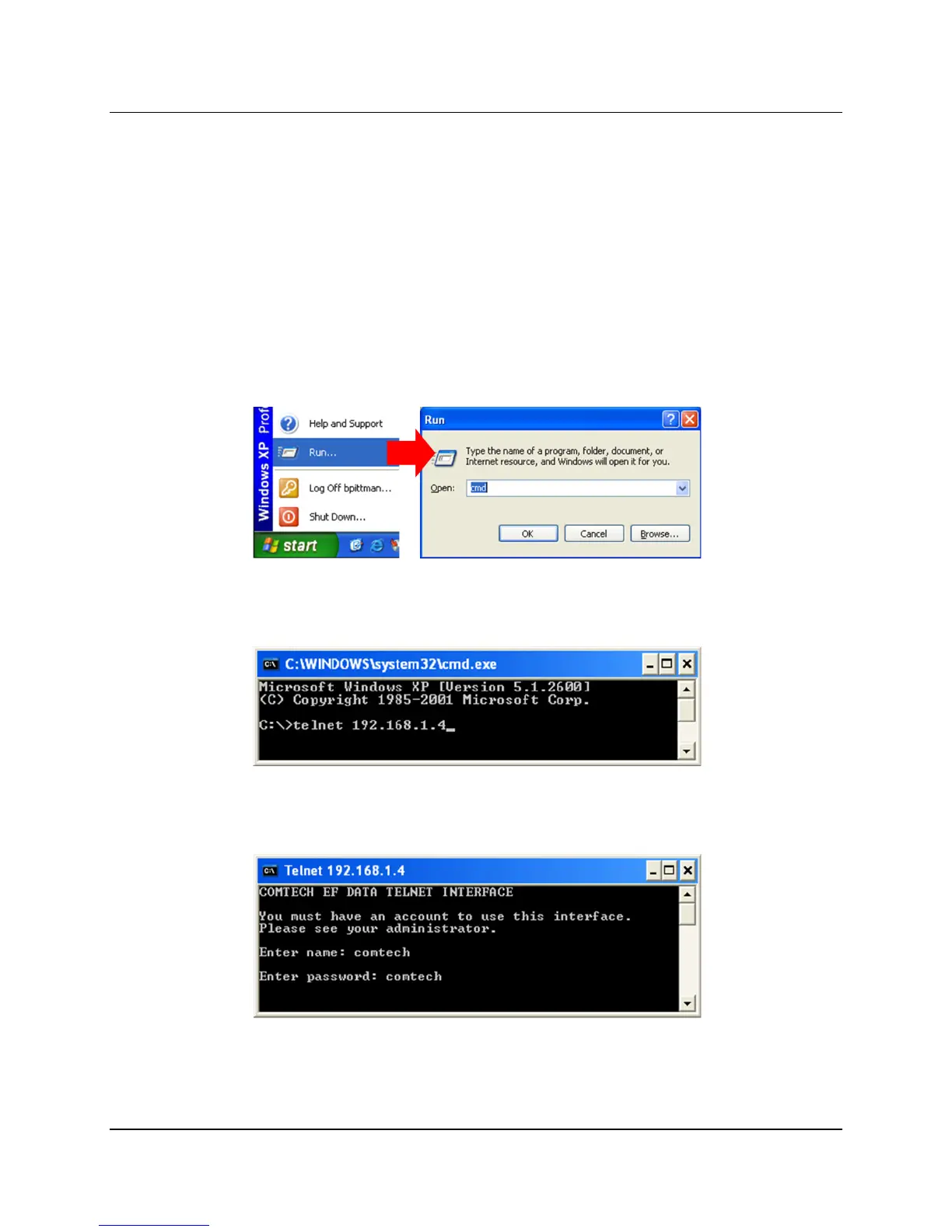
1. Select Start, then Run, then type “cmd” to open the command prompt window:
2. Start a Telnet session with the unit at the default IP address of 192.168.1.4:
3. Enter the User name and password (the default for both is comtech):



 To Next Page