LPOD C-/Ku-Band Outdoor Amplifier / Block Up Converter (BUC) Revision 3
Flash Upgrading MN-LPOD
3–4
10
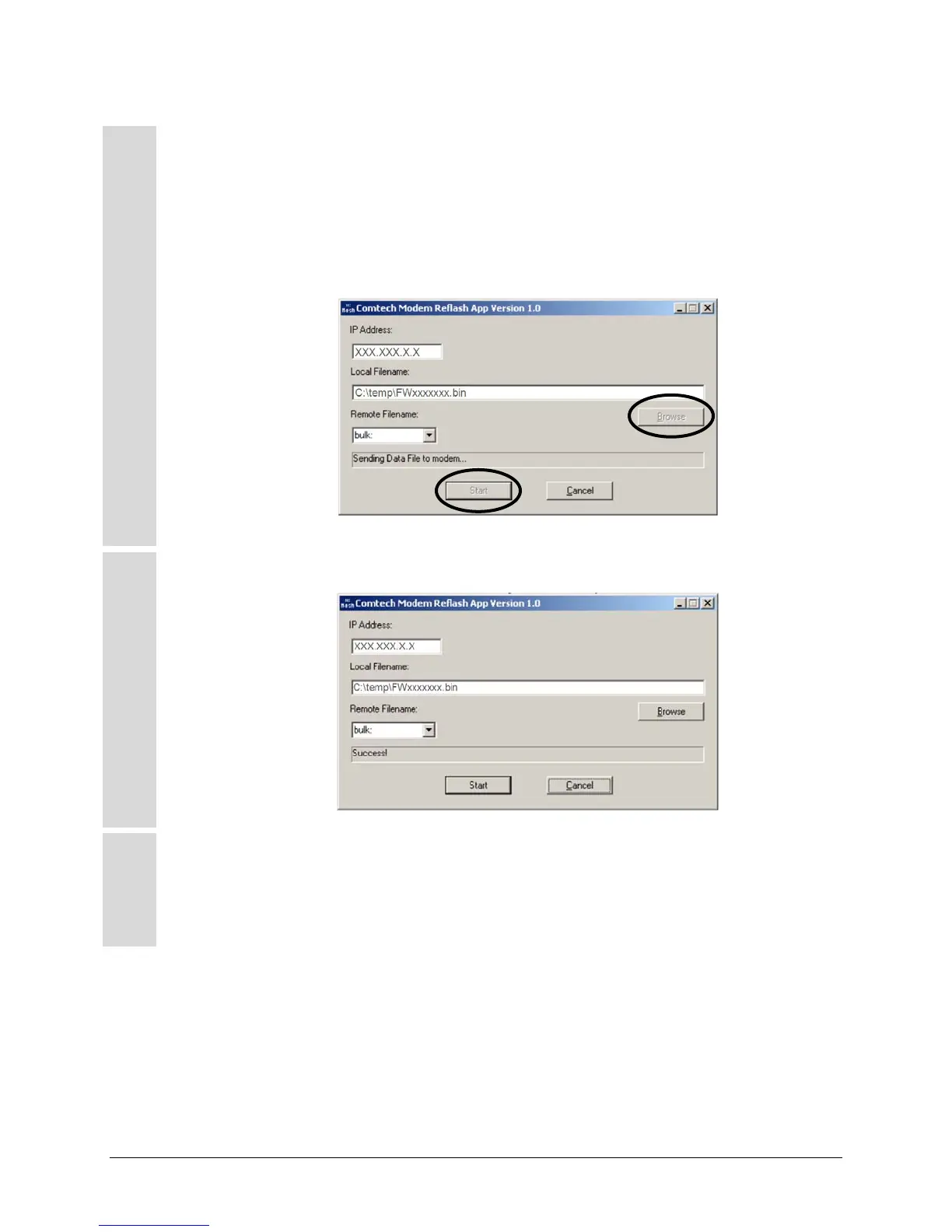
Run the CReflash application by either double clicking the application icon from the
temporary folder (or Desktop), or by selecting the application from the Program Files menu:
a) Type in the correct IP address of the LPOD.
b) Select the firmware bulk image file as identified in Step 3. Type in the name, or select
the file using [Browse].
c) Click [Start] to begin the flash upgrade procedure.
11
Check that the transfer completed successfully:
►
12
Verify the file transfer.
a) Reboot the LPOD.
b) To verify that the new file has loaded, use the firmware version verification
procedure outlined in Step 1.
(a)
(b)
(c)



 To Next Page