LPOD C-/Ku-Band Outdoor Amplifier/Block Up Converter Revision 3
Ethernet Management MN-LPOD
4–20
4.5.5.3.4 Config | Redundancy
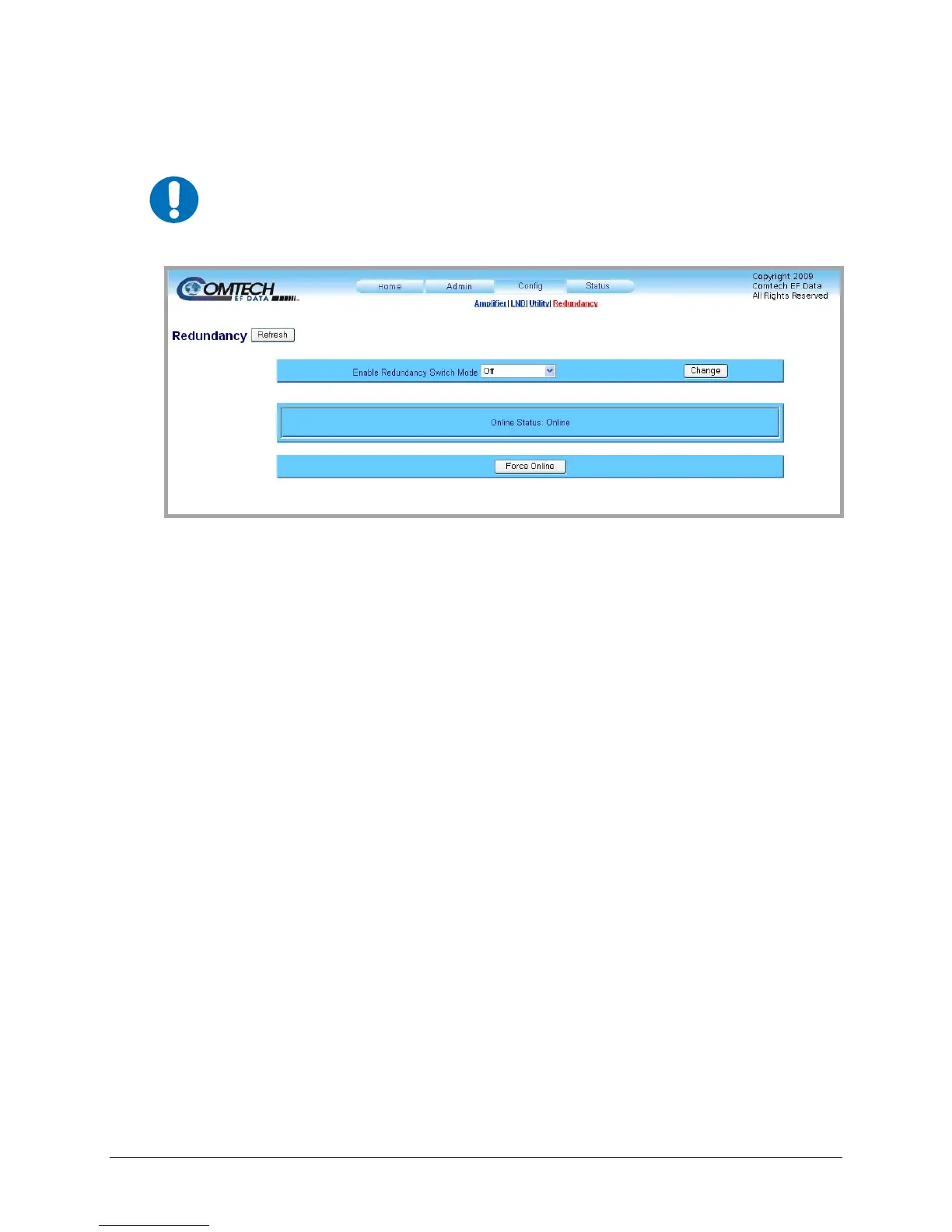
Figure 4-9. Config | Redundancy page
The ‘Config | Redundancy’ page (Figure 4-9) is used to config
ure the LPOD’s Redundancy
Switch Mode.
Using the drop-down menu, select the Switch Mode as follows:
• Off: Disables redundancy.
• 1:1 Red TX: Enables 1:1 redundancy with transmit switch control.
• 1:1 Red TX+RX: Enables 1:1 redundancy with transmit and receive switch control.
• 1:2 Red TX: (Future option – not currently supported)
• 1:2 Red TX+RX: (Future option – not currently supported)
• Manual: Enables manual redundancy mode.
Once the desired mode selection has been made, click [Change] to execute the choice.
To force a unit to go active (online), click [Force Online].
To update the page to the current redundancy configuration, click [Refresh].
IMPORTANT
For detailed information about 1:1 Redundant operations, see Appendix A. 1:1
REDUNDANCY.



 To Next Page