LPOD C-/Ku-Band Outdoor Amplifier/Block Up Converter Revision 3
Ethernet Management MN-LPOD
4–8
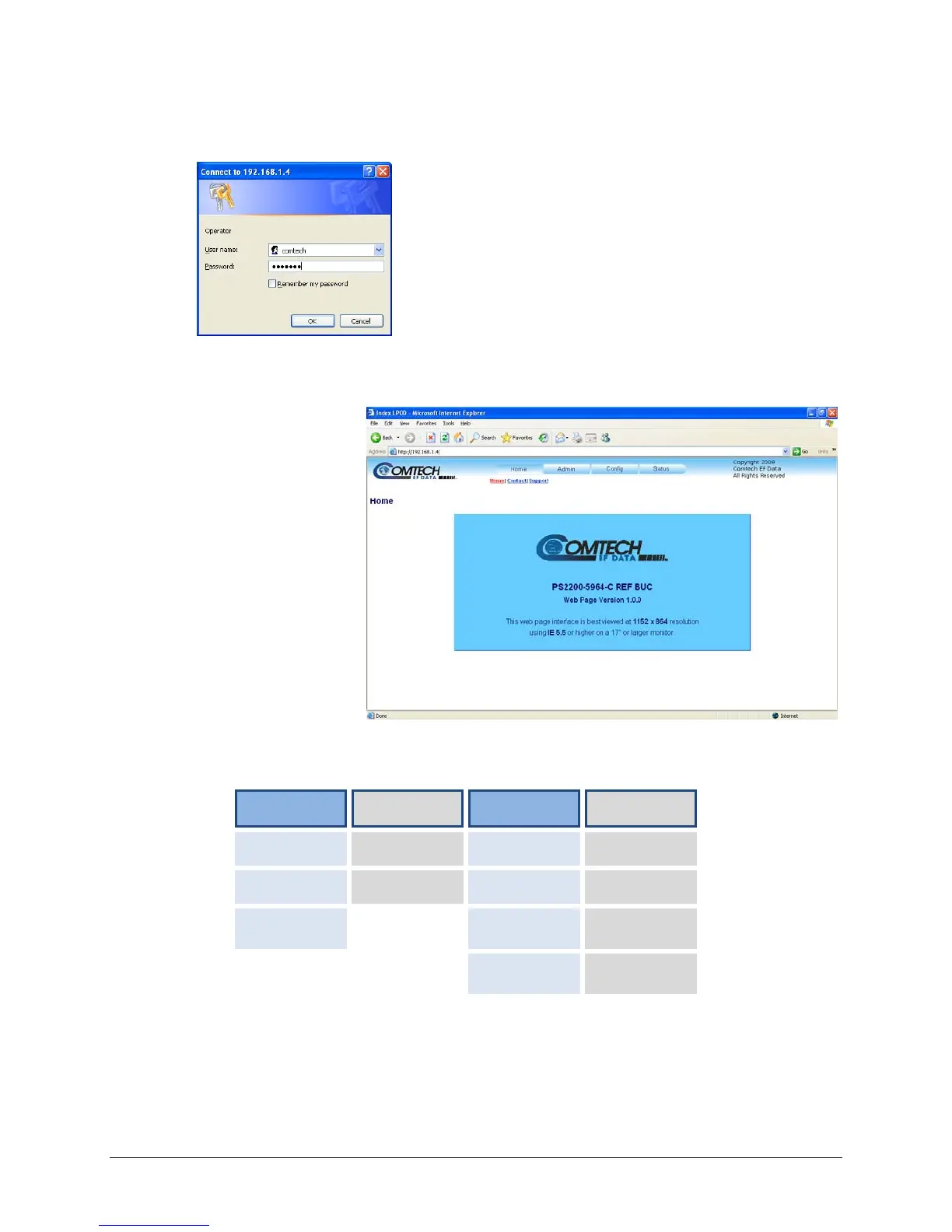
2. The Login window will appear, and the user is prompted to type a User Name and Password:
Default User Name – comtech
Default Password – comtech
Type the User Name and Password, then click [OK].
4.5.4 Web Server Interface “Splash” Page
Once the valid IP address
and login information has
been entered, the LPOD
Web Server Interface
“Splash” page is displayed:
The options available through the LPOD Web Server Interface are illustrated via the following
menu tree:
Home Admin Config Status
Home Access Amplifier Events
Contact SNMP LNB Statistics
Support Utility Status
Redundancy FETs



 To Next Page