LPOD C-/Ku-Band Outdoor Amplifier/Block Up Converter Revision 3
Ethernet Management MN-LPOD
4–21
4.5.5.4 Status Pages
The hyperlinks available under the ‘Status’ tab provide the user access to event logging, operational
statistics, status, and FET windows.
4.5.5.4.1 Status | Events
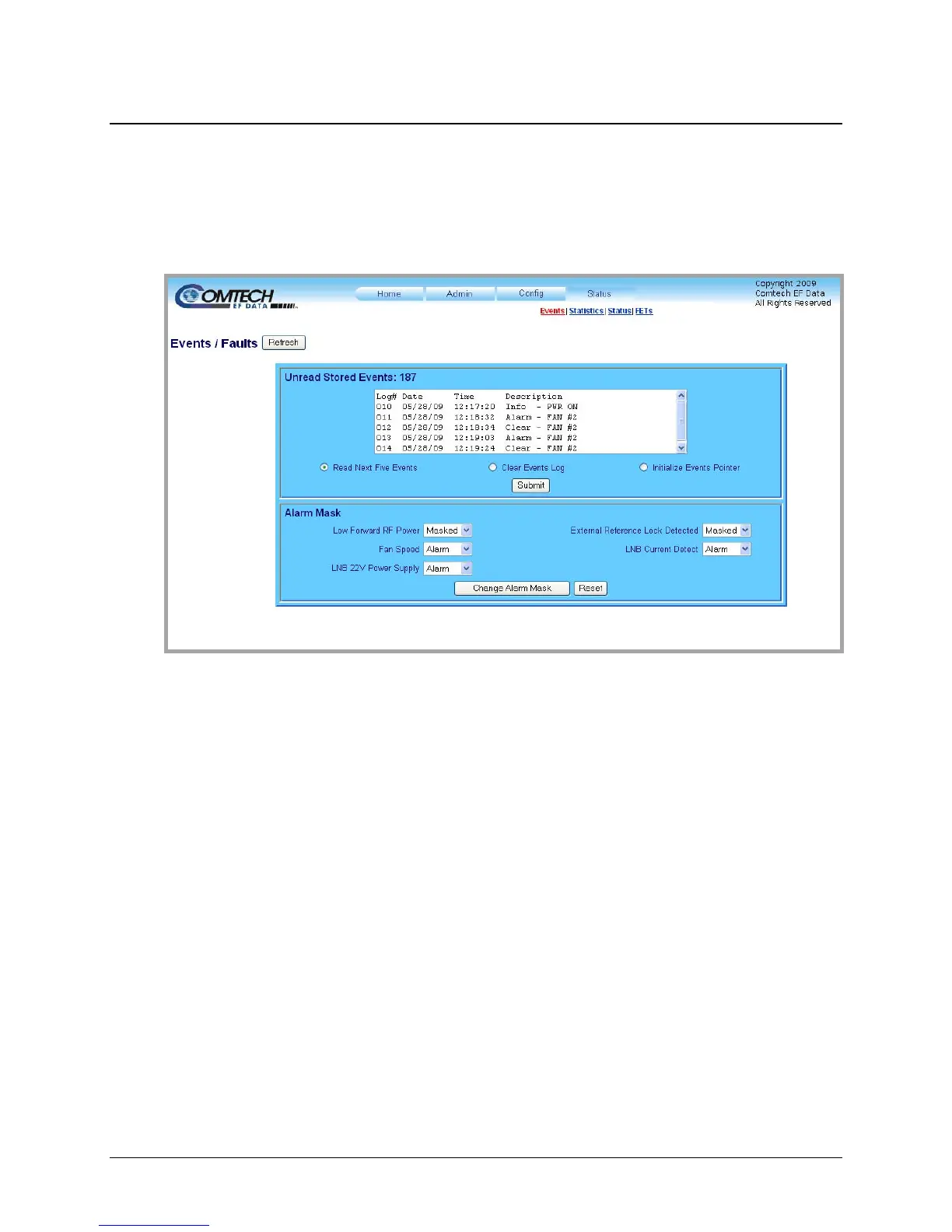
Figure 4-10. Status | Events page
The ‘Status | Events’ page (Figure 4-10) provides the user with
all pertinent information about
stored events, and provides the user with a means to define the LPOD alarm parameters which
determine how those events are triggered.
Unread Stored Events
This read-only scrollable window displays the unread stored events log in sequential, date-
stamped format. A running tally of the number of unread stored events is displayed in the window
header. The unit returns and displays the five oldest stored events in the alarm log, All events that
are read from the log are also automatically removed from the log.
The user has the ability to manage the Unread Stored Events window as follows:
• Read Next Five Events: Select to display the next five unread stored events in the log.
• Clear Events Log: Select to clear all stored events from the log.
• Initialize Events Pointer: Select to reset the internal pointer to allow queries to start at
the beginning of the stored events log.
Once a selection has been made, click [Submit] to execute the choice – the window will update
according to the selection made.



 To Next Page