LPOD C-/Ku-Band Outdoor Amplifier/Block Up Converter Revision 3
Ethernet Management MN-LPOD
4–11
4.5.5.1.3 Home | Support
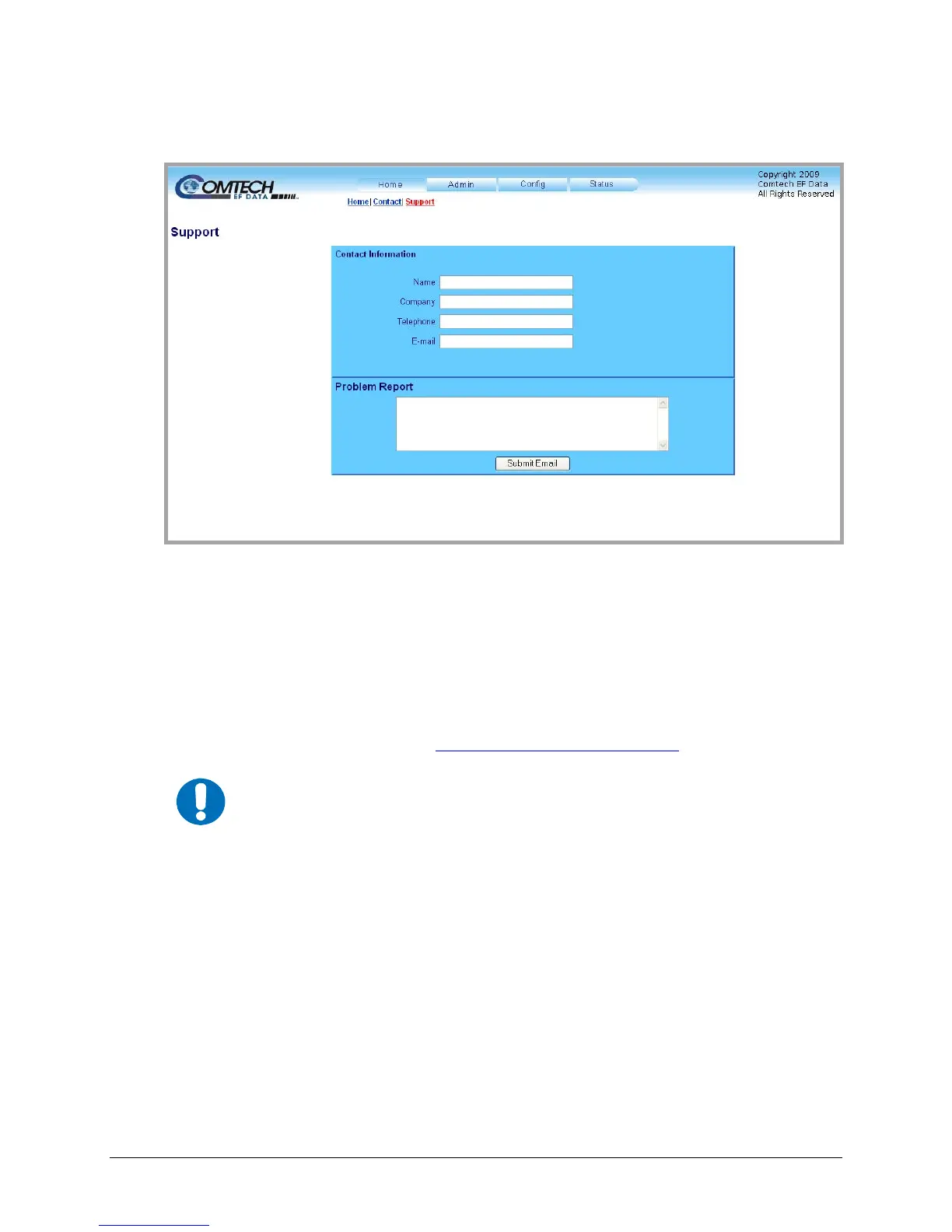
Figure 4-3. Home | Support page
The ‘Home | Support’ page (Figure 4-3) allows t
he user to compose an e-mail message for
questions or problems with the LPOD.
Fill in the appropriate user information as required under Contact Information; the Problem
Report text window allows up to 256 characters maximum.
The LPOD Support Web Page uses SMTP (Simple Mail Transport Protocol) to send e-mail to
Comtech EF Data Modulator Support (cdmipsupport@comtechefdata.com
).
IMPORTANT
For this page to operate correctly, the LPOD’s administrator is required to
specify the SMTP server, domain name, and destination on the Admin | Access
page (see Sect. 4.5.5.2.1).
Once the Contact Information is entered and a message composed in the Problem Report text
window, click [Submit Email] to send the message.



 To Next Page