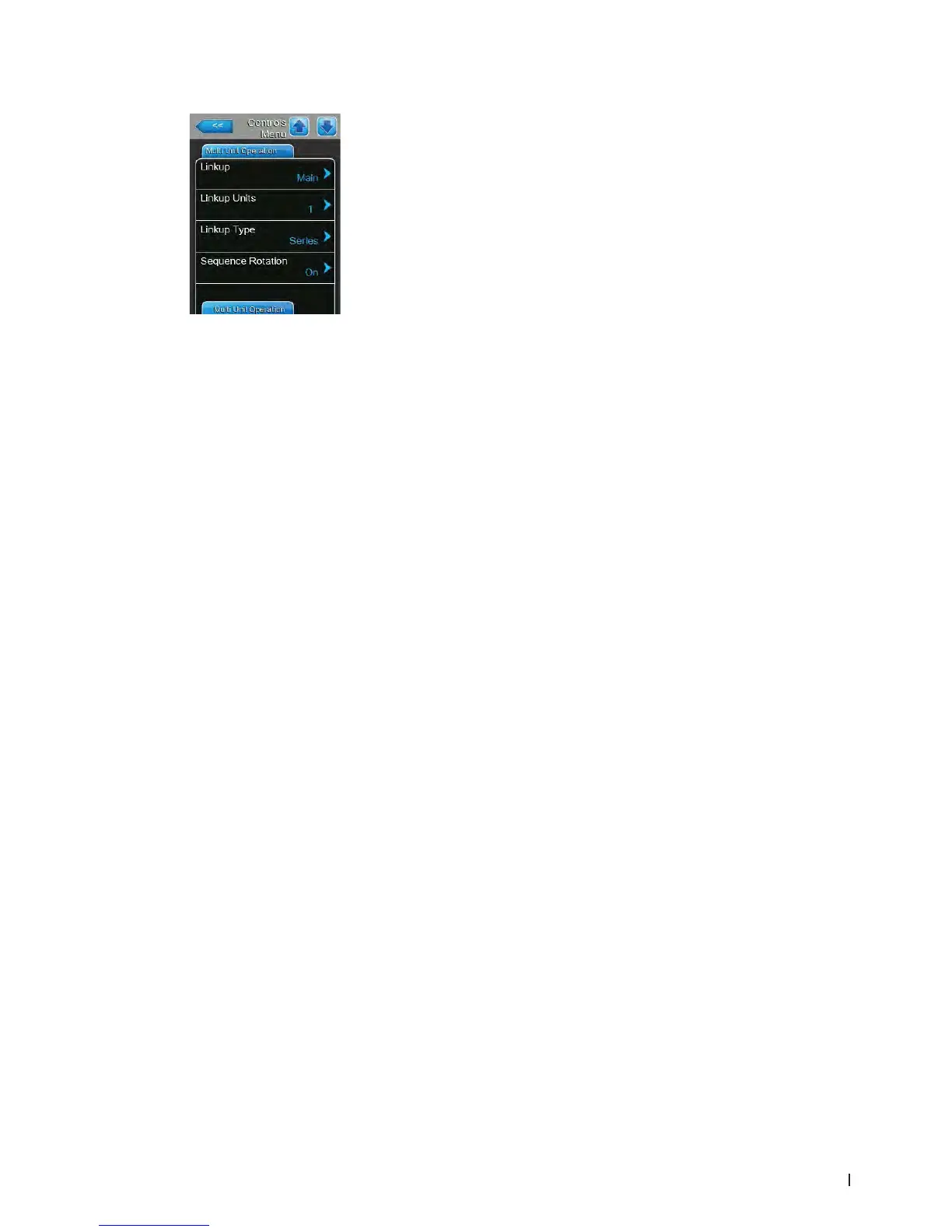
37Operating the control software
– Linkup: with this setting you determine whether the unit is part of a Linkup
system and acts as "Main" or "Extension" unit or whether the unit is not
part of a Linkup system.
Note: the main unit must be set always to "Main". The further extension
units in the chain must be set in ascending order to "Ext1" to "Ext5".
Factory setting: Off
Options: Off (no Linkup system)
Main (Main unit of the Linkup system)
Ext1 (rst extension unit of the Linkup system)
Ext2 (second extension unit of the Linkup system)
Ext3 (third extension unit of the Linkup system)
Ext4 (fourth extension unit of the Linkup system)
Ext5 (fth extension unit of the Linkup system)
– Linkup Units: with this setting you determine the number of units belong-
ing to the linkup system.
Note: this setting appears only if "Linkup" is set to "Main"
Factory setting: 1
Setting range: 1 ... 6
– Linkup Type: With this setting you determine how the total system demand
is to be divided amongst the individual units of the linkup system.
Note: this setting appears only if "Linkup" is set to "Main"
Factory setting: Series
Options: Parallel (even distribution of the demand on the units)
Series (serial distribution, rst "Main" up to 100 %,
then "Ext1" up to 100 %, then "Ext2" up to 100 %, etc.)
– Sequence Rotation: with this setting you determine whether the cylinder
with the lowest number of operating hours is started rst ("On") or not
("Off") if serial distribution of the demand is activated
Note: this setting appears only, if "Linkup" is set to "Main" and "Linkup
Type" is set to "Series".
Factory setting: On
Options: On or Off
Multi Unit Operation Tab















 To Next Page