42 Operating the control software
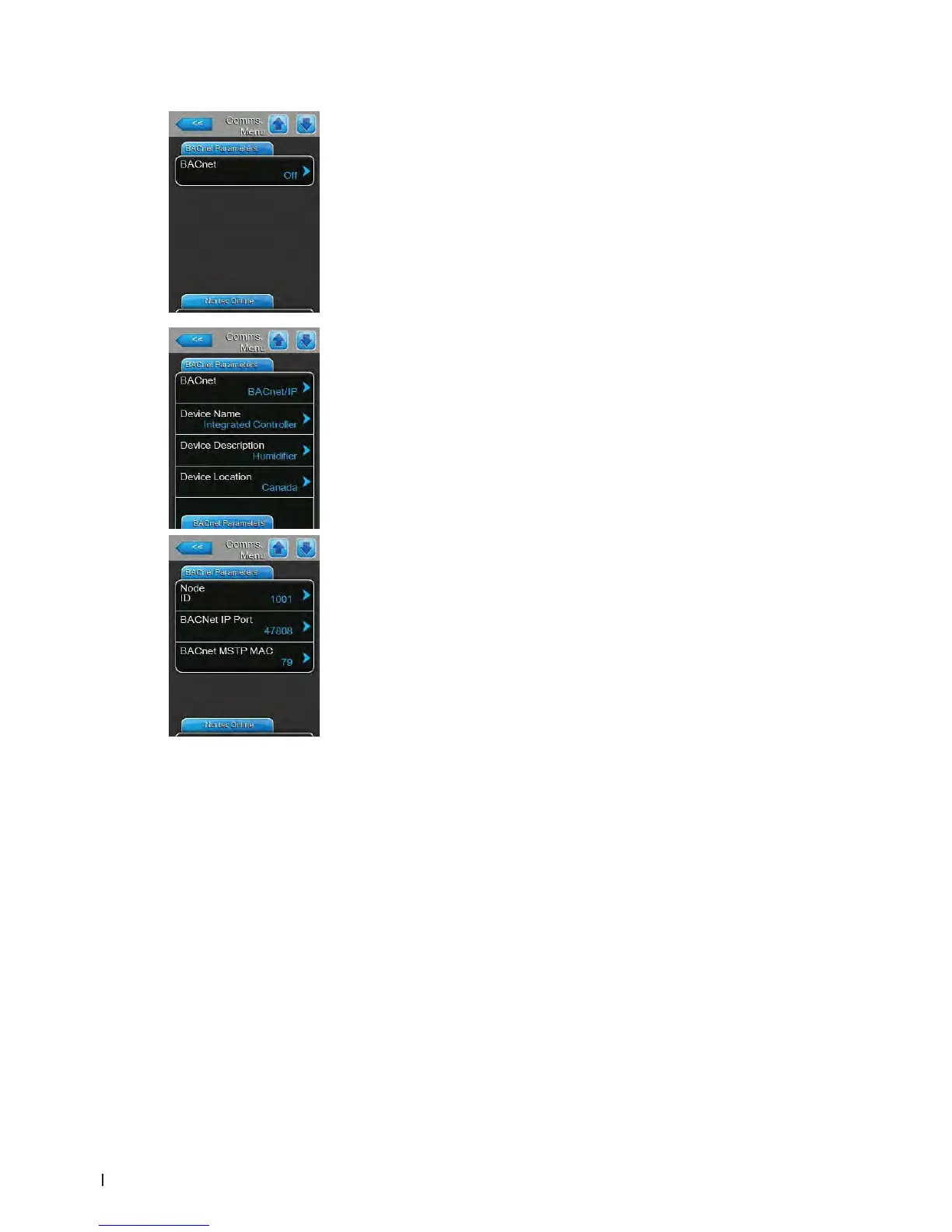
– BACnet: with this setting you can activate ("MSTP" or "BACnet/IP") or
deactivate ("Off") the communication via the integrated BACnet interface.
Note: in order to activate the setting of this parameter the Condair EL must
be switched off and on again.
Factory setting: Off
Options: Off (BACnet interface deactivated)
MSTP (BACnet MSTP via RS 485 interface, Note:
the Condair EL is a slave-only BACnet MSTP
device)
BACnet/IP (BACnet/IP via RJ45 interface)
The following settings appear only, if the parameter "BACnet" is set to
"BACnet/IP".
– Device Name: with this setting you determine the name of the Condair
EL for the communication via the integrated BACnet interface.
– Device Description: with this setting you determine a short descrip-
tion of the unit.
– Device Location: with this setting you determine the designation of
the unit location.
– Node ID: with this setting you assign a node ID to the Condair EL for
the communication via the BACnet/IP protocol.
Factory setting: 1001
Setting range: 1-9999999
– BACnet IP Port: with this setting you assign a IP port number for the
Condair EL.
Factory setting: 47808
Setting range: 1-65535
– BACnet MSTP MAC: with this setting you assign a MSTP MAC ad-
dress for the Condair EL.
Factory setting: 128
Setting range: 128-254
BACnet Parameters Tab















 To Next Page