19Working with the Display
5 Working with the Display
5.1 Homescreens
After switching on the Condair RM and the automatic system test the steam humidier is in normal
operating mode and the Homescreen is shown. The appearance of the Home screen depends on the
conguration of the control software.
5.1.1 Homescreens
5.1.1.1 Homescreenswithactivated"Externalcontrol"
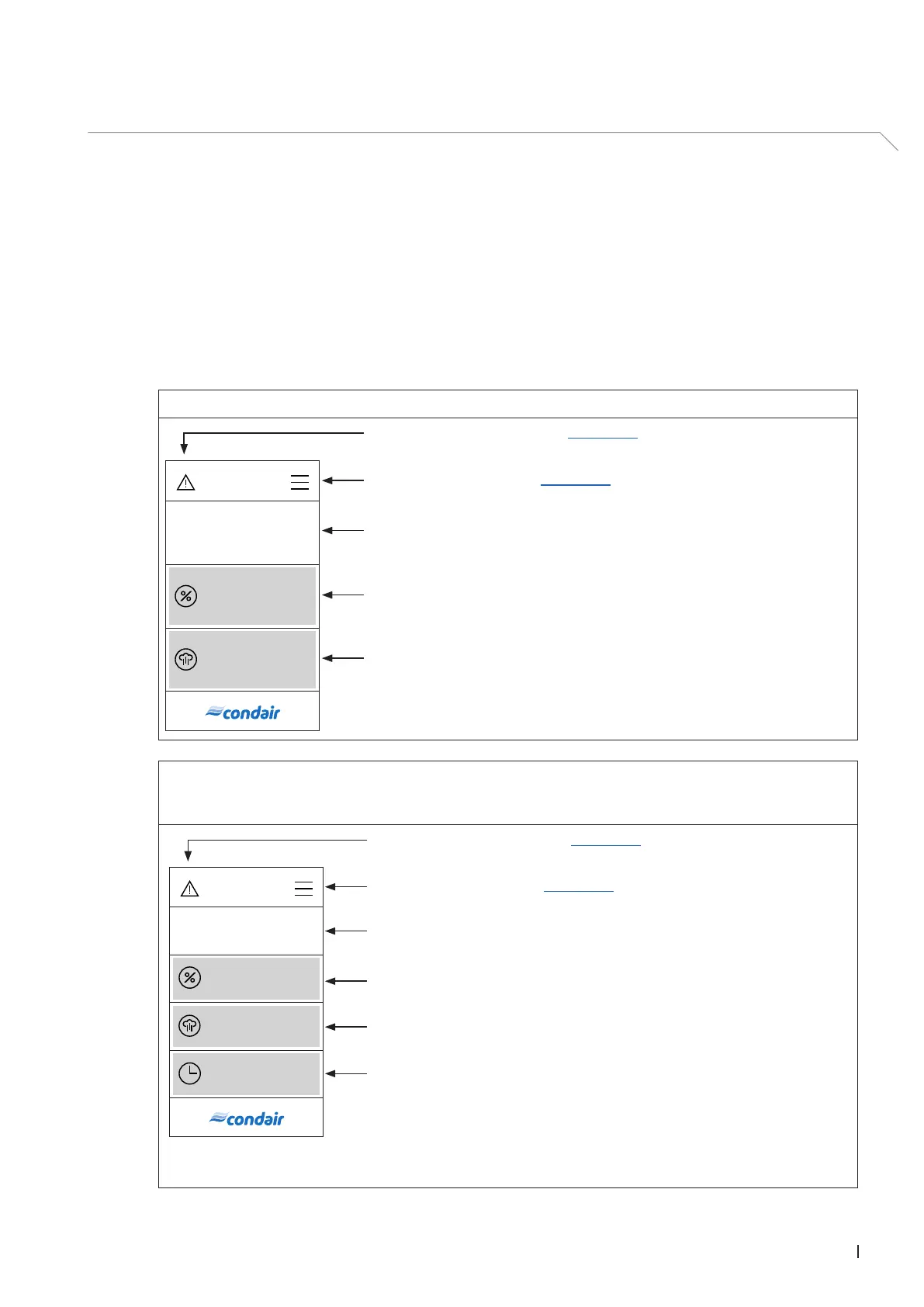
Externalcontrolenabled,Timerdisabled.
Warning triangle (function see chapter 5.2)
Navigation elements (see chapter 5.3)
Operating status eld
Current demand in % of the maximum steam capacity
Current steam production in % of the maximum steam capacity
0.0 %
Standby
0.0 %
ExternalcontrolandTimerenabled.
Note: In timer mode, steam can only be produced if a timer is active and a demand signal from the external
controller is present, otherwise the unit is in standby mode.
0.0 %
0.0 %
Mo 10:00
Standby
Warning triangle (function see chapter 5.2)
Navigation elements (see chapter 5.3)
Operating status eld.
Current demand in % of the maximum steam capacity.
WeekTimer: Set starting time (weekday/time of day) with timer controlled
humidifying operation.
Note: By pressing this button you access the settings window for determining
the starting time.
Note: After the humidifying operation has started the remaining time until the
end of the humidifying operation is displayed.
Current steam production in % of the maximum steam capacity.



 To Next Page