15 | P a g e
MIDI Routing Cache
Inadvertently removing a routing that has filters and modifiers can be “un-done” simply by making the
same routing again. All the filter and modifier parameters are cached for the last 30 routings. To clear
all the filter and modifier parameters for a routing press Shift+Enter button when on the routing screen.
MIDI Merging – it just happens… but be advised!
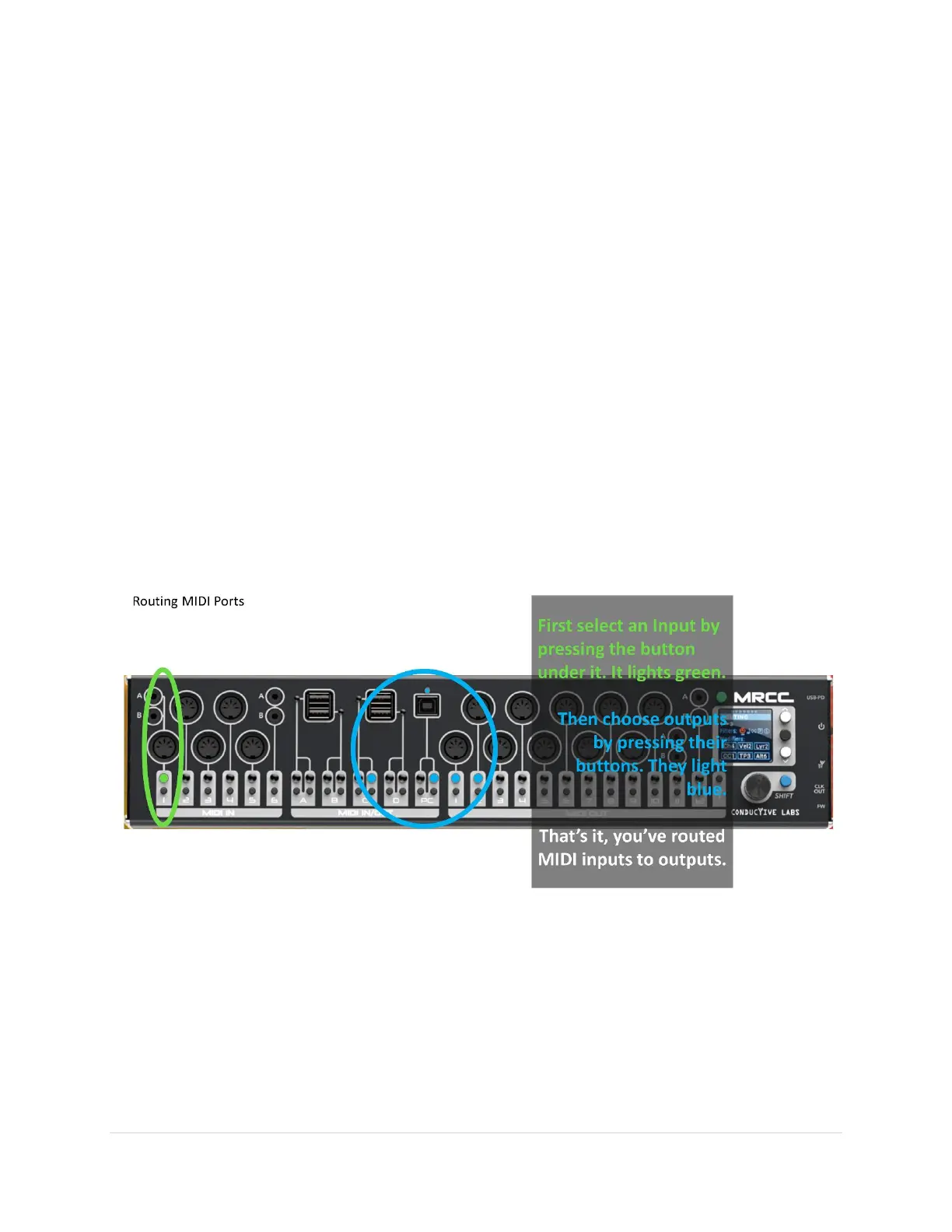
The MRCC implicitly merges when more than one in-port is routed to the same out-port, it just happens
automatically.
Example: If in-port 3 and in-port 6 are both routed to out-port 9 then in-ports 3 and 6 are
“merged” to out-port 9. Also note that in-port 3 and in-port 6 can also be routed to other out-
port(s) at the same time.
Cautionary note: the MRCC will merge any number of in-ports to a single out-port, but it cannot
magically overcome the upper “speed limits” of MIDI message traffic. If too many MIDI messages are
simultaneously merged to a given out-port, messages can be delayed or even lost. This is particularly an
issue with MIDI Clock messages.



 To Next Page