36 | P a g e
Extras Screen Page
The MRCC Extras are the built-in clock, the program change cascading macros, and 6x built-in
arpeggiators.
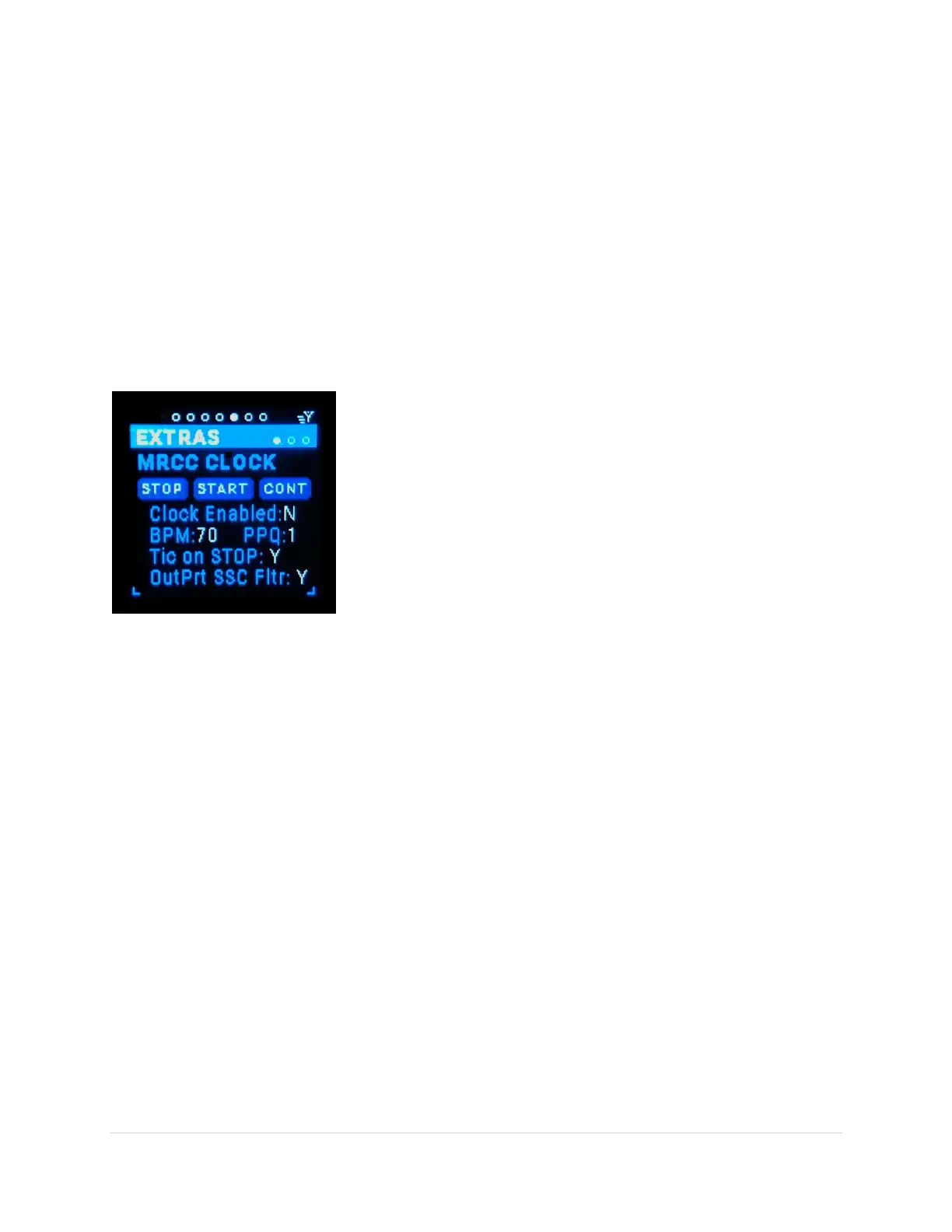
MRCC Clock Sub-Page
This is the extra that enables the onboard MRCC Clock. Notice when the MRCC Clock screen page is
visible, the MRCC LEDs are red. This is to remind you that you can route the clock to any out-port. The
in-port LEDs are used as a metronome when the clock is enabled, solid red when not. The out-port
buttons (and LEDs) are used to set the destination routing of the MRCC MIDI clock messages.
There is also an analog Clock-Out port on the side of the MRCC which pulses a 0-5v (or 0-12v, see
Settings 2) at a PPQ rate.
STOP (tab-stop button)
Sends a Stop MIDI message to all the clock destinations. Use the
Up/Dn buttons to move to the “STOP” button, the button gets
outlined in white. Use the black Enter button to press the screen
button.
START (tab-stop button)
Sends a Start MIDI message to all the clock destinations. Use the
Up/Dn buttons to move to the “START” button, the button gets
outlined in white. Use the black Enter button to press the screen
button.
CONT (tab-stop button)
Sends a Continue MIDI message to all the clock destinations. Use the Up/Dn buttons to move to the
“CONT” button, the button gets outlined in white. Use the black Enter button to press the screen
button.
Clock Enable (tab-stop)
Clock Enable is a Y/N toggle. Y = send clock and button messages to the routed destinations, N = no clock
or buttons messages sent. Use the Up/Dn buttons to move to the Clock Enable tag, the Y/N gets
underlined. Use the Encoder knob or black Enter button to toggle the choice.
BPM (tab-stop)
The BPM (Beats Per Minute) range is 10-240. Use the Up/Dn buttons to move to the BPM value, the
value gets underlined. Use the Encoder knob to scroll through the values. Note that the Shift + rotation
scrolls faster.
PPQ (tab-stop)
The PPQ (Pulse Per Quarter note) value can be set to 1,2,4, or 24 and only affect the analog Clock-Out
signal on the 1/8” jack on the side of the MRCC. Use the Up/Dn buttons to move to the PPQ value, the
value gets underlined. Use the Encoder knob to scroll through the choices.
Tick on STOP (tab-stop)
Tick on STOP is a Y/N toggle. Y = send MIDI clock messages regardless of the “Stop”/”Start”/”Continue”
messages sent, N = do not send MIDI clock messages after a “Stop” message is sent. Use the Up/Dn



 To Next Page