34 | P a g e
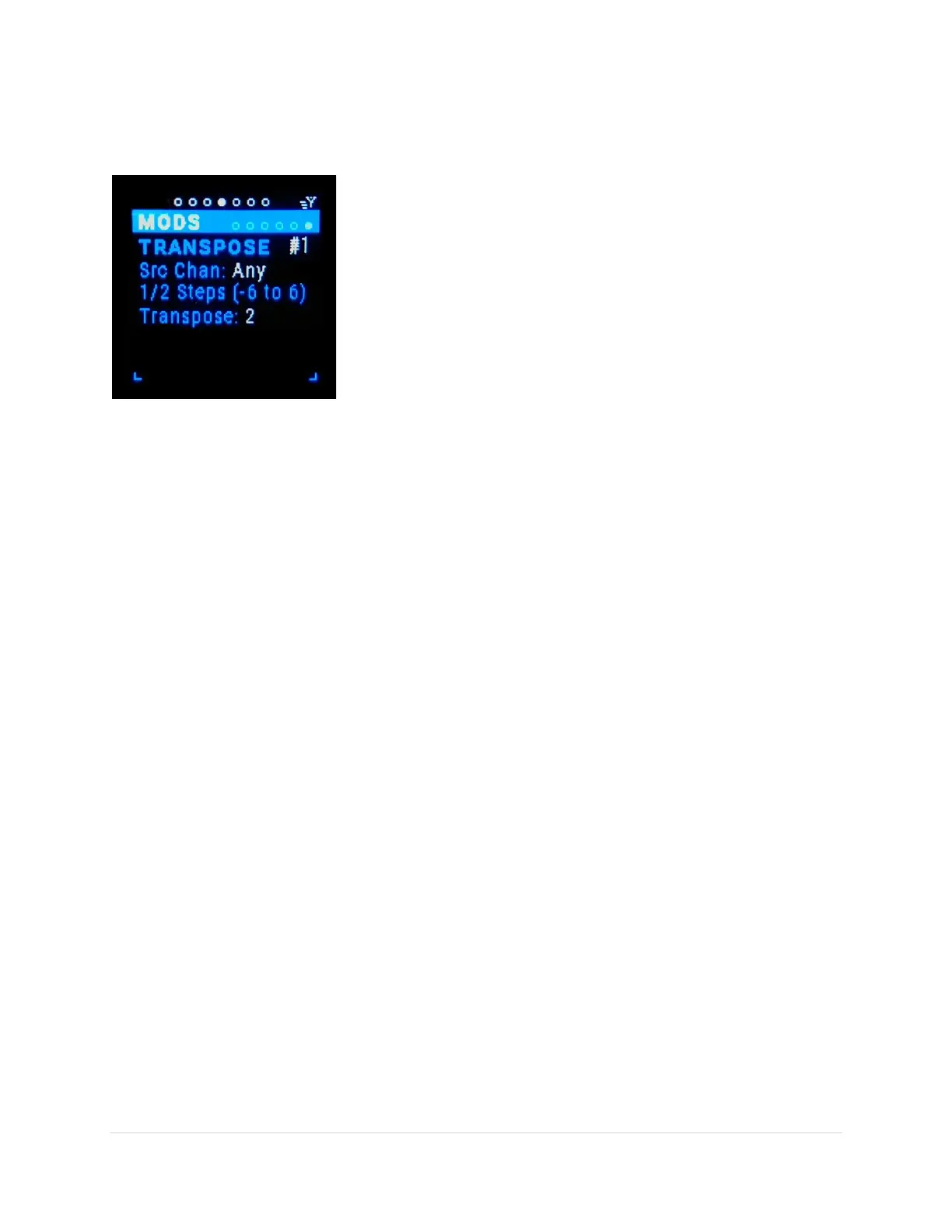
Transpose [TP1-6] Sub-Page
This is the modifier that enables transposing all the inbound notes.
Alter variation (tab-stop)
There are 6 variations of Transpose modifier #1- #6. Use the Up/Dn
buttons to move to the variation number, the number gets
underlined. Use the Encoder knob to scroll through the 6 variations.
Src Chan (tab-stop)
Choose the MIDI source channel “Any” or 1-16. Use the Up/Dn
buttons to move to the Src Ch number, the number gets underlined.
Use the Encoder knob to scroll through the choices.
Transpose (tab-stop)
Transposes all the notes by the number of half steps chosen, -12 to +12. Use the Up/Dn buttons to move
to the Transpose number, the number gets underlined. Use the Encoder knob to scroll through the
values.
Note Map [NMp] Sub Page
NOTE: Screen shot missing for this modifier.
If this modifier is added to a routing then only the MIDI Note messages that match the NoteMap note
list will pass or be mapped according to the Note Map Type selected.
Note Map Types:
Ignore Map – no mapping/filtering
Match Only – only sends MIDI Note messages that match the NoteMap note list
Map To Lower - sends MIDI Note messages that are mapped to the next note below the note
in the NoteMap note list
Map To Upper - sends MIDI Note messages that are mapped to the next note above the note
in the NoteMap note list
Map To Closest - sends MIDI Note messages that are mapped to the closest note in the
NoteMap note list
Channel to Port Mapping [C-P1] Sub Page
NOTE: There is no screen for this modifier because there are no setting.
If this modifier is added to a routing then only the MIDI messages on the channel number that matches
the out-port number will be passed. The MIDI messages will be sent out on channel 1. All other MIDI
messages are suppressed.
Example: if you have a routing (i.e. in-port 3 -> out-port 7) and there are inbound MIDI
messages on channels 6, 7 & 8, only the MIDI messages on channel 7 will be sent. And they will
be sent on channel 1 / out-port 7. No other message will be sent on out-port 7.



 To Next Page