28 | P a g e
Port Filters Screen Page
MIDI message filters can be applied in three ways; based on the routing (see Routing Filters), the
inbound port regardless of destination, and the outbound port regardless of source.
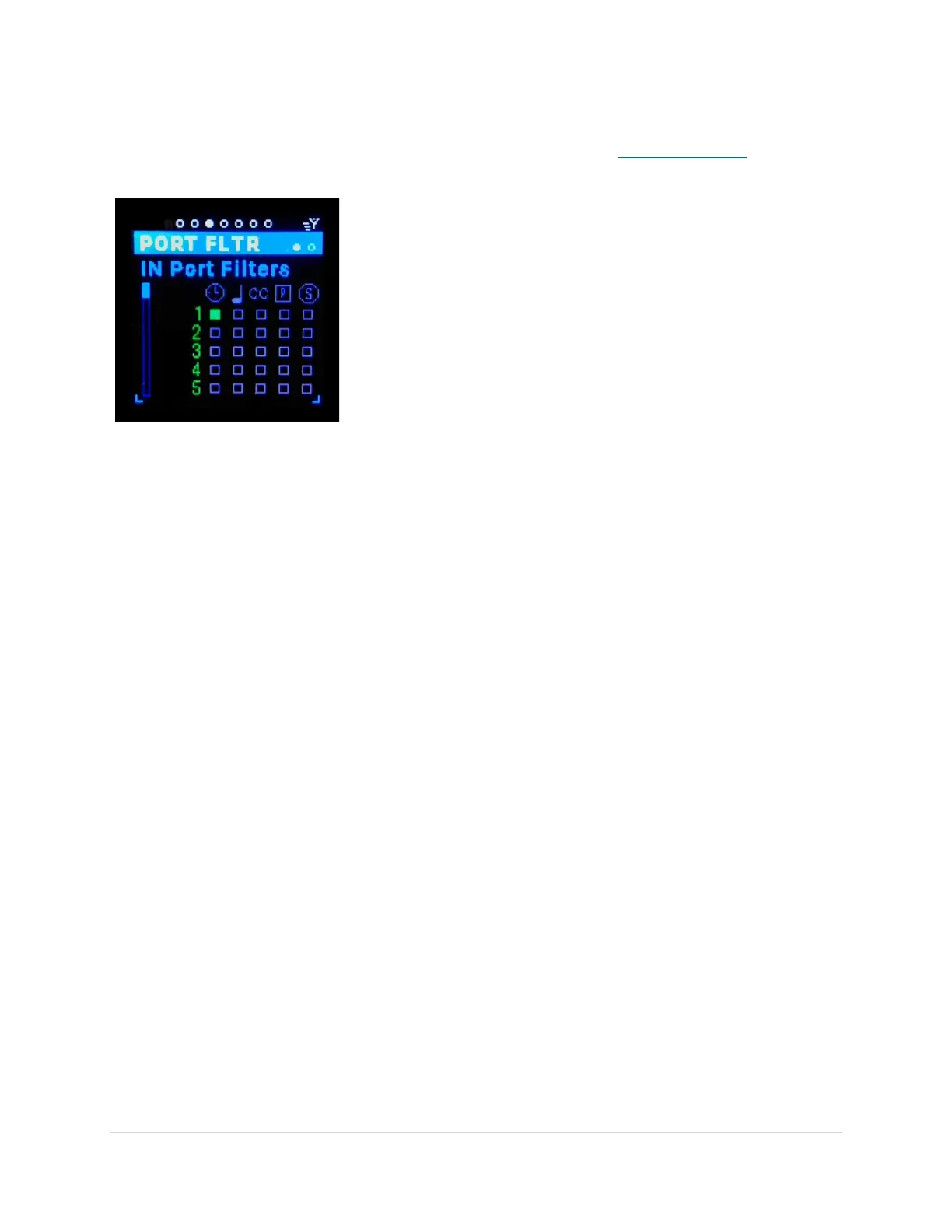
In-Port Filters Sub-Page
Stops filtered MIDI messages coming in from a specific in-port
regardless of the destinations. You might want to stop all CC
messages coming from a keyboard synth, only allowing the Note
On/Off messages to pass.
Horizontal Scroll bar (tab-stop)
Use the Up/Dn buttons to move to the scroll bar, the bar turns
white. Use the Encoder knob to scroll through the 20 entries. Only
the top line of the list is editable.
Port number (tab-stop)
Use the Up/Dn buttons to move to the port number, the number
gets underlined. Use the Encoder knob to scroll through the in-
ports.
Filter Icon (tab-stop)
Use the Up/Dn buttons to move to the filter icon check box, the box gets underlined. Use the Encoder
knob or black Enter button to toggle the filter on/off, on = solid blue, off = outline only.
Out-port Filters Sub-Page
Stops filtered MIDI messages going out to a specific out-port regardless of the source. You might want to
stop all “Stop”, “Start”, & “Continue” messages from reaching a synth, so as NOT to inadvertently trigger
an on board sequencer.
Vertical Scroll bar (tab-stop)
Use the Up/Dn buttons to move to the scroll bar, the bar turns white. Use the Encoder knob to scroll
through the 20 entries. Only the top line of the list is editable.
Port number (tab-stop)
Use the Up/Dn buttons to move to the port number, the number gets underlined. Use the Encoder knob
to scroll through the out-ports.
Filter Icon (tab-stop)
Use the Up/Dn buttons to move to the filter icon check box, the box gets underlined. Use the Encoder
knob or black Enter button to toggle the filter on/off, on = solid blue, off = outline only.



 To Next Page