29 | P a g e
Modifiers (MODS) Screen Page
There seven different MOD types:
1. Channel Mapping
2. Velocity Scaling
3. CC Scaling and Mapping
4. Keyboard Ranges (Layering and Splitting)
5. Alter (Random & Probability)
6. Transpose
7. Channel to Port Mapping (there is no screen settings for this mod)
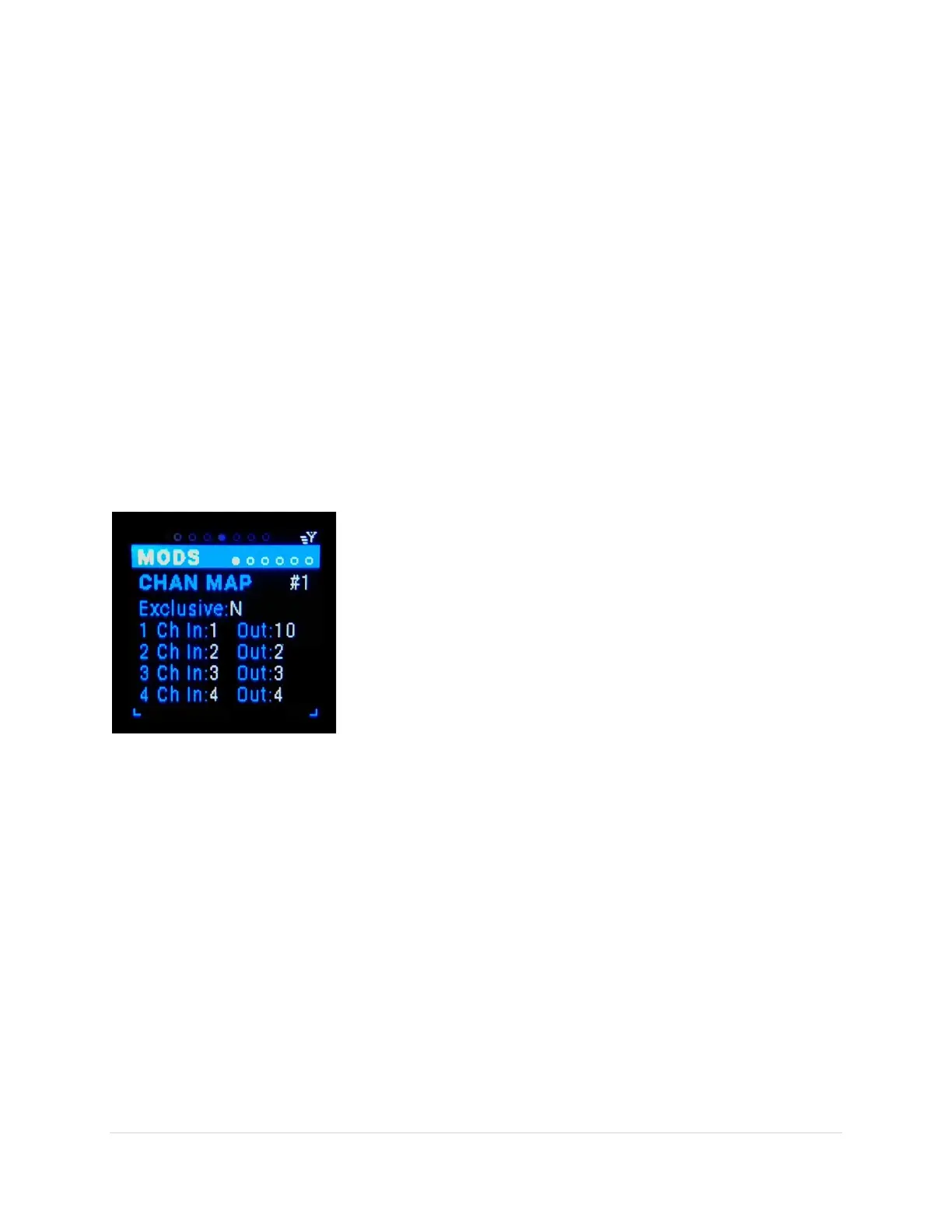
Channel Map (Chan Map) [Ch1-6] Sub-Page
This is the modifier that enables the re-mapping of MIDI message channels. It’s helpful if you don’t know
how to change the channel of your MIDI device. By looking at the Routing Screen you can identify the
channel messages are coming in on. So you can map that channel to any destination channel you need.
Chan Map variation (tab-stop)
There are 6 variations of channel maps #1- #6. Use the Up/Dn buttons
to move to the variation number, the number gets underlined. Use
the Encoder knob to scroll through the 6 variations.
Exclusive (tab-stop)
Exclusive is a Yes/No toggle. Yes = only pass the mapped channels, No
= in addition to the channel mappings also pass all other channels that
are not mapped. Use the Up/Dn buttons to move to the exclusive tag,
the Y/N gets underlined. Use the Encoder knob or black Enter button
to toggle the choice.
Channel In 1-4 (tab-stop)
Choose the inbound channel to map 1-16 or “none”. On #1 “all” is an option, which grays out all other
mappings. Use the Up/Dn buttons to move to the Ch In number, the number gets underlined. Use the
Encoder knob to scroll through the choices.
Note: Channel In’s can only be mapped once, so if an “In” channel is previously selected it is not
available as any other mapping.
Channel Out 1-4 (tab-stop)
Choose the outbound channel to map 1-16. This enables multiple inbound channels to be mapped to a
single outbound channel. Use the Up/Dn buttons to move to the Ch Out number, the number gets
underlined. Use the Encoder knob to scroll through the choices.



 To Next Page