23 | P a g e
The Activity Screen Page
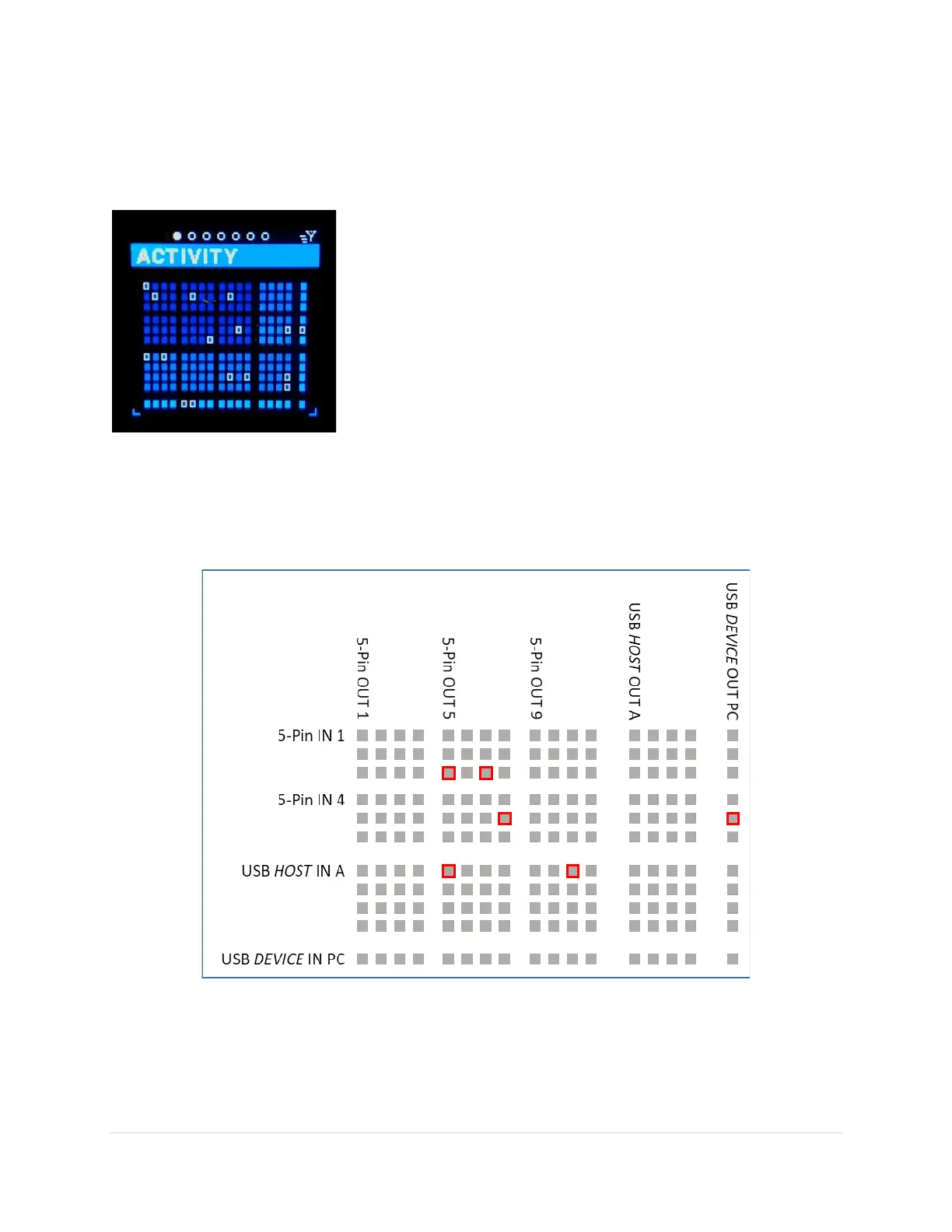
This screen is a snapshot of all the MIDI messages going through the MRCC.
The screen’s rows and columns… each row is an in-port and each
column an out-port. The first six rows (two groups of three) are the 5-
Pin in-ports. The next four rows are the USB HOST in-ports and the
bottom row is the USB DEVICE in-port.
The first 12 columns (three groups of four) are the 5-Pin out-ports.
The next four columns are the USB HOST out-ports. Finally the last
column is the USB DEVICE out-port. The red outlines are the current
routing as a result of the examples in section THE BASICS – PORT
ROUTING.
Press and hold the “Y” button to show the “REMOTE” routings.



 To Next Page