42 | P a g e
MIDI Monitor Sub-Page
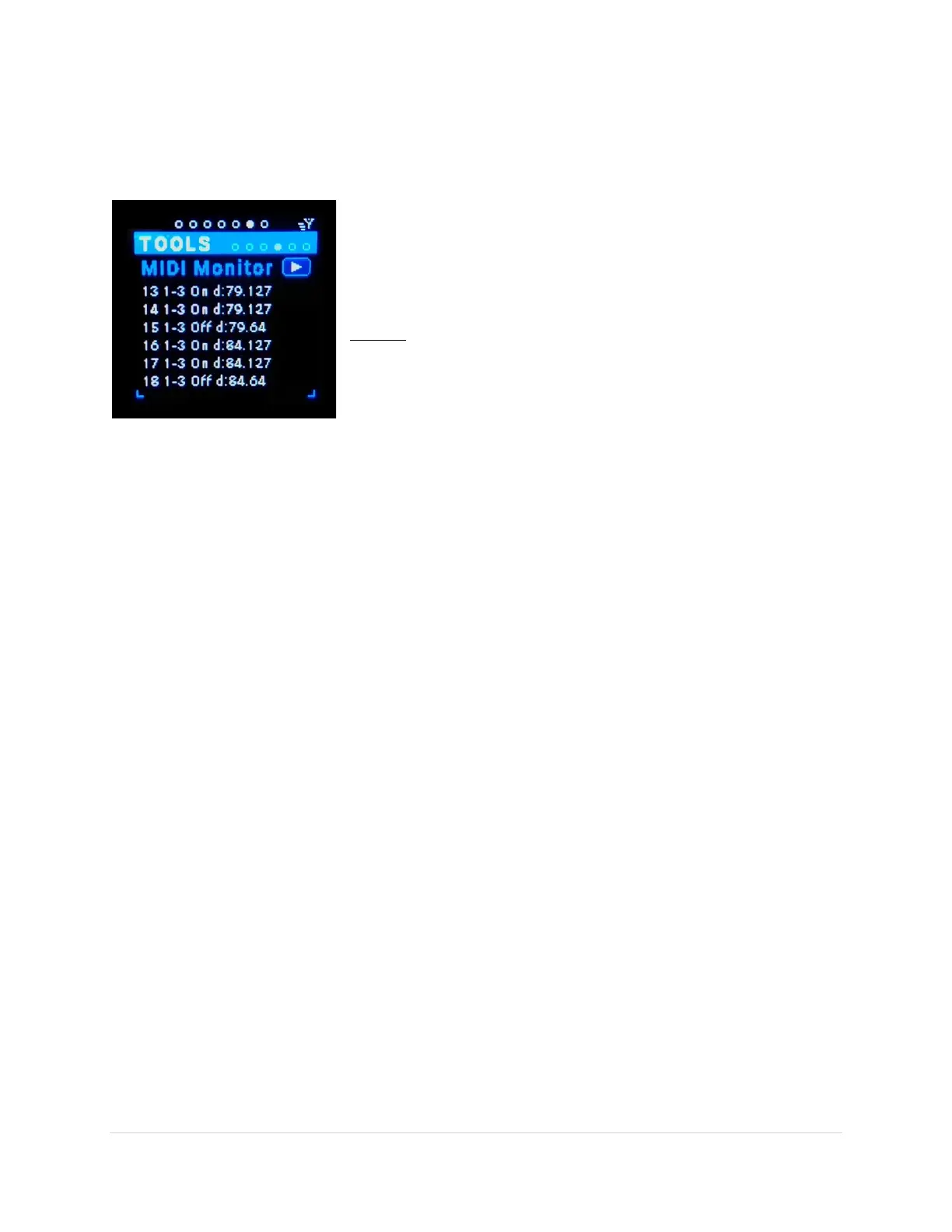
This is the place to watch the outbound MIDI messages flow by. Note: inbound messages do NOT show.
If there are no routings then no MIDI messages will show.
The format is: nn i->o MsgType d:data1.data2
Ex: 23 2->11 On d:3:127
= Line 23 – in-port = 2, out-port = 11, Message=NoteOn,
Data1=Ch3, & Data2=Vel 127.
Format:
nn = line number 0-99 (wraps around) just for reference
i = in-port name
o = out-port name
MsgType = (Note)On, (Note)Off, CC, Pit(ch)…
data1 = 0-127, defined by MsgType
data2 = 0-127, defined by MsgType
Play/Pause (tab-stop button)
Enables/disables the scrolling of MIDI messages. Or simply press the Enter button and it will toggle the
play/pause button. Shift + Enter will clear the message list.



 To Next Page