37 | P a g e
buttons to move to the Tick on STOP tag, the Y/N gets underlined. Use the Encoder knob or black Enter
button to toggle the choice.
out-port S/S/C Filter (tab-stop)
The OutPrt SSC Fltr is a Y/N toggle. Y = do not send MIDI “Stop”/”Start”/”Continue” clock messages if the
S/S/C filter is enabled for the specific out-port, N = send MIDI “Stop”/”Start”/”Continue” clock messages
regardless of out-port filter setting. Use the Up/Dn buttons to move to the out-port S/S/C Filter tag, the
Y/N gets underlined. Use the Encoder knob or black Enter button to toggle the choice.
Program Change Sub-Page
This is the extra that enables the configuration and cascading Program Change messages on the MRCC
inbound MIDI control channel. Not implemented as of the publishing of this manual. (TBD)
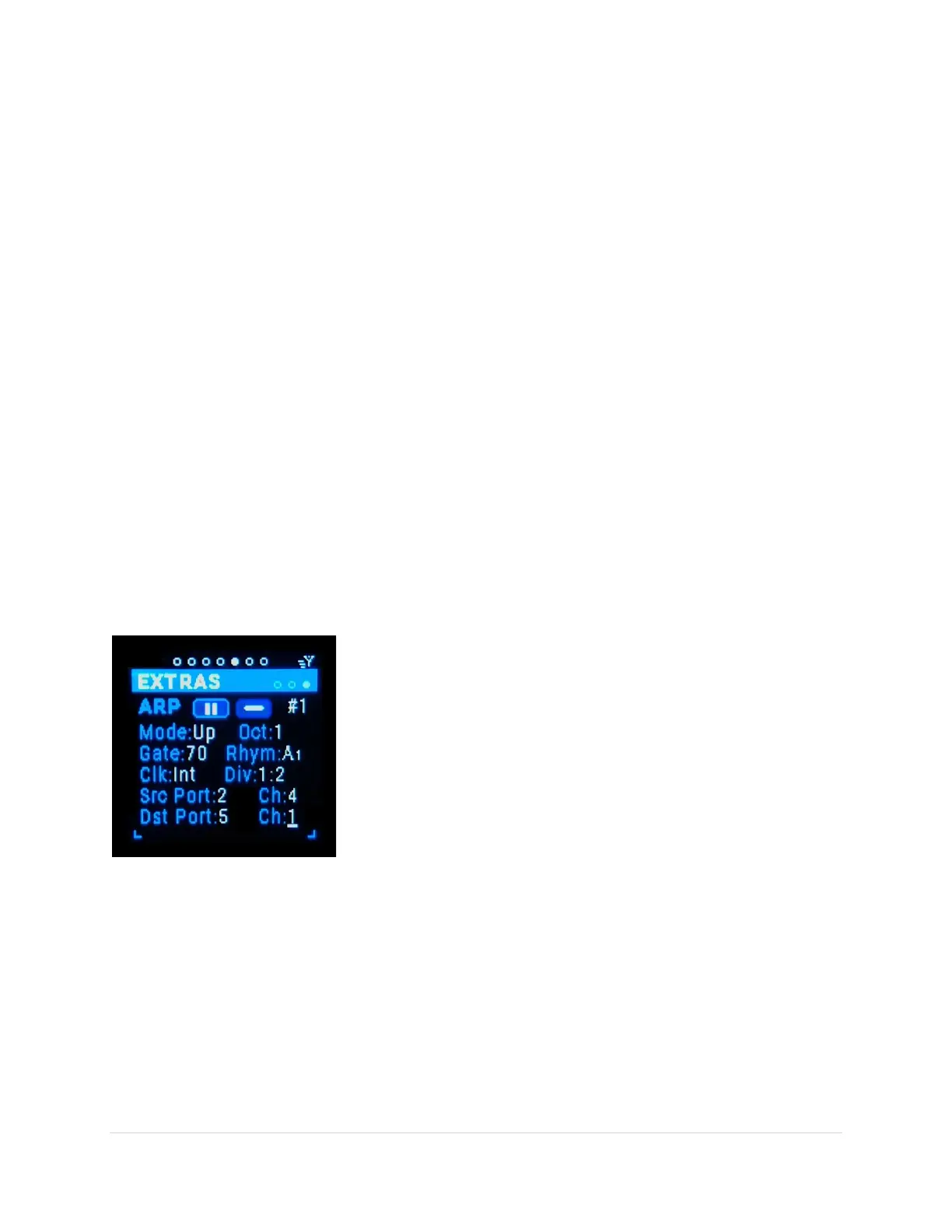
MRCC Arpeggiator Sub-Page
This is the extra that enables the 6x arpeggiators. Since this is an “extra”, the MRCC port routings or
clock routings are NOT associated with the Arp’s source and destination ports/channels. If there are
ports/channels routed to the same synth as the Arp destination it can result in double triggering notes.
NOTE: While on the Arp screen the black “Return” button always toggles the Arp On/Off screen button
and the blue “Shift” + black “Return” button always toggles the Arp Latch screen button. A great time
saver!
Alter variation (tab-stop)
There are 6 variations of Arp #1- #6. Use the Up/Dn buttons to move
to the variation number, the number gets underlined. Use the
Encoder knob to scroll through the 6 variations.
Play/Pause (tab-stop button)
Enables the Arp. Use the Up/Dn buttons to move to the “/”
button, the button gets outlined in white. Use the black Enter button
to enable the Arp. NOTE the black Enter button will enable/disable
the Arp regardless of which tab-stop is highlighted.
Latch (tab-stop button)
Enables the Arp “key-hold” latch. Use the Up/Dn buttons to move to the “/ ” button, the button gets
outlined in white. Use the black Enter button to press the screen button. NOTE the shift+Enter button
combo will latch/un-latch the Arp regardless of which tab-stop is highlighted.
Mode (tab-stop)
Choose the Arp Mode: Up, Down, Ping-Pong Inclusive (repeat end notes), Ping-Pong Exclusive (does not
repeat end notes), Order (order of notes played), Shuffle (Randomizes the order and repeats that order).
Use the Up/Dn buttons to move to the Mode choice, the choice gets underlined. Use the Encoder knob
to scroll through the choices.



 To Next Page