44 | P a g e
Settings Screen Page
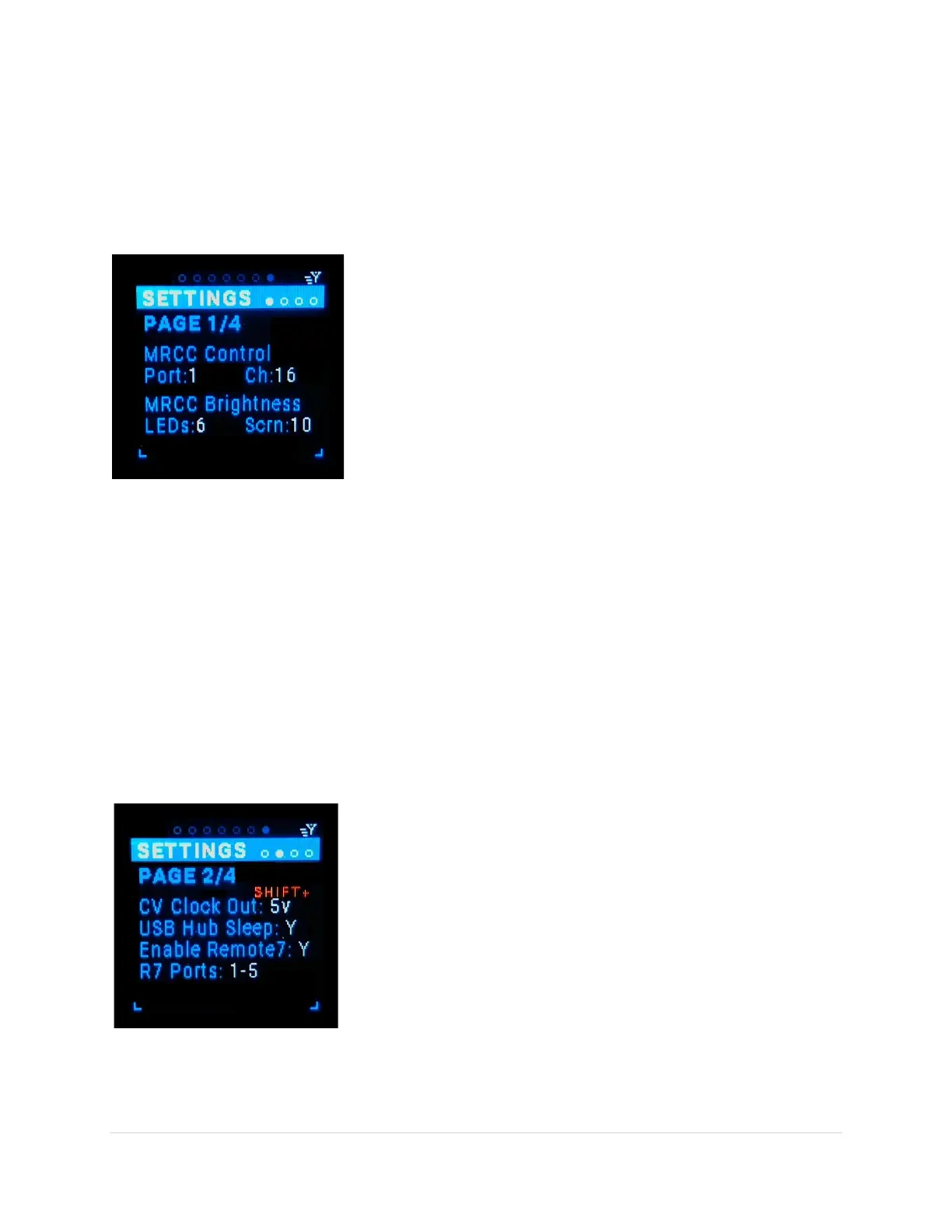
The MRCC Settings is a place to set global parameters for the MRCC. These settings are stored in the
“onboard” memory of the MRCC, NOT on the SD Card.
Settings Page1/4 Sub-Page
Settings: MRCC Control Port and Channel and MRCC Brightness of the LEDs and OLED Screen.
MRCC Control Port (tab-stop)
Choose the port: (1-6, A(1-4)-D(1-4), PC(1-12)). This is the port that
the MRCC “listens-to” for CC and Program Change commands. Use
the Up/Dn buttons to move to the Port choice, the choice gets
underlined. Use the Encoder knob to scroll through the choices.
MRCC Control Chan (tab-stop)
Choose the channel: 1-16. This is the channel that the MRCC “listens-
to” for CC and Program Change commands. Use the Up/Dn buttons
to move to the Channel choice, the choice gets underlined. Use the
Encoder knob to scroll through the choices.
LEDs brightness (tab-stop)
The brightness range is: 1-10. Use the Up/Dn buttons to move to the Preset number, the number gets
underlined. Use the Encoder knob to scroll through the values. Note that the Shift + rotation scrolls
faster.
OLED Display brightness (tab-stop)
The brightness range is: 1-10. Use the Up/Dn buttons to move to the Preset number, the number gets
underlined. Use the Encoder knob to scroll through the values. Note that the Shift + rotation scrolls
faster.
Settings Page2/4 Sub-Page
Settings: Clk Out voltage, USB Hub Sleep Enable, FW ver & Serial Number
Clock Out voltage (tab-stop)
The voltage choices are: +5v or +12v. Use the Up/Dn buttons to move
to the voltage choice, the choice gets underlined. Use the Encoder
knob to scroll through the choices.
USB Hub Sleep (tab-stop)
USB Hub Sleep is a Y/N toggle. Y = turn USB Hub off in MRCC Stand-by
mode. N = do not turn USB Hub off in MRCC Stand-by mode. If “Y”,
the USB Hub off will turn off all USB devices attached to all the Host
ports, and can lose your presets on those devices if not saved. Use
the Up/Dn buttons to move to the Tick on USB Hub Sleep tag, the Y/N
gets underlined. Use the Encoder knob or black Enter button to toggle the choice.



 To Next Page