Product Manual — Doc. 8550C TSW-570, TSW-770, and TSW-1070 • 19
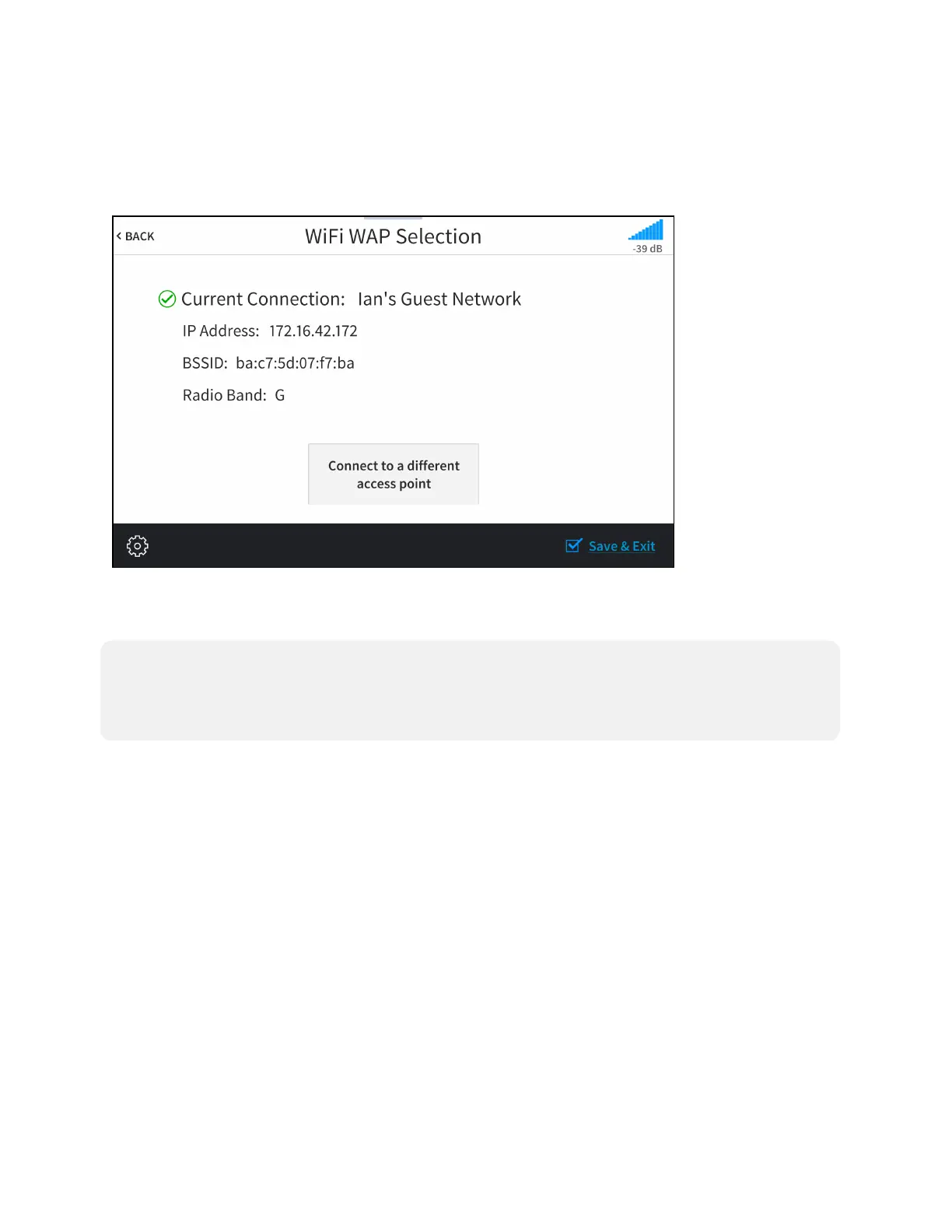
Thetouchscreenattempts toconnecttotheWAPusingtheprovidedcredentials.If aconnection
isestablished,connectiondetails for theWAPareshownwithagreencheckmarktotheleftof
CurrentConnection.
Wi-FiWAP SelectionScreen(ConnectionSuccessful)
If theconnectionfails,afailuremessageis displayed.TapConnecttoadifferentaccess pointto
returntotheConnecttoaWi-FiAccess Point(1-2-3)screen.
NOTE:If four WAPs havealreadybeenassigned,theWi-FiWAPSelectionscreenindicates that
theWAPlistis full.TapDeleteanaccess point? todisplaytheManageWi-FiAccess Points
screen,whereanexistingWAPmaybedeleted,or tap<BACKtocanceladdingthenewWAP.For
moreinformation,refertoManageWi-FiAccessPoints (onthenextpage).
Tap<BACKtoreturn totheWi-FiSetupscreen.



 To Next Page
 Loading...






